Which virtual staging software is best?
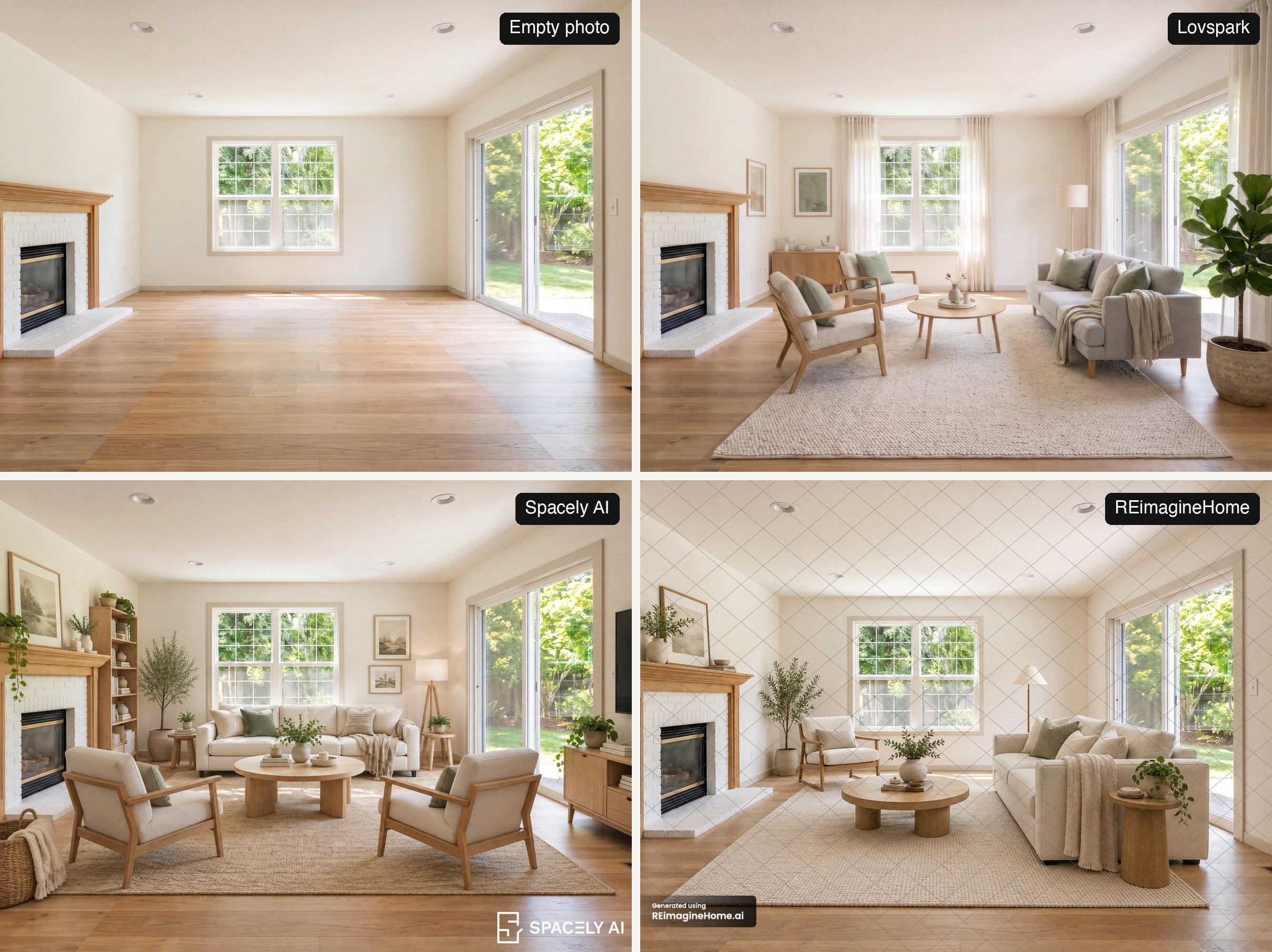
The best virtual staging software depends on what you need most: a free test, full-resolution files, the fullest-looking room or the lowest price per photo. On November 21, 2026 we ran the same empty living room through four tools and checked the pricing pages of seven. Spacely AI furnished the room most fully, Lovspark kept the original 2400 × 1792 photo and framing exactly, and REimagineHome produced a sensible layout but covers free results in a heavy watermark.
A note on bias: Lovspark makes one of the tools in this comparison. We used the same photo, the same style and each tool’s default settings, and we show every result as it came out, including where Lovspark did less than the others.
How we tested
One photo, one style, free tiers only. Here is exactly what we did:
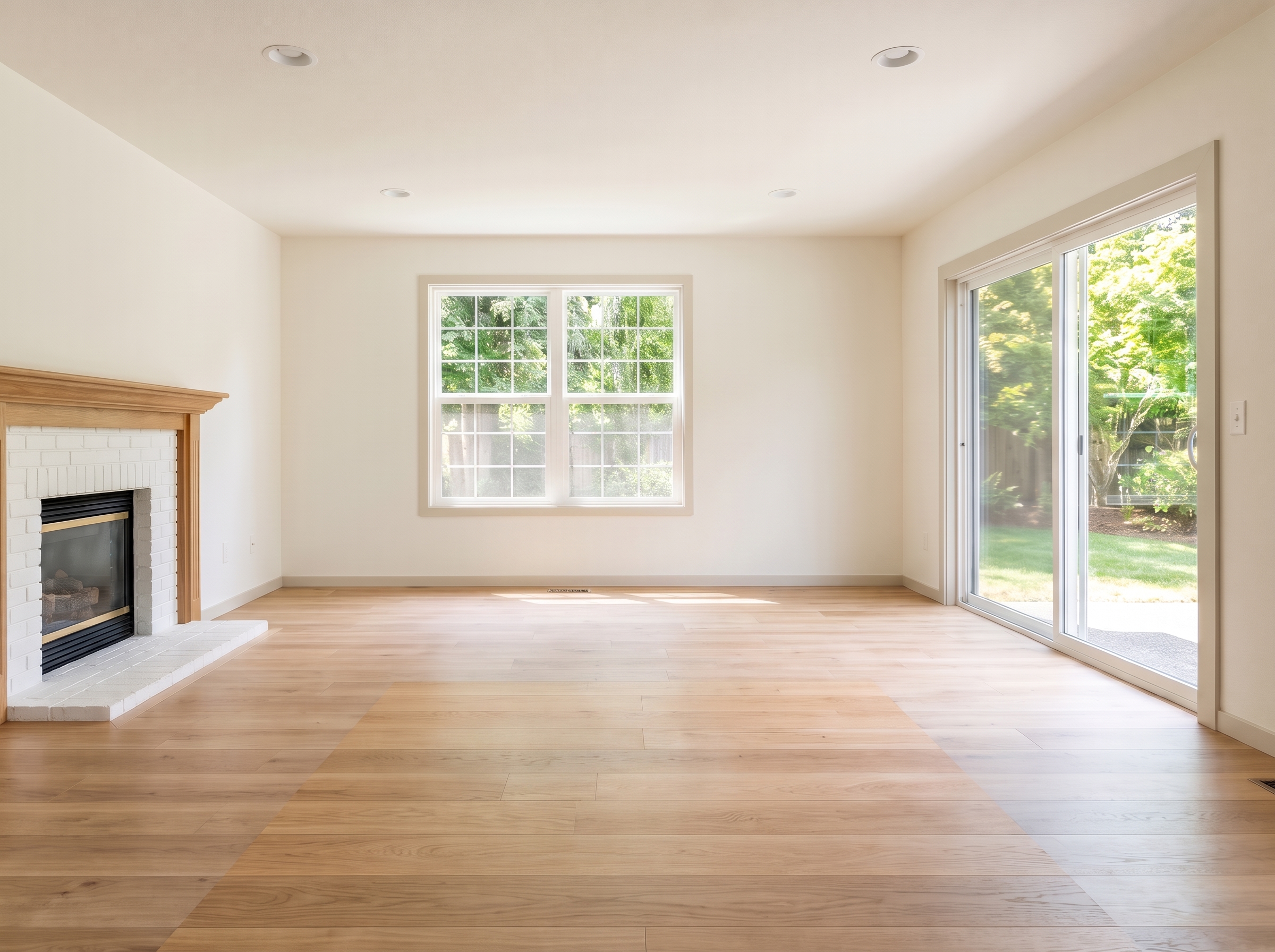
- The photo. A vacant living room with a white brick fireplace, a double window, a sliding door and an oak floor, 2400 × 1792 pixels.
- The brief. Living room, Scandinavian style, walls, floor, windows and doors left unchanged. Where a tool had no style menu, we wrote the same brief as a prompt or used a Scandinavian style photo.
- What we recorded. Time to result, the size of the downloaded file, watermarks, any change to the room itself, and whether the furniture made sense: scale, walkways, nothing floating or blocking a door.
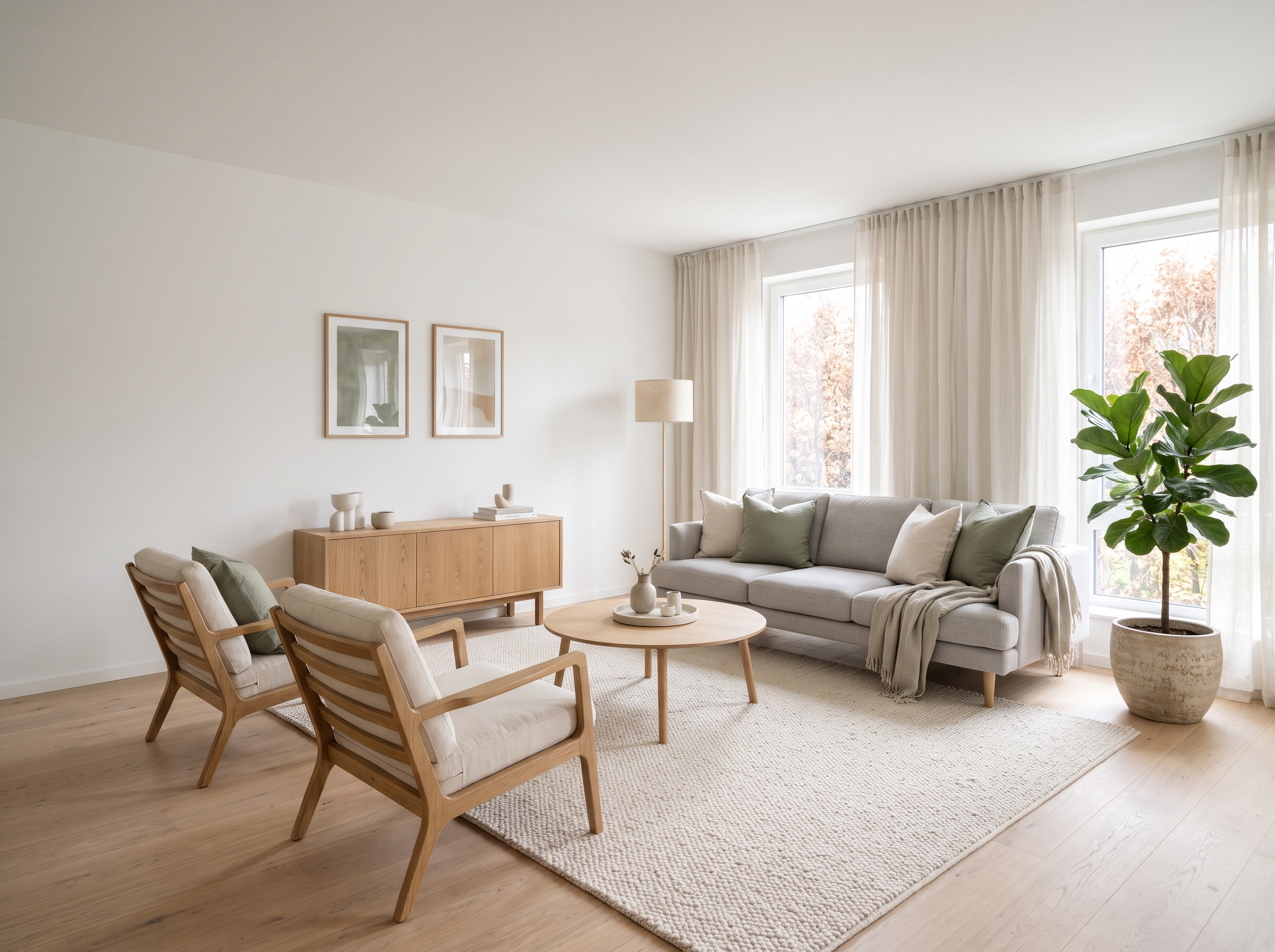
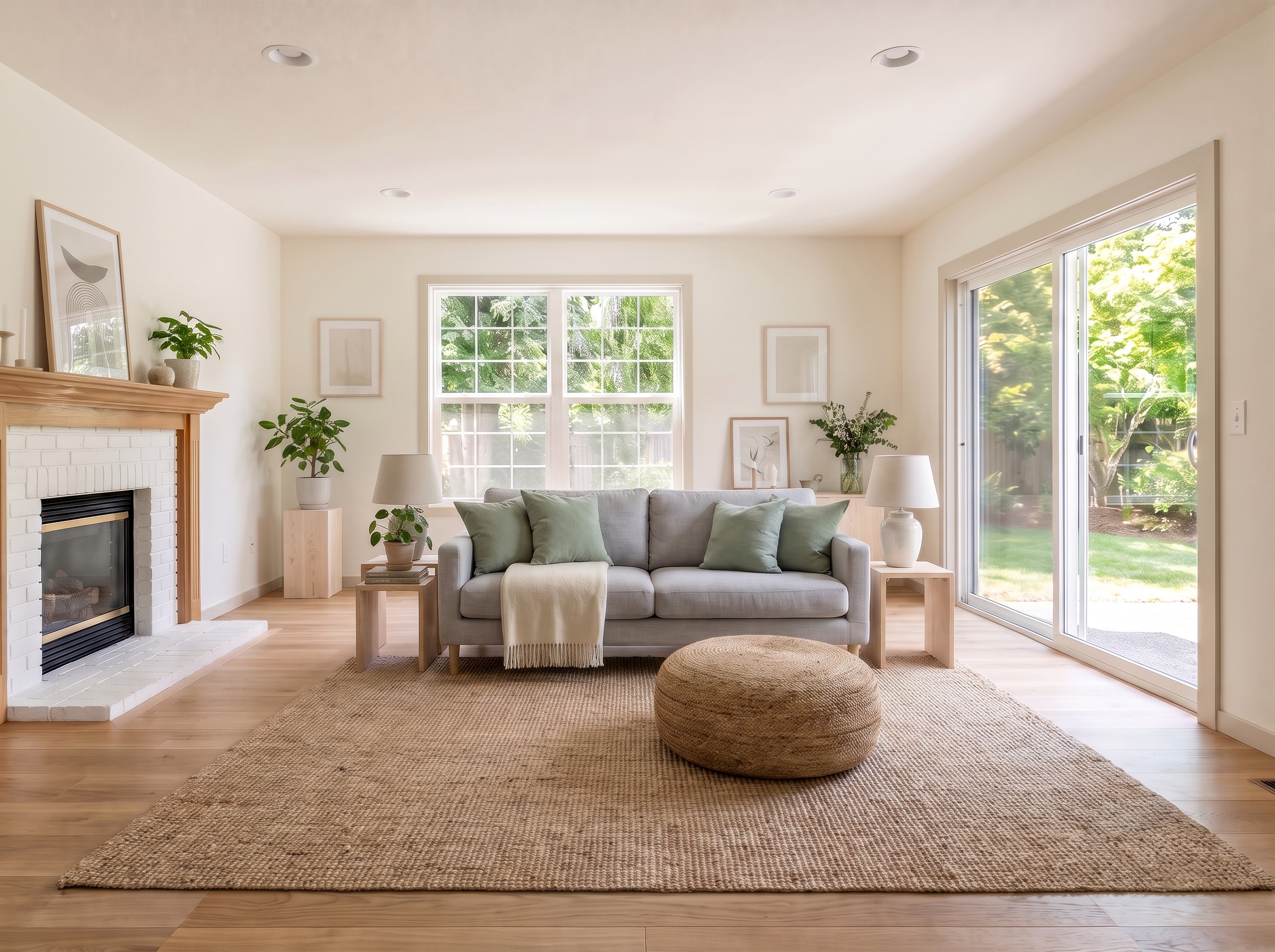
- How many runs. Spacely AI, REimagineHome and Apply Design each had one free run; Spacely returns four variations per run. Lovspark had three. The first two used the close-up Scandinavian sample photo on its page and copied that vignette closely, so the third used a wide photo of a complete Scandinavian living room. We show the first and the third.
- What we did not pay for. Virtual Staging AI, Collov AI and Interior AI have no free tier, so we compared their published prices and limits only.
Virtual staging software compared
Prices are the monthly prices shown on each pricing page on November 21, 2026. Yearly billing is cheaper on every subscription tool.
| Tool | Free option | Entry price for AI staging | Our test |
|---|---|---|---|
| Lovspark | 200 credits a month, about 6 staged photos, watermarked | $19.99/mo for 2,000 credits; packs from $6.99 | Tested |
| Spacely AI | First Auto Furnish run free, watermarked | $50/mo Studio plan (Auto Furnish is not in the $25 plan) | Tested |
| REimagineHome | 5 free designs, watermarked | $19/mo for 30 credits (legacy tools); $36/mo for 200 | Tested |
| Apply Design | First image free in the DIY editor | No plan: $7–$10 per coin, 1.5 coins per auto-staged photo | DIY editor only |
| Virtual Staging AI | None | $25/mo for 6 photos; not sold in the EU, EEA or UK | Prices only |
| Collov AI | None; watermarked feature trials inside paid plans | $27/mo for 60 photos | Prices only |
| Interior AI | None | $99/mo Premium plan (staging is not in the cheaper Pro plan) | Prices only |
Results: the same room in four tools
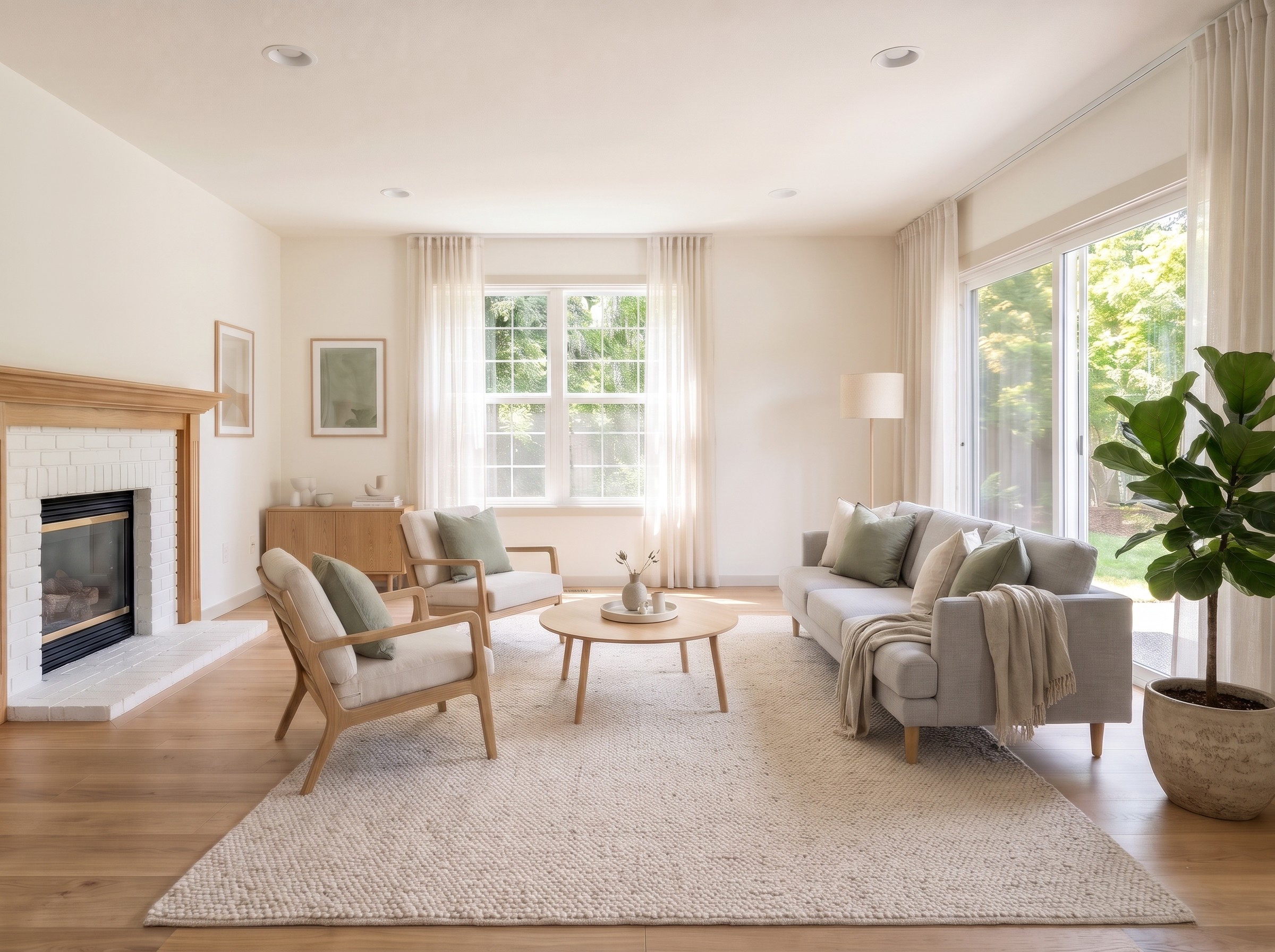
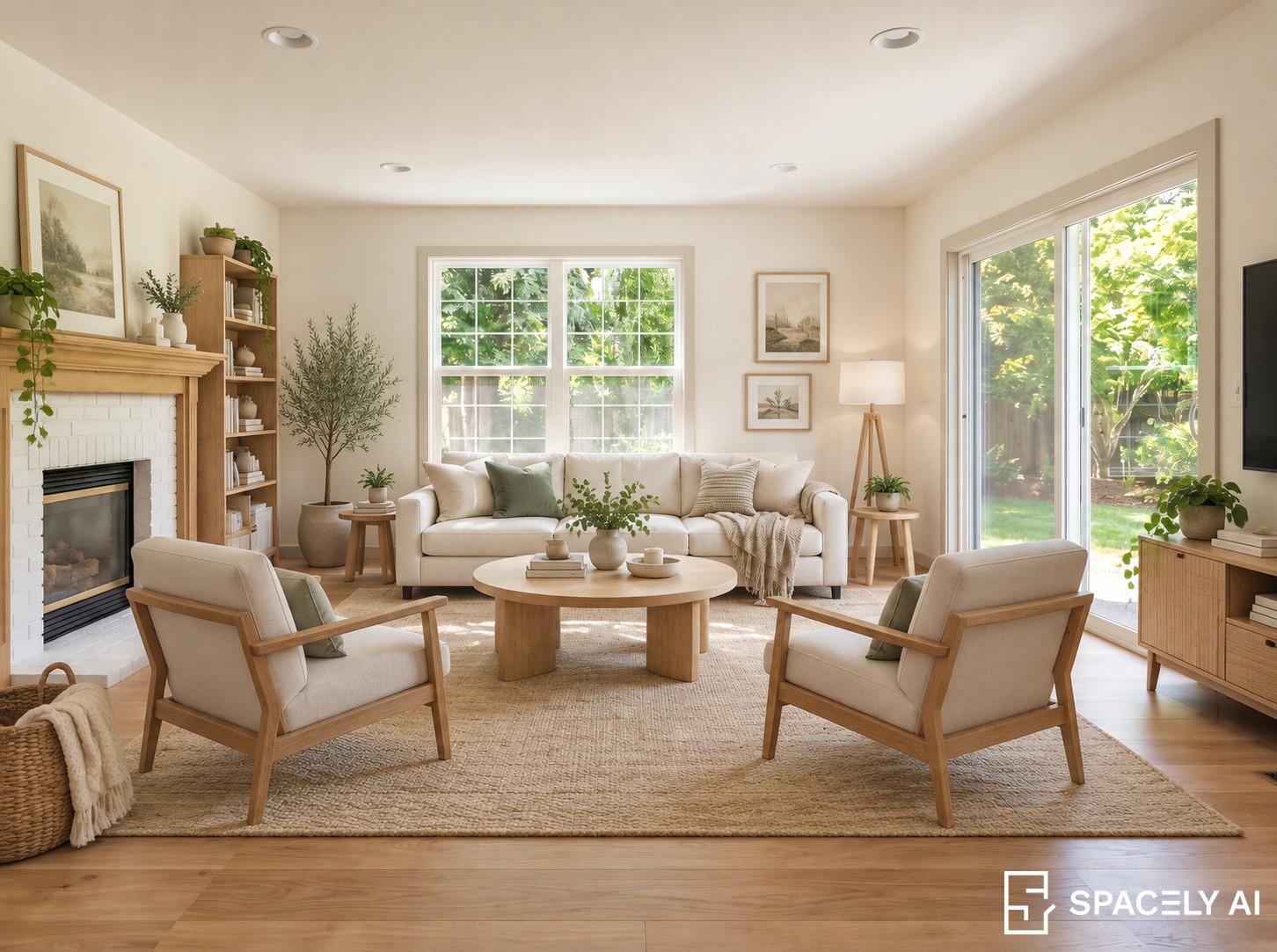
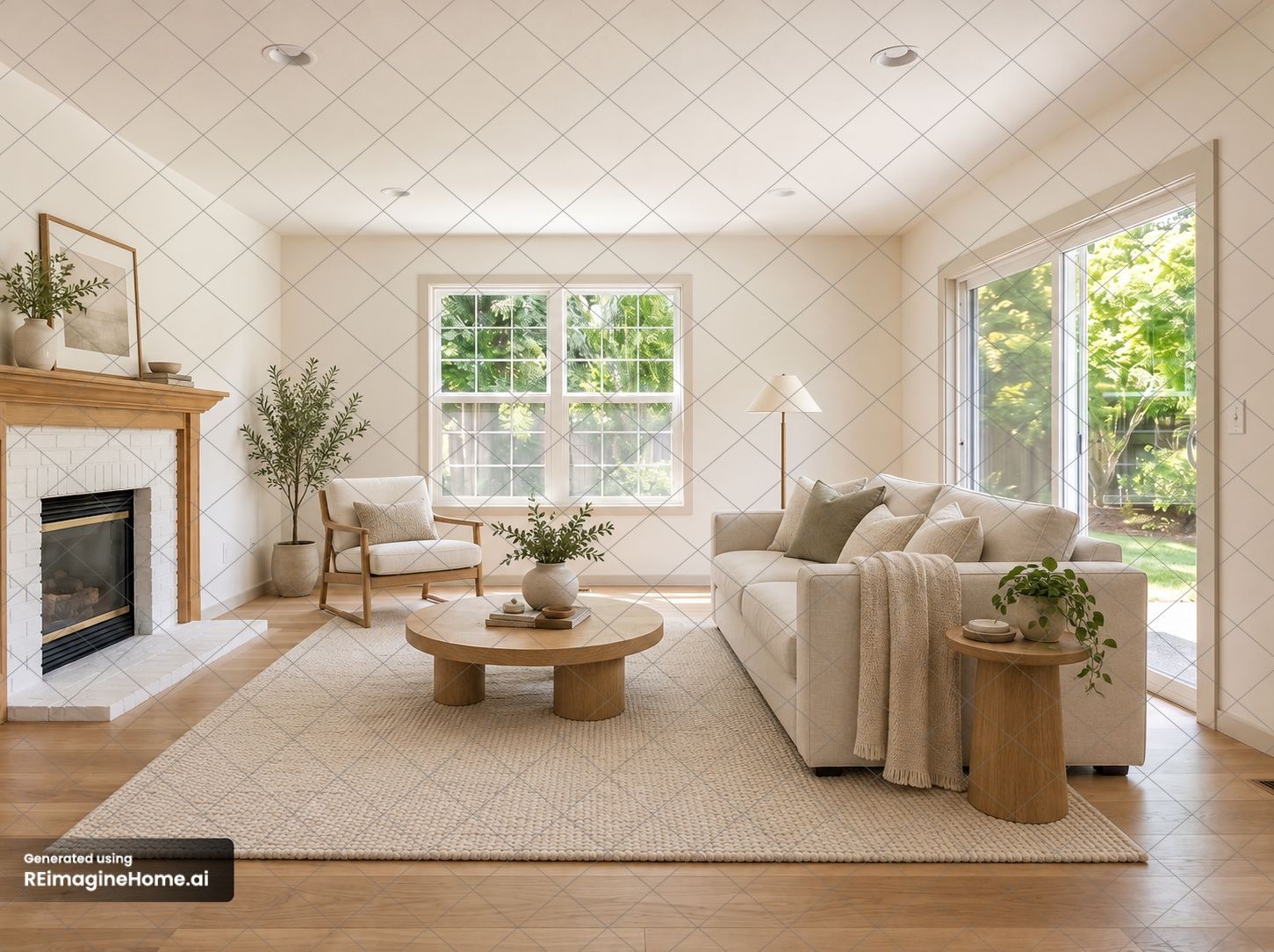
All four kept the fireplace, mantel, double window, sliding door, recessed lights and floor. None of them painted walls or swapped the flooring. The differences were in how much furniture each tool added, the file you get back and the watermark.
| Lovspark | Spacely AI | REimagineHome | Apply Design | |
|---|---|---|---|---|
| Time to result | About 1 min | About 24 s for 4 images | About 60–80 s | About 80 s |
| File returned | 2400 × 1792 | 1452 × 1083 | 1451 × 1084 | 2400 × 1792 |
| Free-tier watermark | Yes (none on our paid account) | Corner logo | Grid over the whole image | None |
| Framing | Unchanged | Slightly cropped | Unchanged | Unchanged |
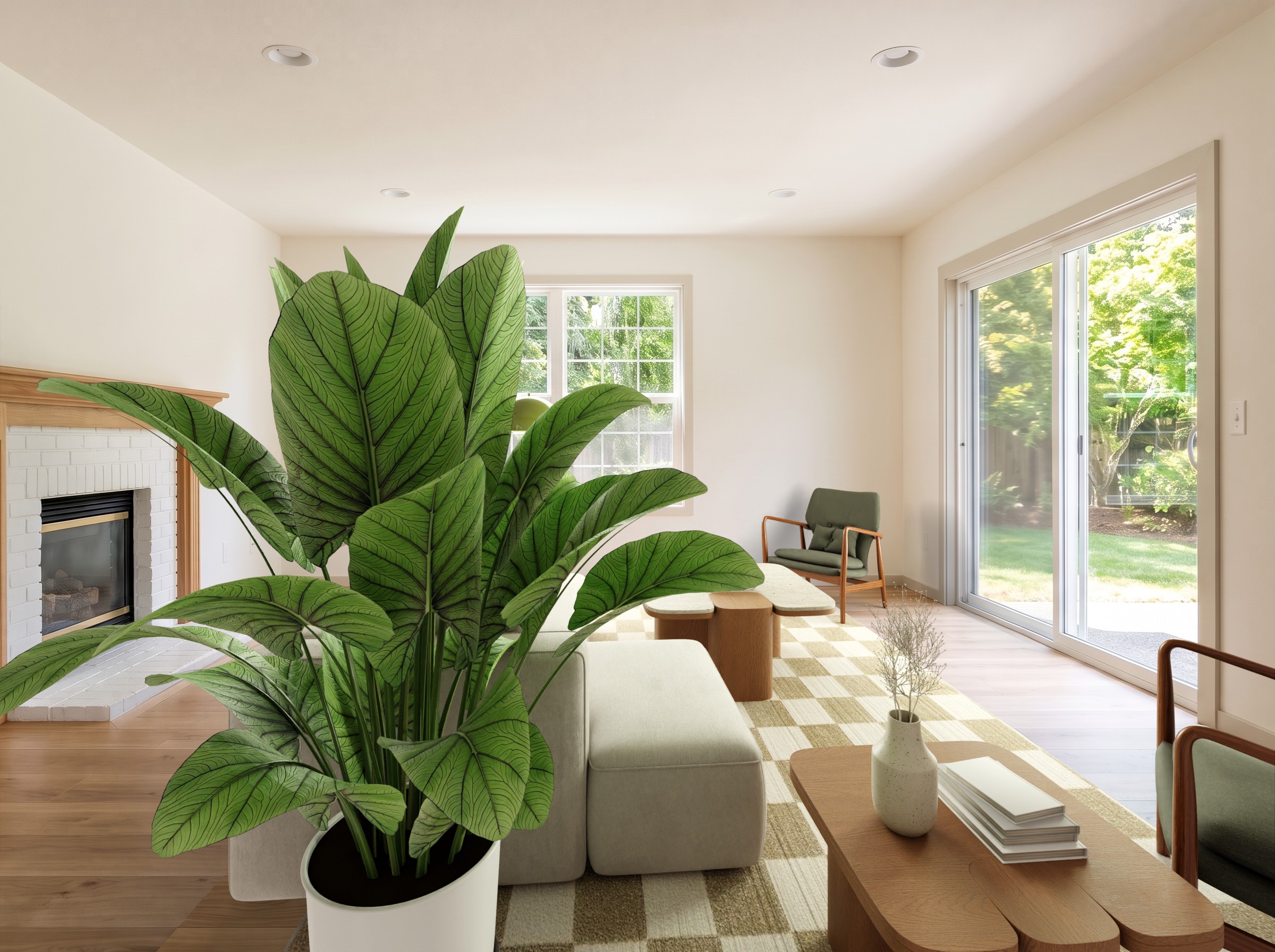
| Furniture | Sofa, two lounge chairs, coffee table, sideboard; added sheer curtains | Sofa, two chairs, bookcase, TV console | Sofa, chair, coffee table, side table | Placed by hand |
The tools, one by one
Lovspark: best for full-resolution, unchanged photos
Lovspark's AI virtual staging takes an empty room photo and a style photo instead of a style menu, and it follows that photo closely. With the close-up sample on its page, it copied the vignette almost item for item: one sofa, two side tables and a pouf. With a wide photo of a complete living room, it built a proper seating group of a sofa, two lounge chairs and a coffee table on a large rug. Both times it returned the photo at full size with the frame untouched, which matters if the staged image sits next to the original in an MLS gallery. In the better run it also added sheer curtains, and the sofa sits close to the sliding door. Use a style photo that shows the whole room you want, not a corner.
Pricing: 200 free credits a month, 30 credits per staged photo, watermarked on the free plan. Creator is $19.99 a month for 2,000 credits, about 66 photos, and credit packs start at $6.99 for 500 credits with no subscription. See Lovspark pricing.
Spacely AI: best free test of a fully furnished room
Spacely AI gave the most complete room: a sofa, two lounge chairs, a round coffee table, a bookcase and a TV console, four variations in about 24 seconds, with 146 styles to choose from. It cropped the frame slightly and simplified the window grilles, and the free download is 1452 × 1083 with a logo in the corner.
The catch is the plan structure. Auto Furnish is a Pro feature: the $25 Personal plan does not include it, nor commercial use or watermark-free downloads. Those start with Studio at $50 a month for 1,500 credits, and a run of four images costs 10 credits. See Spacely AI pricing.
REimagineHome: good layouts, heavy free watermark
REimagineHome now works through a chat-style assistant rather than a style grid, so we typed the brief. The layout was sensible and the furniture well scaled, with the walkway to the sliding door a little narrow. The free result is 1451 × 1084 and covered by a diamond grid, which makes it useful for judging the layout and not for a listing.
New accounts get five free designs. Essential is $19 a month for 30 credits but uses the older tools without the assistant or high resolution; Pro is $36 a month for 200 credits. See REimagineHome pricing.
Apply Design: best for hands-on control
Apply Design is built around a drag-and-drop editor with furniture bundles, plus an Auto stage option. Our free coin went to the editor, so the image above shows hand-placed furniture rather than its AI. The file came back at full size without a watermark. There is no subscription: coins cost $10 each, falling to $7 when you buy 20 or more; a 2D image in the editor costs one coin and auto staging costs 1.5. See Apply Design pricing.
Virtual Staging AI: dedicated app, no free tier
Virtual Staging AI is built only for real estate staging and includes furniture removal and unlimited re-renders on every plan. It has no free credits: Basic is $25 a month for 6 photos, up to $79 a month for 60, or $16 to $39 a month billed yearly. Its pricing page says it does not currently accept customers in the EU, EEA or UK. See Virtual Staging AI pricing.
Collov AI: staging plus listing tools
Collov AI bundles virtual staging with multi-angle staging, chat editing, photo editing and listing tools. There is no free plan; the trials it advertises are watermarked feature trials inside paid plans. Standard is $27 a month for 60 photos ($19 billed yearly), with unlimited regeneration and no watermark. See Collov AI pricing.
Interior AI: large allowances, staging on the higher plan
Interior AI is a general interior redesign tool. Signing up leads straight to a subscription screen, and virtual staging is listed on the Premium plan at $99 a month for 5,000 designs ($49 a month billed yearly), not on the cheaper Pro plan. Its FAQ says there are no refunds. See Interior AI pricing.
How to choose virtual staging software
Pick by the job, not by the longest feature list:
- You list a few homes a month. Pay per photo rather than a subscription: Lovspark credit packs or Apply Design coins.
- You need the staged photo to match the original exactly. Choose a tool that returns full resolution without cropping, then compare the two side by side before publishing.
- You stage dozens of photos a month. Look at the per-photo price on the plan you will actually use, and check whether staging is included in that plan; at Spacely AI and Interior AI it is not in the cheapest one.
- You are in the EU, EEA or UK. Virtual Staging AI does not currently sell there.
- Whatever you pick, label every image and keep the original, as covered in what virtual staging is and how to disclose it.
Frequently asked questions
What is the best free virtual staging software?
None of the tools we tried gives clean, unlimited images for free. Lovspark gives 200 credits every month, about six staged photos with a watermark. Spacely AI made its first Auto Furnish run free, REimagineHome gives five watermarked designs, and Apply Design makes the first image in its drag-and-drop editor free. Virtual Staging AI, Collov AI and Interior AI have no free plan.
What is the cheapest virtual staging software?
On monthly plans, the lowest cost per staged image comes from tools that bundle large allowances: Interior AI Premium, Spacely AI Studio and REimagineHome Pro all work out under $0.20 per image if you use the whole allowance. Lovspark is about $0.30 per photo on its Creator plan and is the only tool here that also sells credit packs without a subscription. Virtual Staging AI costs $1.32 to $4.17 per photo.
Is AI virtual staging good enough for listing photos?
In our test, yes, with a check before you publish. None of the four tools moved walls, windows, doors or the floor. Spacely AI cropped the frame slightly and simplified the window grilles, and one result had a plant blocking a third of the room. Look at every image at full size, and label it as virtually staged.
Which virtual staging tools keep the original photo size?
Lovspark and Apply Design returned our 2400 × 1792 test photo at full size. The free results from Spacely AI and REimagineHome came back at about 1450 × 1080, smaller than the original; both say higher resolution needs a paid plan.
How long does AI virtual staging take?
Between about 24 and 80 seconds per run in our test. Spacely AI was fastest at about 24 seconds for four variations, Lovspark took about a minute, and REimagineHome and Apply Design took about 60 to 80 seconds. Human editing services usually take 24 to 48 hours.
Do I have to disclose AI virtual staging?
Yes. Label every staged photo and keep the original available. California’s AB 723, in effect since January 1, 2026, requires a disclosure and a link or QR code to the unaltered image, and many MLSs have their own rules.