By the Lovspark Product Team · Updated November 10, 2026

AI room design from a photo

AI Interior Design

Redesign any room from a photo with AI: new finishes, furniture and decor in the style you choose, in the space you already have.

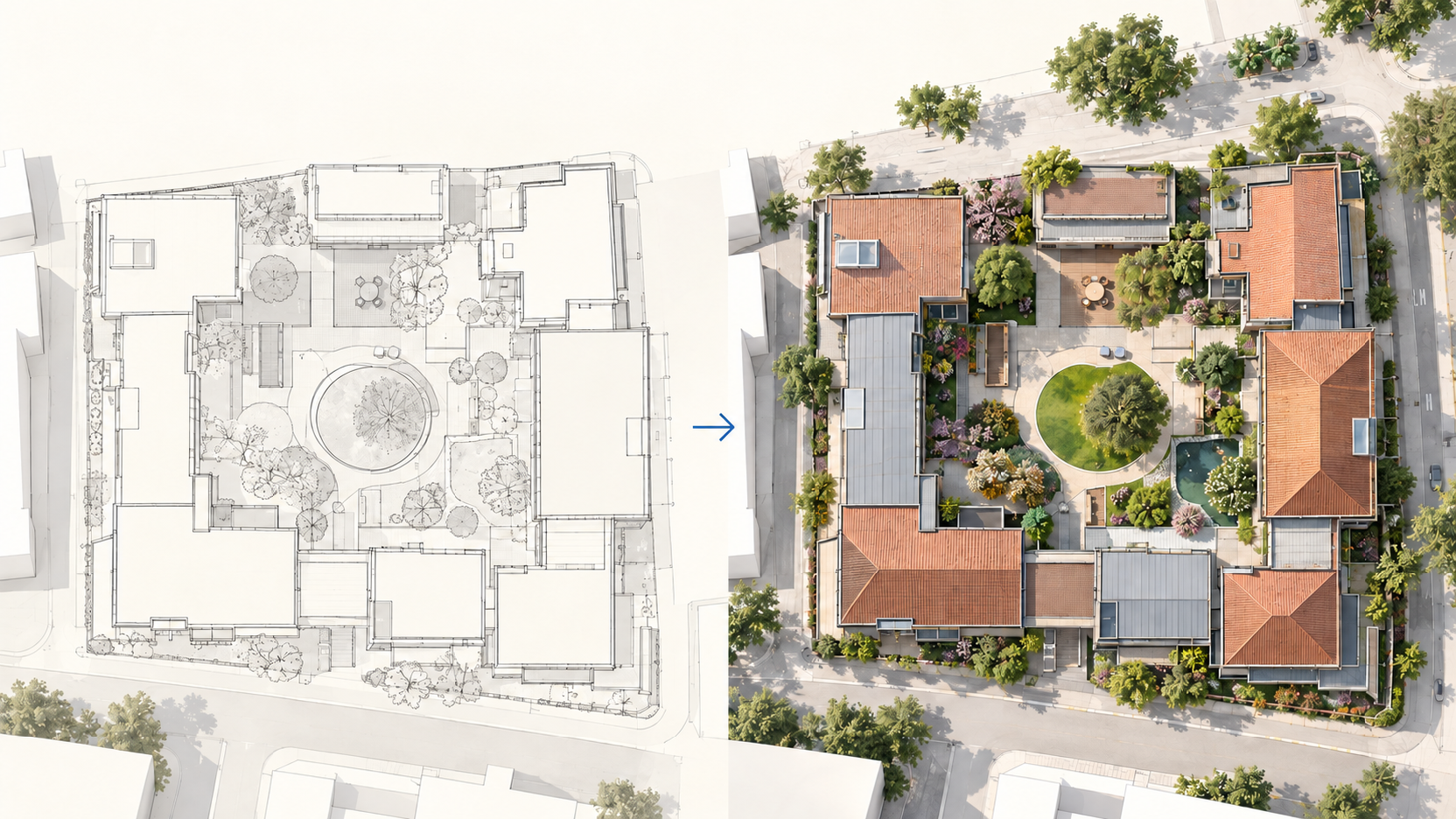
Upload a picture of your space and one style image you like. Lovspark AI keeps its shape, windows and viewpoint, and redesigns the walls, floors, furniture and decor to match. Starting from an empty room, a bare shell, a 3D model, a moodboard or a floor plan instead? Lovspark sends you to the right AI tool.

Try AI Interior Design

30 credits per run · No install needed · Saved to your Lovspark account · Open in Lovspark

Try AI Interior Design online

Old House Image
No image handy? Try these:
Style Reference Image
No image handy? Try these:
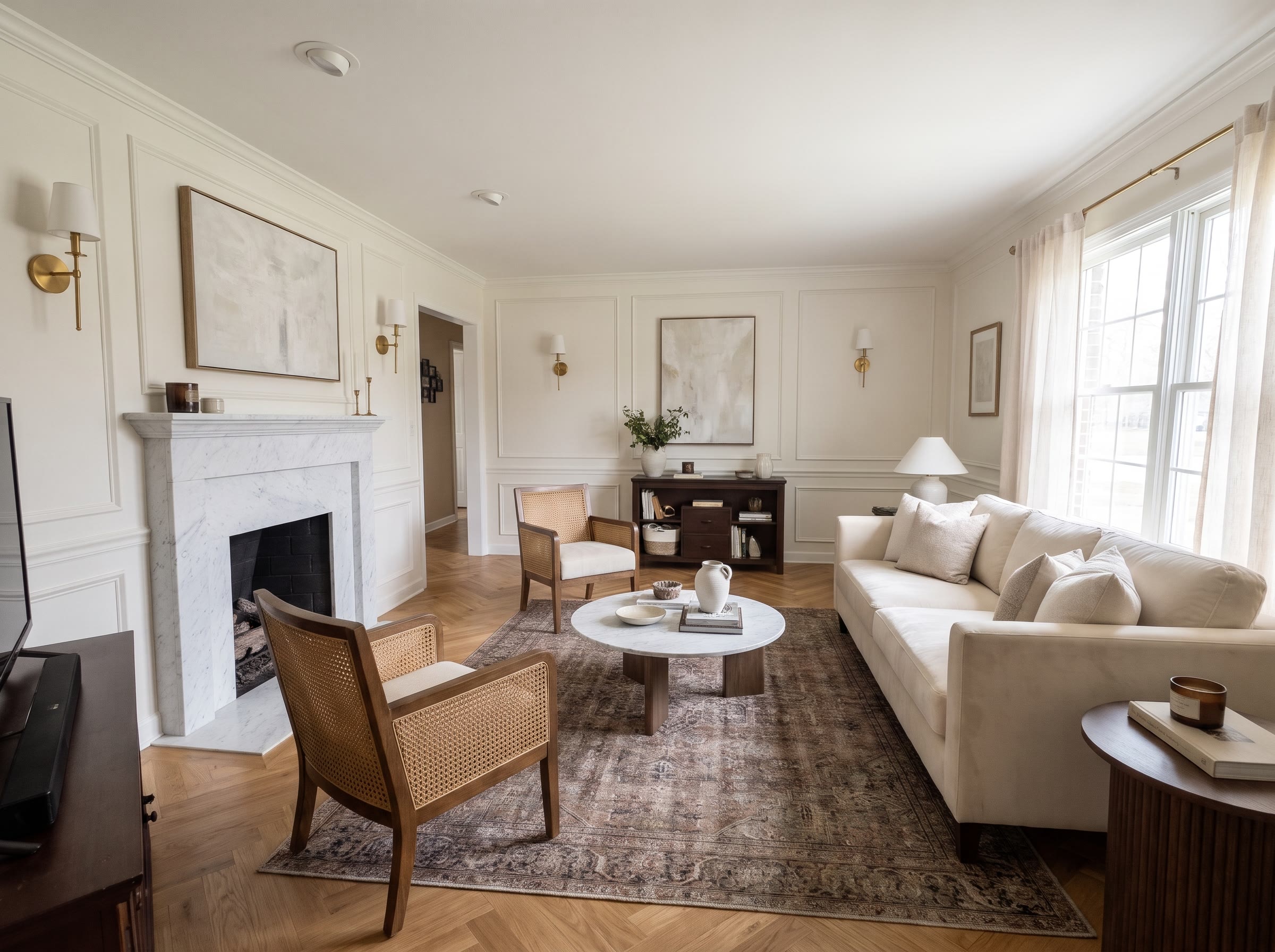
AI Interior Design – original imageAI Interior Design – generated result
Example result

Start AI interior design from what you have

How AI room design works

  1. Upload a photo of your room

    Take a level shot of the space as it is today, from a corner or doorway with the lights on, and upload it to Lovspark.

  2. Add a style photo

    Upload one image of a space in the look you want. Lovspark AI takes its finishes, colors, furniture style and mood, not its layout.

  3. Generate your redesign

    Click Generate (30 credits per run). Lovspark AI redesigns the space and keeps its shape, windows and viewpoint.

  4. Try another style

    Swap in a different style image and Lovspark AI shows another look for the same space; download the result or keep refining it on the Lovspark canvas.

Eight AI interior design examples

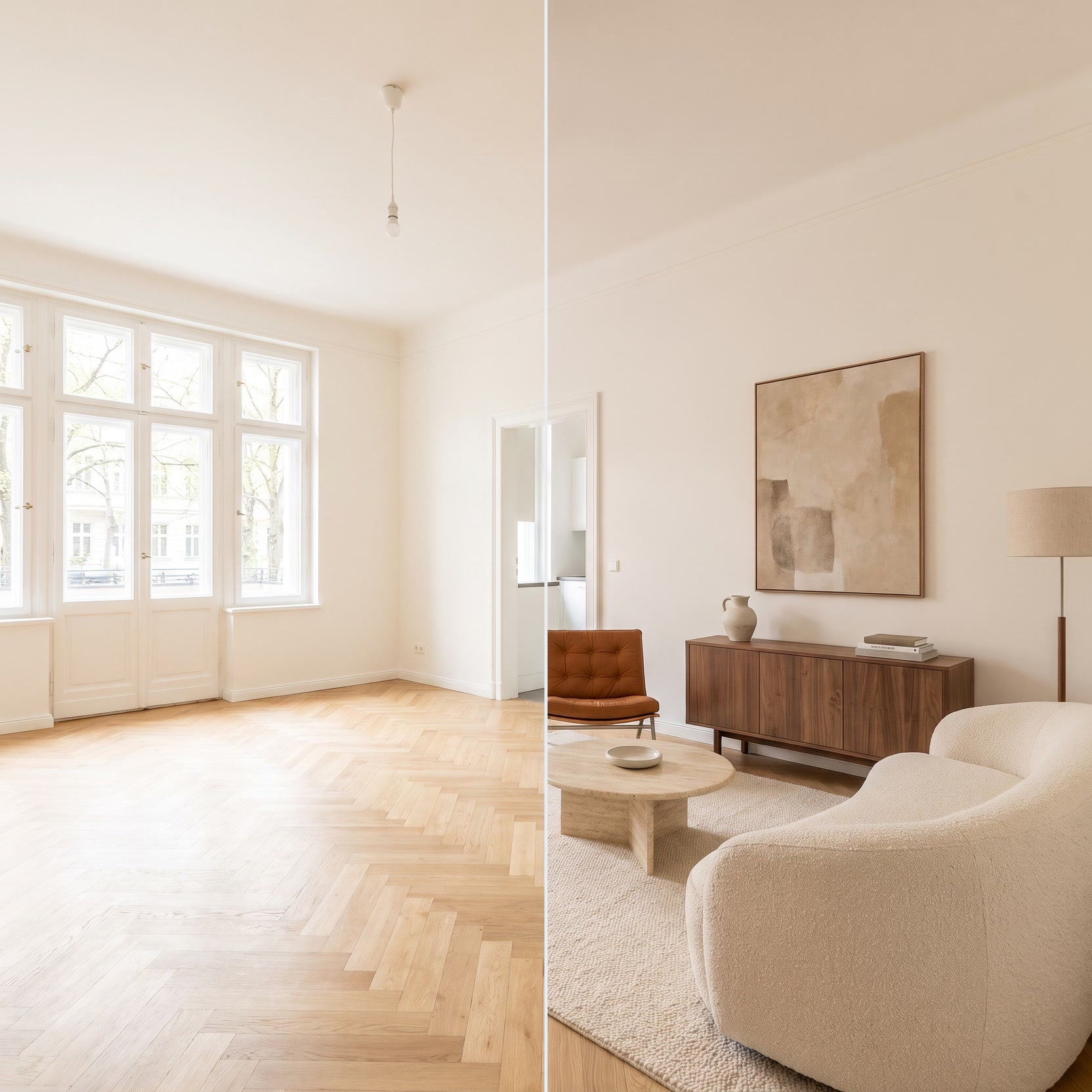
Drag the line to compare · click to enlarge

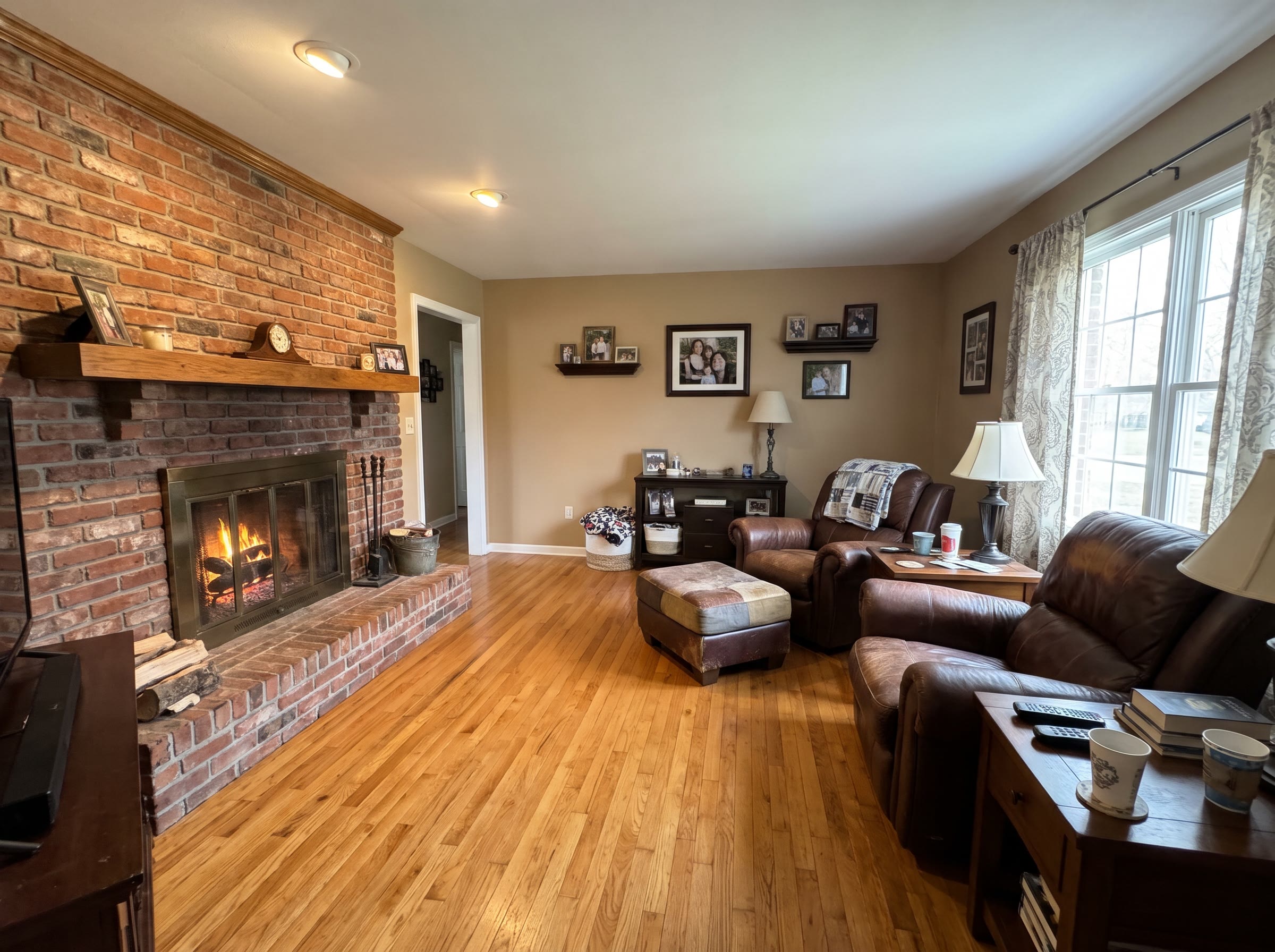
Dated living room to Japandi

Tan walls and a heavy sofa give way to pale oak, linen and paper lamps; Lovspark keeps the same windows and layout.

Oak kitchen to modern farmhouse

Lovspark AI repaints the cabinets sage green, adds honed marble countertops and backsplash and alabaster pendants; the layout and window stay put.

Tired bedroom to Mediterranean coastal

Lime plaster, a rattan headboard, white linen and an indigo throw replace dark bedding and brown walls in the same bedroom.

Pink-tile bathroom to spa minimal

Lovspark gives a dated bathroom large stone-look tiles, a floating vanity and warm light, with the tub and window where they are.

Dining room to bold mid-century modern

Lovspark adds terracotta walls, a walnut tulip table, olive chairs and a paper globe pendant to the same bay-window dining space.

Spare bedroom to English library study

Lovspark AI turns a plain spare bedroom into a library study with deep green walls, oak bookcases and brass lamps.

Kids’ room to Scandinavian

Soft white walls, a blush arch, a birch house bed and pastel textiles make a busy kids’ bedroom calm and easy to keep tidy.

Panelled basement to modern lounge

Lovspark turns wood panelling and old carpet into a bright family lounge with plaster-white walls, oak floors and a sectional.

What Lovspark AI keeps and changes

Compared onPreset-style room generatorLovspark AI interior design
Starting pointA single photoA photo, an empty room, a shell, a model, a moodboard or a plan
StylePick from a fixed style listAny style image you upload
Specific productsGeneric furniture onlyPlace exact products with Furniture Placement
After the first resultDownload and start overKeep editing on the Lovspark canvas

Who uses AI interior design

How to get a good AI interior design

What AI interior design can do, how to photograph your space, how to choose a style and where AI stops and an interior designer starts.

  1. What AI interior design can and cannot do
  2. Take a photo that redesigns well
  3. Choose a style photo
  4. Room by room
  5. AI interior design or an interior designer?
  6. Common mistakes
  7. Before you upload

What AI interior design can and cannot do

AI interior design redesigns a photo of your space: it changes finishes, furniture, colors and light while keeping the shape. It is a fast way to see a direction, not a measured plan.

Lovspark AI does not take measurements, check structure or confirm that a product fits. Treat each result as a visual brief, and confirm sizes, products and building work before you buy or build.

Take a photo that redesigns well

A clear, level photo gives AI interior design the most to work with. Shoot the space as it is, in daylight, from where you would naturally stand.

  • Stand in a corner or doorway so two walls and most of the floor are visible.
  • Hold the camera level at about chest height and keep vertical lines straight.
  • Turn the lights on, open the curtains and clear small clutter from surfaces.
  • Avoid ultra-wide lenses that bend the walls.
  • Use images at least 1600 px wide.

Choose a style photo

One clear image of the same room type in the look you want works better for Lovspark AI than a style name. The AI takes the palette, materials and furniture style from it, not the layout.

  • Same room type: a kitchen photo for a kitchen gives the most natural cabinets, countertops and lighting.
  • One look: avoid collages or mixed styles; run again with another photo to compare.
  • Matching light: a daylight photo for a daylight result, an evening photo for warm lamp light.
  • Your own taste: magazine shots, supplier images and photos of rooms you have stayed in all work.

Room by room

Living rooms and bedrooms give the most reliable AI room design, because most of the change is furniture, color and textiles.

Kitchens and bathrooms work too, but cabinets, tiles and fixtures change more, so check that faucets, windows and the tub or shower stay where they really are. For basements, attics and other unfinished spaces, start from Unfinished Space Design instead.

AI interior design or an interior designer?

Use AI interior design to explore and decide on a direction; use an interior designer to make it real. AI answers one question quickly: what could this space look like?

A designer measures the space, plans the layout, sources products and manages trades. Many designers now use AI renders in early client meetings and then develop the chosen direction properly.

Common mistakes

Most disappointing results come from the photos. Check these five things before you run it again.

  • A dark, blurry or tilted room photo.
  • A style image of a very different room type.
  • A collage of several styles in one reference.
  • Expecting exact products or measurements from a concept image.
  • Sharing an AI redesign as if it were a finished, built interior.

Before you upload

Check both images for these four things; a minute here saves a wasted run.

  • Upload JPG or PNG files, or paste them straight from your clipboard.
  • Put your room photo in the first box and the style image in the second.
  • Keep both images the same orientation, both landscape or both portrait.
  • Crop away borders, watermarks and logos.
FAQ

AI Interior Design FAQ

01/What is AI interior design?

AI interior design uses image AI to redesign a room from a photo: it changes finishes, furniture, colors and light while keeping the shape, windows and viewpoint. In Lovspark you upload a picture of your space and one style image, and Lovspark AI produces a redesigned version of the same space in that style.

02/How do I redesign my room with AI?

Take a level, well-lit photo, upload it with one style image you like, and click Generate. Lovspark AI returns the redesigned room in about the same view, and each run uses 30 credits. Swap the style image to compare other AI looks for the same space.

03/Will it keep my room’s layout?

Lovspark AI aims to keep the shape, windows, doors and camera angle and change finishes, furniture and decor. Fixtures such as cabinets, faucets or radiators can move or change in some results, so compare the redesign with your photo before relying on it.

04/What is the difference between AI room design, virtual staging and rendering?

AI room design restyles a furnished room photo. Virtual staging adds furniture to an empty room and leaves the walls and floors alone. Rendering turns a 3D model, sketch or plan into a photoreal image. Lovspark has an AI tool for each, linked from the start section of this page.

05/Can I use my own furniture or specific products?

Lovspark AI picks furniture that matches your style image. To place exact products, such as a sofa you already own or pieces from a supplier catalog, use Furniture Placement in Lovspark, which puts the products you upload into the spots you mark in the scene.

06/Does it work for kitchens, bathrooms and basements?

Kitchens and bathrooms work, with more change to cabinets, tiles and fixtures, so check that plumbing and windows stay realistic. For bare basements, attics and new builds without finished walls and floors, start from Unfinished Space Design, the Lovspark AI tool built for raw spaces.

07/How much does it cost?

Each AI interior design run uses 30 credits from your Lovspark account. Every result is saved to your history, so you can compare versions without generating the same thing twice.

08/Will AI replace interior designers?

No. AI interior design is fast at showing what a space could look like, but it does not measure, plan, source products or manage a project. Many interior designers use AI to explore directions with clients and then do the detailed design themselves.

09/Can I share AI redesigns with clients or buyers?

Yes, as concept images. Label them as AI-generated and show the original image alongside, especially in property listings. A redesign shows a direction, not a confirmed result, so confirm products, sizes and building work separately.

10/Where do my designs go?

Lovspark shows results on this page and saves them to the skill history in the Lovspark app. From there you can download them, compare styles side by side or keep editing on the Lovspark canvas.

Guides and tips

AI Interior Design

Paint chips and showroom photos rarely show your own home. Upload a photo and one style you like, and Lovspark AI shows the same space redesigned. Compare a few looks, then download or keep refining on the Lovspark canvas.

22 AI design skills · 12 image and video models