By the Lovspark Product Team · Updated November 19, 2026

Backyard and front yard design from your photo

AI Landscape Design

Upload a photo of your yard and see new planting, paths and patios around your own house, before you hire a crew or buy a single plant.

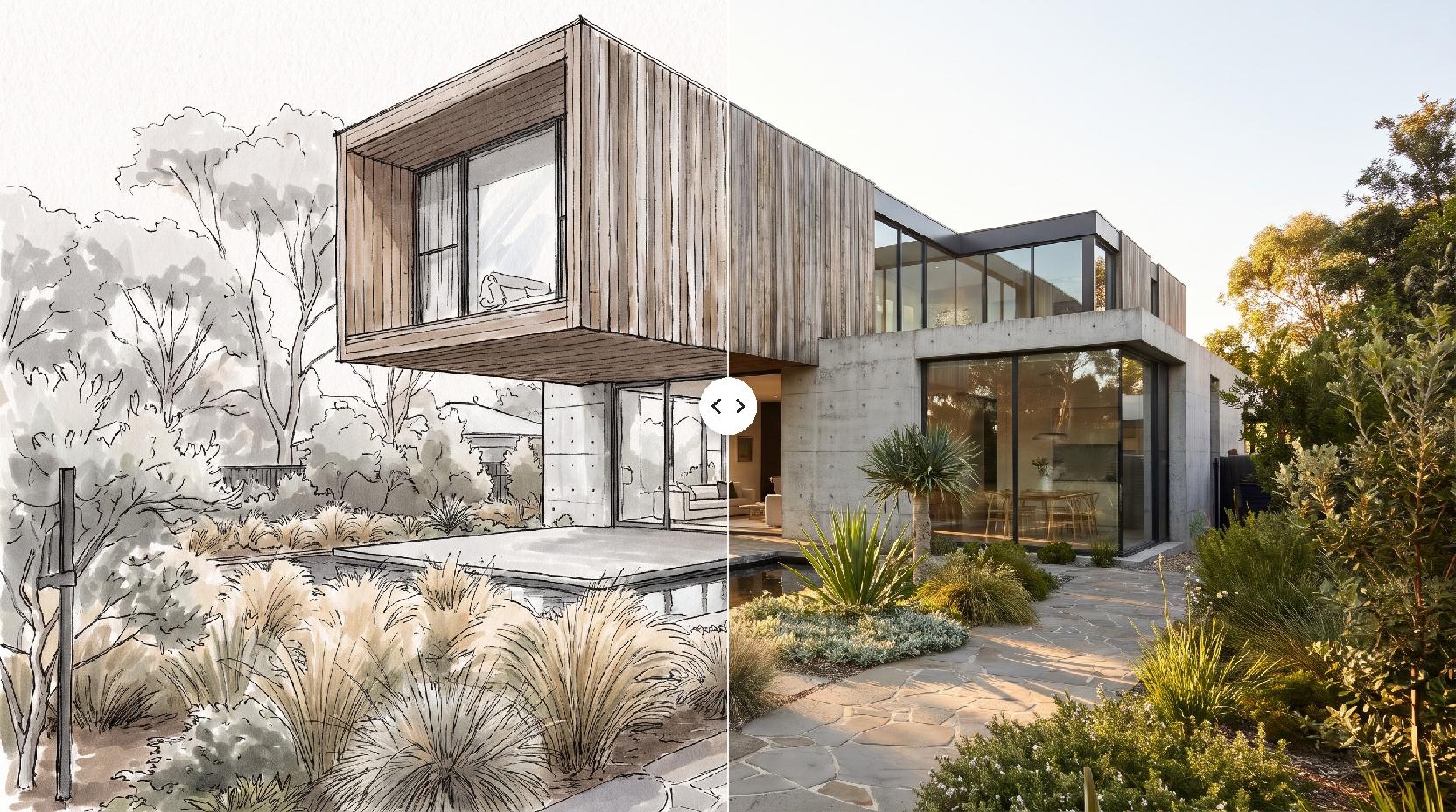
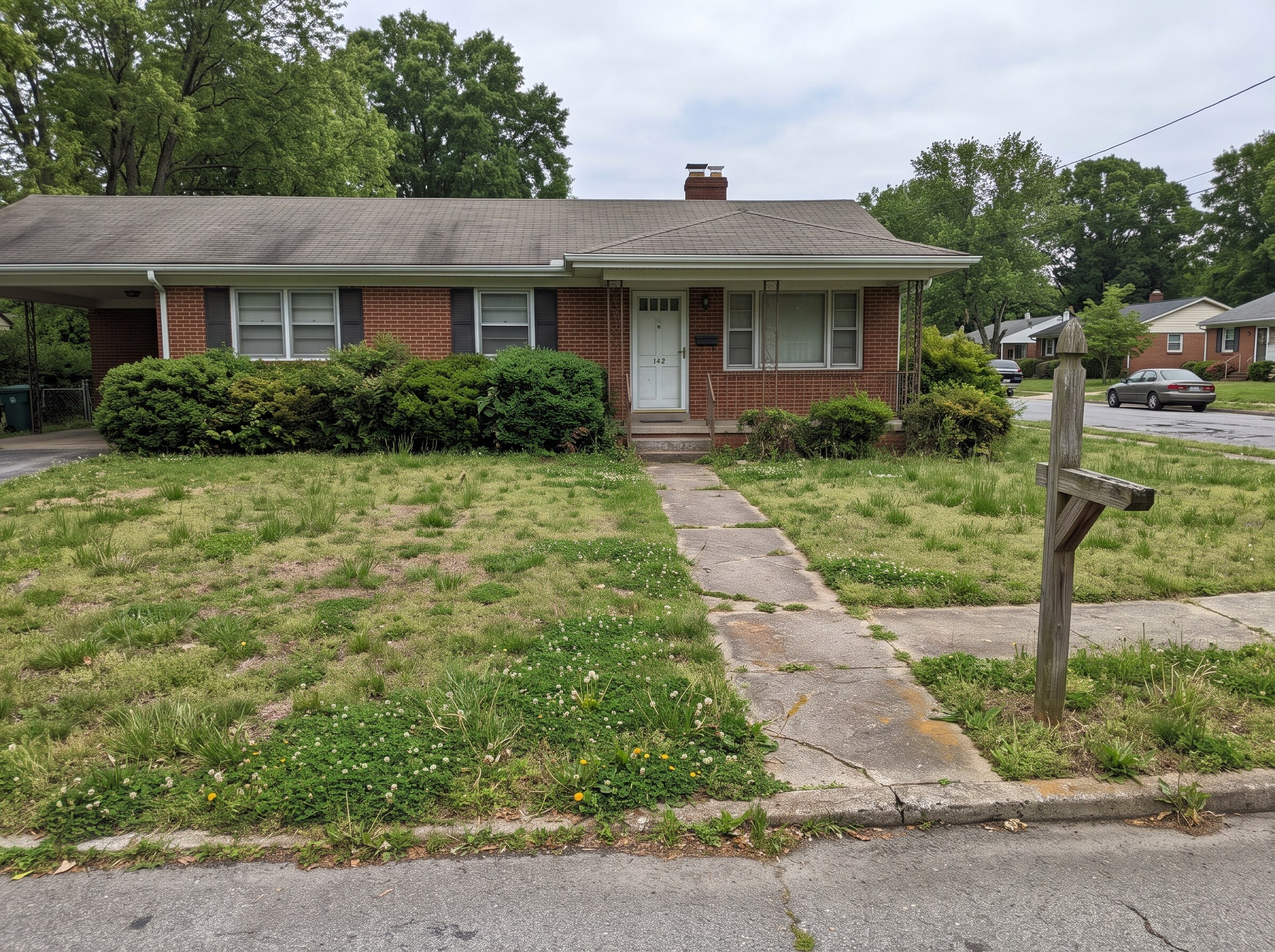
Take one photo of the yard as it is today and add a photo of a garden you love. Lovspark AI keeps the house, the fence line and the camera angle, and redesigns the landscaping around them, so the Lovspark AI result is your own yard renovated, not a stock garden photo. Working from a 3D model or a sketch instead of a photo? Use AI Landscape Rendering.

Try AI Landscape Design

200 free credits every month · 30 credits per run · No install needed · Saved to your Lovspark account · Open in Lovspark

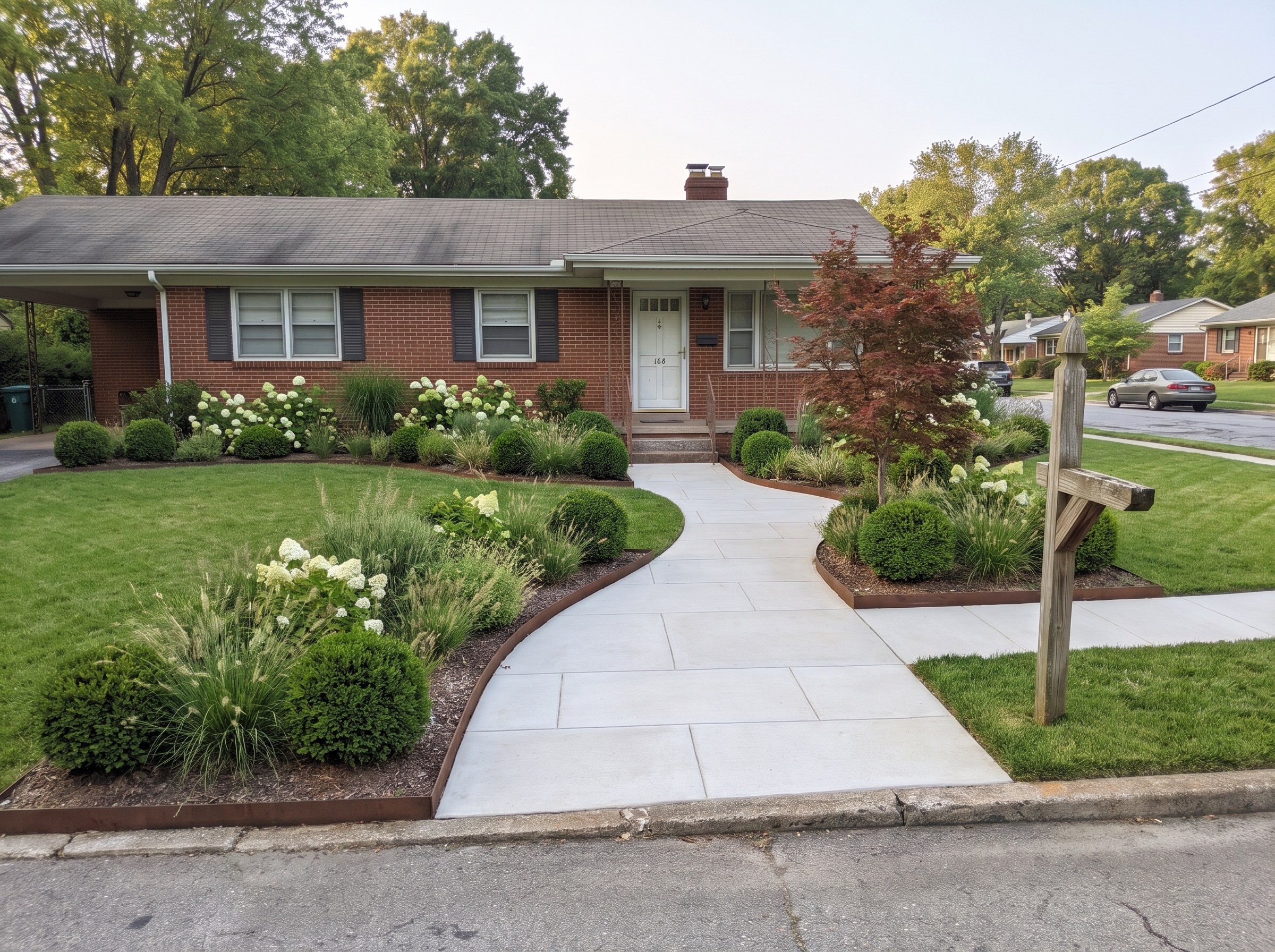
Try AI landscape design on a photo of your yard

Yard Photo
No image handy? Try these:
Garden Style Photo
No image handy? Try these:
AI Landscape Design – original imageAI Landscape Design – generated result
Example result

How AI landscape design works

  1. Photograph the yard

    Stand at the far end of the yard or on the sidewalk and take one level photo that shows the house, the fence line and the ground you want to change.

  2. Add a garden style photo

    Pick one photo of a garden you like. Lovspark AI reads the plants, paving, walls and color mood from it.

  3. Generate with Lovspark AI

    Click Generate (30 credits per run). Lovspark AI keeps the house, fence and camera angle, and replaces the lawn and beds with the new design.

  4. Try another look

    Keep the same photo and swap the style photo. Each Lovspark AI option lines up with your photo, so you can compare a meadow, a gravel garden or a patio side by side.

Eight yard makeovers, shown with Lovspark AI

Drag the line to compare · click to enlarge

Dead lawn to a desert garden

A burnt-out Arizona lawn becomes gravel, flagstone and agave, red yucca and deer grass that need far less water.

Bare front yard to a cottage garden

A flat lawn and a chain-link gate become a flagstone path through salvia, roses and hydrangeas behind a white picket fence.

Concrete slab to an outdoor dining room

A stained patio slab gets porcelain pavers, a black steel pergola with string lights and a dining table for eight.

Weedy slope to garden terraces

A bramble-covered hillside becomes stone retaining walls and wide steps planted with ferns, hostas and forest grass.

Side yard to a Japanese path

A strip of dirt by the trash bins becomes dark gravel, granite stepping stones, bamboo and a small stone basin.

Overgrown corner to a kitchen garden

Tall grass around an old shed becomes raised cedar beds, gravel paths and an arched bean trellis; the shed stays.

Empty new-build lawn to a fire pit lounge

A builder-grade lawn gets a round flagstone fire pit with a curved stone bench and grasses around it.

Colonial front lawn to a native meadow

A large lawn and overgrown yews become little bluestem, black-eyed Susans and coneflowers along a bluestone walk.

What Lovspark AI keeps from your yard

Compared onLandscape design softwareLovspark AI landscape design
What you start fromMeasuring the lot and drawing a site planOne photo of the yard and one style photo
Time to a first pictureHours of drawing, plant placement and renderingOne AI run
How it looksDepends on the plant library and render settingsA photoreal Lovspark AI picture of your own yard
Planting plans and plant quantitiesIncludedNot included: use it to choose a look, then plan with a designer or nursery

Who uses AI landscape design in Lovspark

Backyard and front yard landscaping ideas, and how to test them with AI

A yard redesign is a handful of decisions: how you will use the space, what replaces the lawn, which paving and walls you need and which plants will thrive. Seeing those choices on a photo of your own yard is the quickest way to rule ideas in or out.

  1. Start with how you will use the yard
  2. Choose plants that suit your climate
  3. Low-water and lawn-free ideas
  4. Front yard and curb appeal
  5. Take a photo Lovspark AI can read
  6. From the AI picture to a real yard

Start with how you will use the yard

Decide what the space is for before you pick plants. A place to eat, a play lawn, a vegetable patch and a quiet path all need different amounts of paving and open ground.

  • Put dining and lounging near the back door, where you will actually use them.
  • Keep a lawn only where people or pets use it; elsewhere, beds, gravel or groundcover are less work.
  • Lovspark AI keeps your current house and fence, which makes it a good way to compare layouts inside the lot you have.

Choose plants that suit your climate

An AI picture shows how plants look, not whether they will survive in your garden. Check each plant against your hardiness zone, sun and soil before you buy.

In the United States, the USDA Plant Hardiness Zone Map shows the coldest winter temperatures by ZIP code, and a local nursery can suggest plants that look like the ones in your style photo but grow well where you live.

Source: USDA Plant Hardiness Zone Map

Low-water and lawn-free ideas

Replacing part of a lawn with gravel, native perennials and drought-tolerant shrubs cuts mowing and watering. A desert garden, a gravel garden and a prairie meadow are all good style photos to try.

  • Group plants by how much water they need, so each bed can be watered on its own schedule.
  • Use permeable paving such as gravel or pavers on sand so rain soaks in.
  • Keep a strip of lawn or groundcover by the house if you want a softer look.

Source: EPA WaterSense: water-smart landscaping

Front yard and curb appeal

The front yard is what buyers and neighbors see first. A clear path to the door, foundation shrubs kept below the windows and one small tree near the entry do most of the work.

  • Widen a narrow walk and give it a gentle curve.
  • Replace overgrown foundation shrubs with layered beds: low shrubs in front, taller grasses or perennials behind.
  • Add lighting along the path for evening photos and safety.

Take a photo Lovspark AI can read

  • Level and wide: Hold the phone level at eye height and step back until the house, the fence line and the ground are all in frame.
  • Daylight: Shoot on a bright overcast day or with the sun behind you; deep shadows hide what is on the ground.
  • Clear the clutter: Move hoses, bins and toys out of the frame if you can, so they are not read as part of the design.
  • One area per photo: Photograph the backyard, front yard and side yard separately, each from where you would normally stand.

From the AI picture to a real yard

Treat the Lovspark AI picture as a mood and layout sketch. A landscape designer or contractor will turn it into a plan with measured beds, grading, drainage, irrigation and a plant list.

In the United States, call 811 a few days before any digging so underground utility lines can be marked.

Source: Call 811 before you dig
FAQ

AI Landscape Design FAQ

01/What is AI landscape design?

AI landscape design uses image AI to show your yard with new plants, paths, patios and walls, starting from a photo. In Lovspark you upload a photo of the yard and one garden style photo, and Lovspark AI redesigns the landscaping while keeping the house, the fence line and the camera angle.

02/How do I redesign my yard from a photo?

Take a level photo of the yard, upload it to Lovspark with a photo of a garden you like, and click Generate. Lovspark AI returns your own yard redesigned in that style; each run uses 30 credits. Swap the style photo to compare more looks.

03/Is there a free AI landscape design tool?

Yes, you can start free. Free Lovspark accounts get 200 credits every month and each design uses 30 credits, enough to try it on your own yard photos. Free results carry a watermark and are for personal use; paid plans add commercial rights.

04/Will Lovspark AI keep my house and fence?

Yes. It keeps the house, windows, doors, fence line and camera angle, and changes the ground, planting, paving and outdoor furniture. Small details can shift between runs, so generate again if something you need is missing.

05/Can I choose specific plants or materials?

Use a style photo that shows them. Lovspark AI follows the plants, paving and colors in that photo closely, but it does not guarantee an exact species or product, so confirm the final list with a nursery or supplier.

06/Does it know which plants grow where I live?

No. It shows how a garden would look, not what will survive in your climate. Check your hardiness zone and ask a local nursery for plants that match the look.

07/Can I design from a 3D model or a sketch instead of a photo?

Yes, with AI Landscape Rendering. It turns a SketchUp or Rhino view, a clay model or a hand sketch into a photoreal landscape render while keeping your design.

08/Can real estate agents use it for listing photos?

Yes, to show what a yard could become. Label AI-edited photos as virtually enhanced, follow your MLS rules, and use a paid plan for watermark-free images with commercial rights.

09/Does it give me a planting plan or plant quantities?

No. The result is a picture for choosing a direction. A landscape designer or contractor turns it into a measured plan, a plant list and an estimate.

Guides and tips

More AI design skills

Browse all skills

AI Landscape Design

A new yard is hard to picture from a plant list. Upload a photo of your yard to Lovspark and let Lovspark AI show the garden before you dig.

27 AI design skills · 15 image and video models