By the Lovspark Product Team · Updated November 19, 2026

Redesign the room you already have

AI Living Room Design

Upload a photo of your living room and a style photo you like. Lovspark AI shows the same room with new furniture, rugs, lighting and decor.

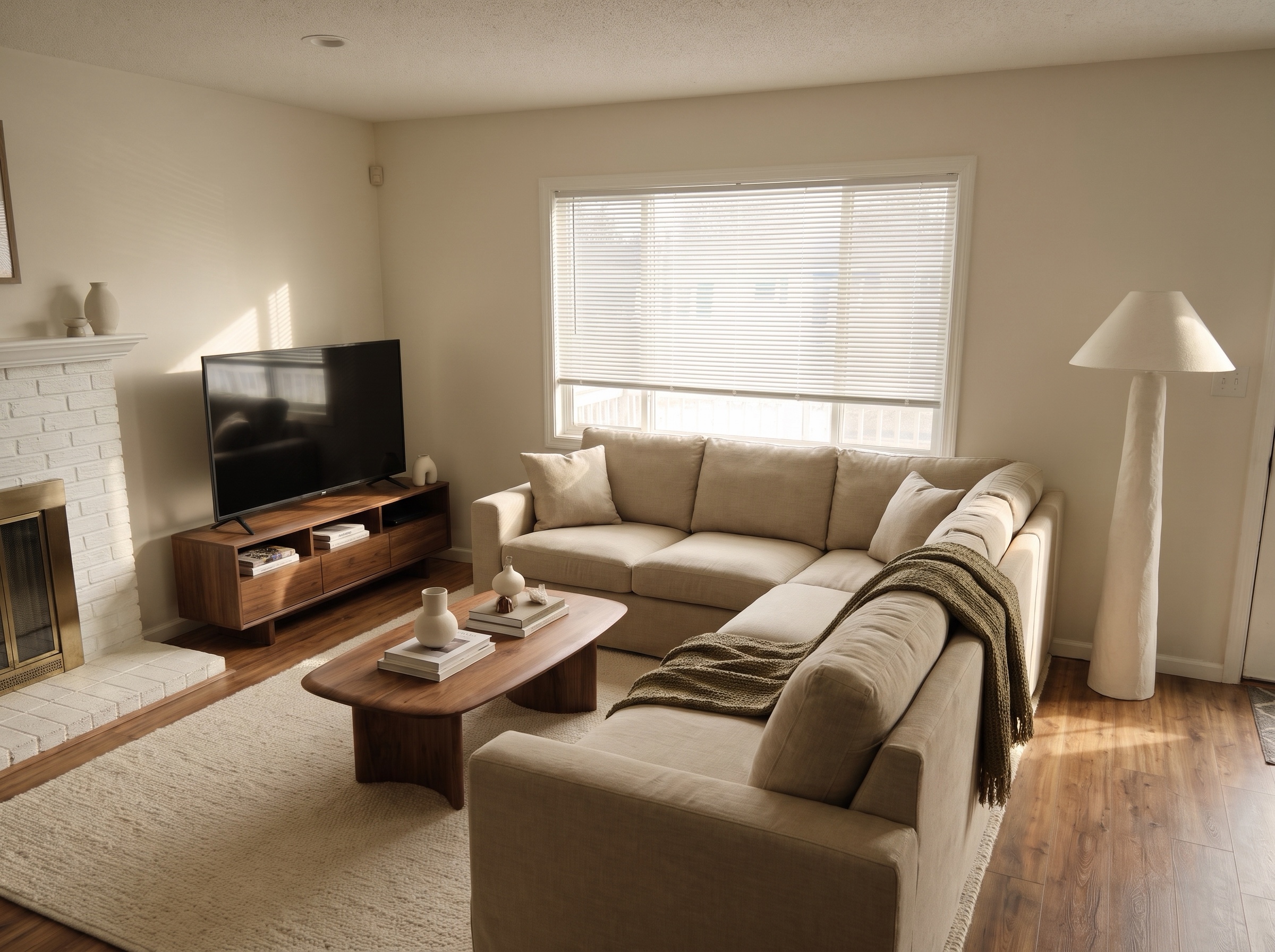
Most AI living room design apps show you a room that is not yours. Lovspark AI starts from your own photo and keeps the walls, windows, doors, fireplace and camera angle, then restyles everything you could change without a contractor: sofa and chairs, rug, curtains, lamps, art and wall color. You see your own living room redesigned, and you can try a second style on the same photo in one more run.

Try AI living room design

200 free credits every month · 30 credits per run · No install needed · Saved to your Lovspark account · Open in Lovspark

Try AI living room design on your own photo

Living Room Photo
No image handy? Try these:
Style Photo
No image handy? Try these:
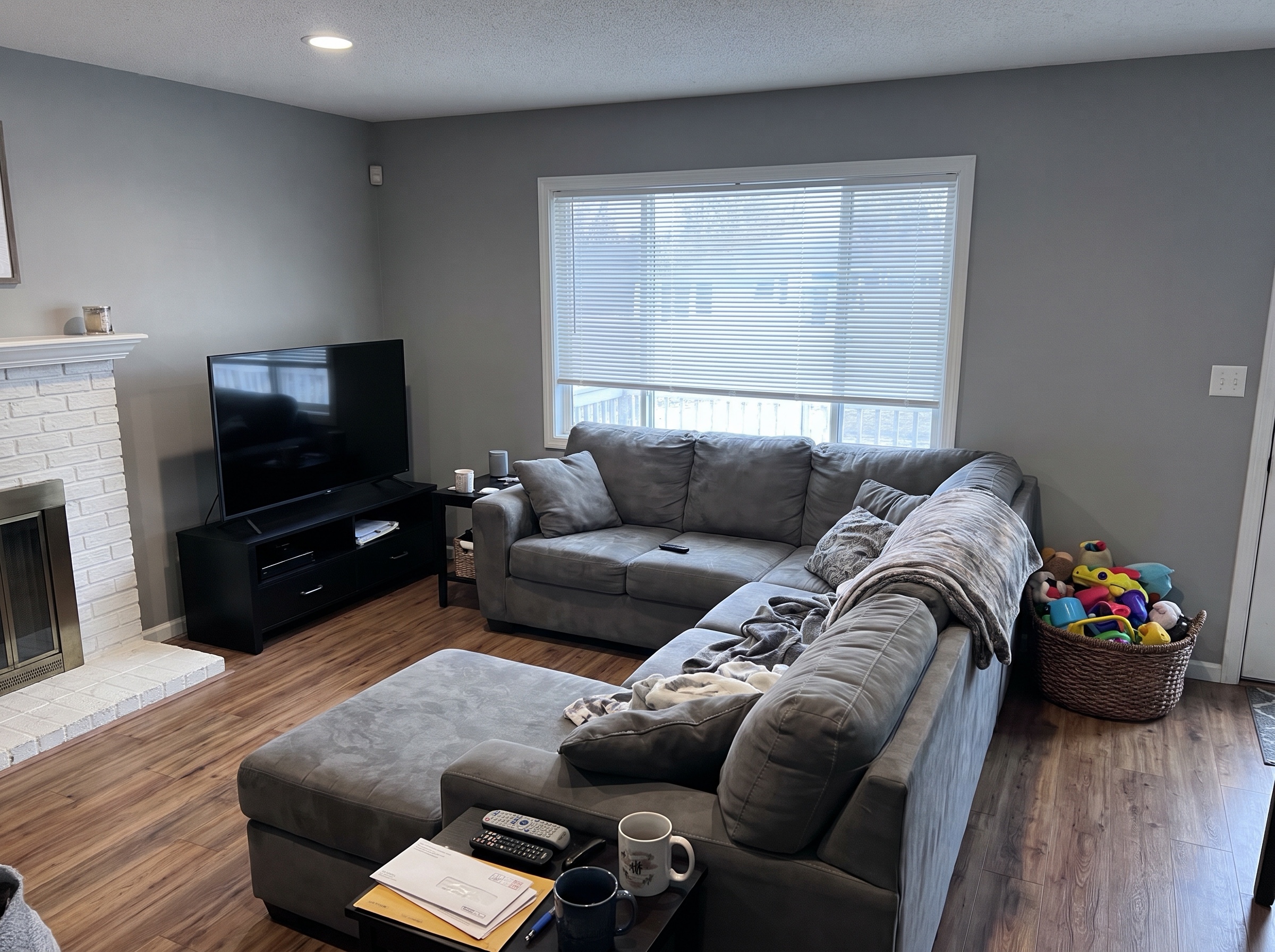
AI Living Room Design – original imageAI Living Room Design – generated result
Example result

How AI living room design works

  1. Photograph your living room

    Stand in a corner or doorway and take one level photo that shows the seating area, the main window and the fireplace or TV wall.

  2. Add a style photo

    Pick one photo of a finished living room you like. Lovspark AI reads the furniture shapes, colors, materials and lighting from it.

  3. Generate with Lovspark AI

    Click Generate. Lovspark AI keeps the room shape, windows and camera angle, and replaces the furniture, rug, lighting and decor with the new style.

  4. Try another style

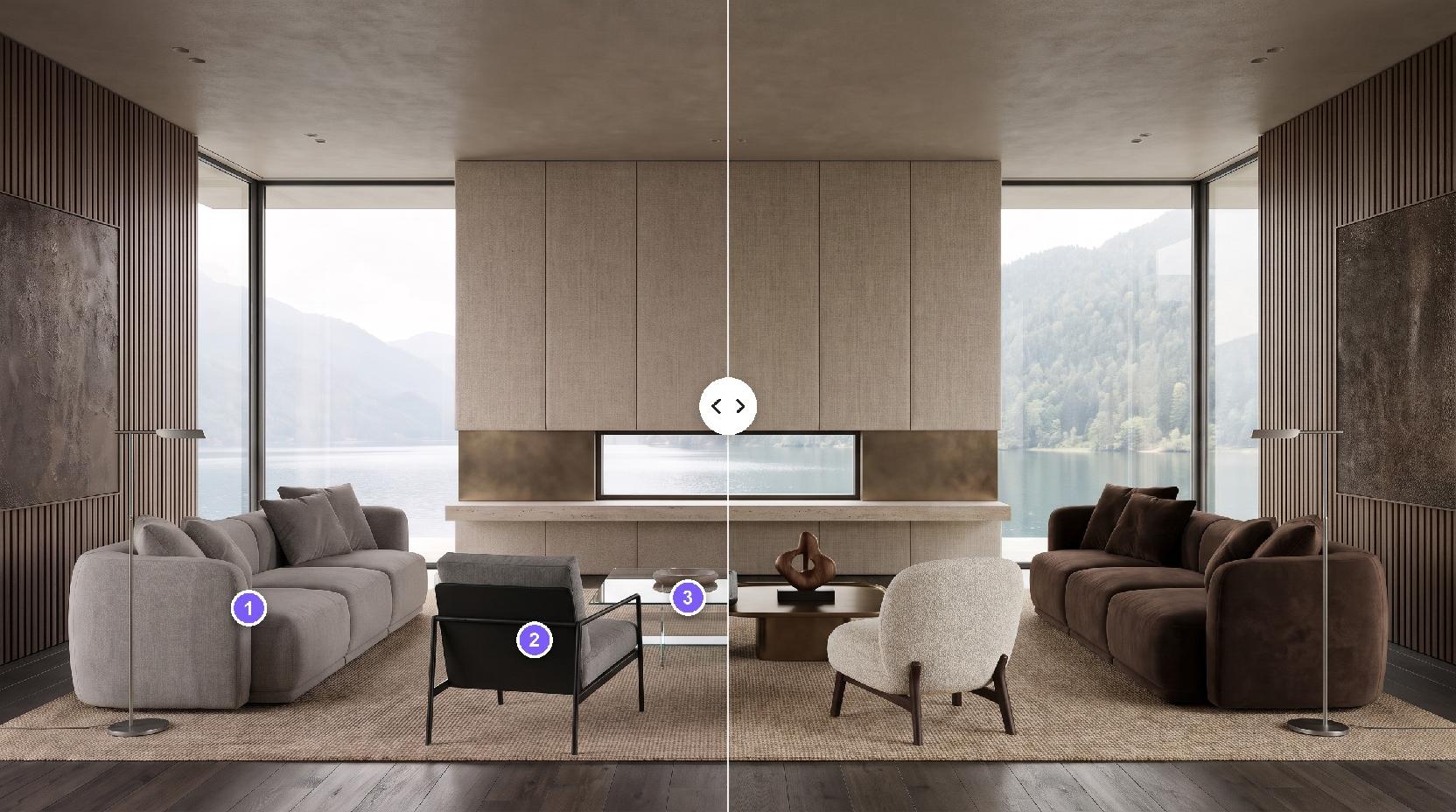
    Keep the same photo and swap the style photo. Each Lovspark AI result lines up with your photo, so you can compare two living room designs side by side.

Eight AI living room design ideas, from real rooms

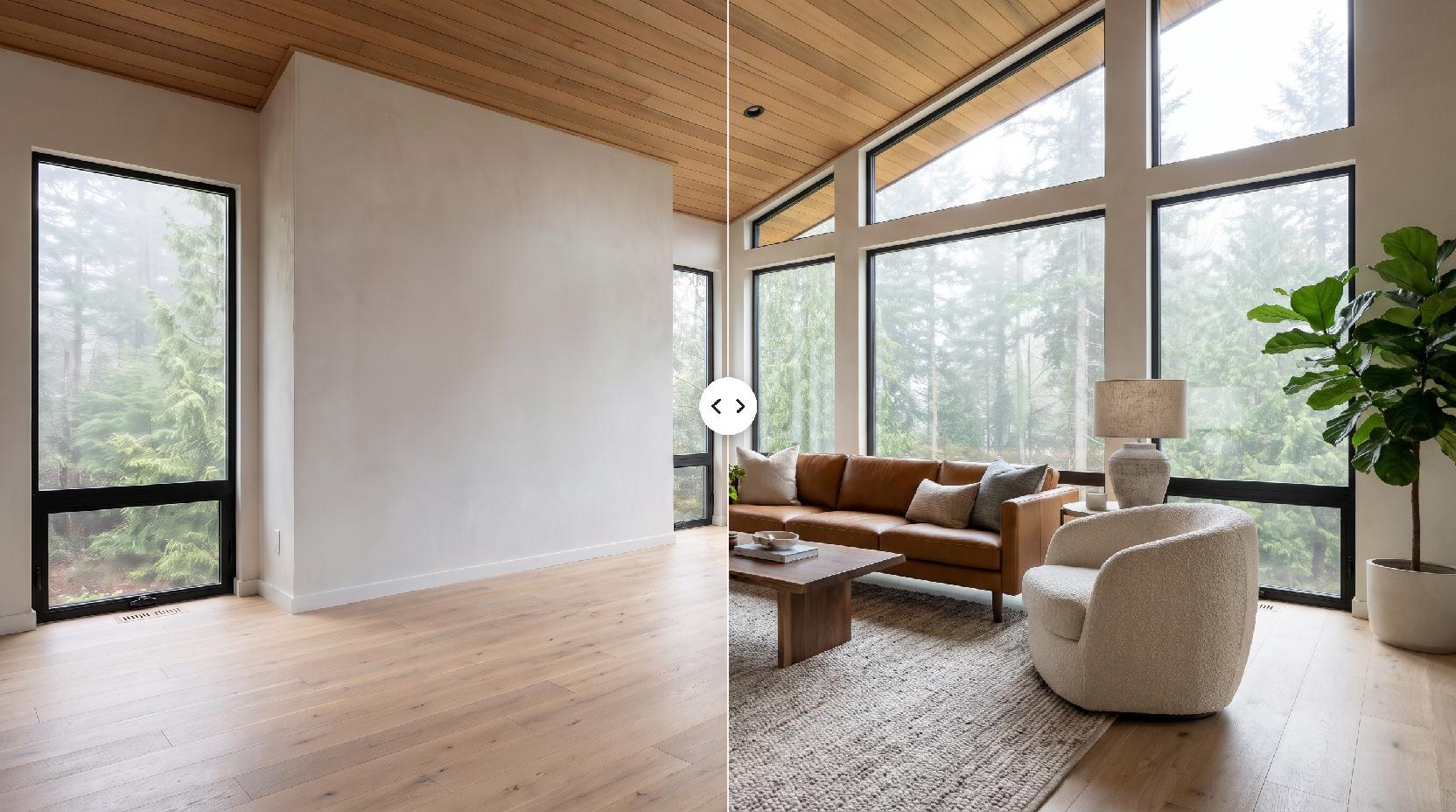
Drag the line to compare · click to enlarge

Futon and bookcase to Japanese wabi-sabi

A futon, an overfilled bookcase and plastic blinds become a low oak sofa, a clay vase and warm plaster walls, in the same small room.

1970s ranch room to mid-century modern

A floral sofa and a console TV give way to a camel leather sofa, a teak sideboard and a mustard chair, with the wood paneling and picture window kept.

Two-story family room to art collector

A dark sectional and stacked stone become an ivory sofa, a black marble table and a plaster fireplace, under the same tall window wall.

Beach cottage to California casual

A worn denim sofa and striped towels become a white slipcovered sofa, rattan chairs and reclaimed oak, with the deck door and wainscoting in place.

City apartment to Parisian living room

A gray sofa and a TV cart become a camel velvet sofa, a marble table and a gilt mirror over the restored marble fireplace.

Beige townhouse to Scandinavian

A beige sofa, a dark coffee table and carpet become a light gray sofa, a sheepskin chair and pale oak floors, window and wall unchanged.

Basement family room to dark and moody

A gray recliner sofa and bare walls become taupe walls, a chocolate velvet sofa and a built-in oak media wall, keeping the low ceiling.

1990s formal room to transitional

Swag curtains, wingback chairs and cherry tables give way to a greige sofa, cane-back armchairs, an oak table and simple linen drapes.

What Lovspark AI keeps in your living room

Compared onTypical AI room design appsLovspark AI living room design
What you start fromA photo and a style picked from a preset listA photo of your room and any style photo you choose
What stays the sameVaries; the room shape can drift between resultsWalls, windows, doors, fireplace and camera angle
What changesOften the whole pictureFurniture, rug, curtains, lighting, art and wall color
Next stepsUsually a single imageFurniture Placement, Virtual Staging and other Lovspark AI tools on the same canvas

Who uses AI living room design in Lovspark

Living room design ideas and how to try them with AI

A living room redesign is mostly a set of choices about seating, rug, lighting, color and decor. Seeing those choices together in your own room is the quickest way to know which ones work.

  1. Can AI design my living room?
  2. Start from the focal point
  3. Sofa, rug and coffee table
  4. Color and light
  5. Small and awkward living rooms
  6. How to use AI to design your living room

Can AI design my living room?

Yes, for the look of the room. AI living room design tools take a photo of your space and show it with new furniture, colors and decor. Lovspark AI keeps the architecture of your photo, so the result is your own room restyled rather than a stock interior.

What AI does not do is measure the room or check that a sofa fits through the door. Use the picture to choose a direction, then confirm sizes before you buy.

Start from the focal point

Every living room is arranged around something: a fireplace, a large window or the TV wall. Decide which one leads, then let the seating face it.

  • With a fireplace and a TV on different walls, angle the seating so both are visible, or move the TV beside the fireplace.
  • A large window can be the focal point on its own; keep tall furniture away from it.
  • Lovspark AI keeps your focal points where they are, which makes it easy to compare layouts that work with them.

Sofa, rug and coffee table

These three set the scale of the room, so choose them together.

  • Pick a rug large enough that at least the front legs of the sofa and chairs sit on it; a small rug floating in the middle makes the room feel smaller.
  • A rounded or low coffee table eases traffic in a tight room.
  • A curved or armless sofa keeps a small living room from feeling crowded.

Color and light

Calm living rooms usually rely on a warm neutral base and one accent color, lit from several heights.

  • Repeat the accent color two or three times: a chair, a cushion, a vase.
  • Layer ceiling light, floor lamps and table lamps instead of relying on one overhead fixture.
  • Limewash, plaster or warm white paint softens hard daylight better than cool gray.

Small and awkward living rooms

Small, long or low-ceilinged rooms benefit most from fewer, better pieces.

  • Use furniture with visible legs and keep one clear walkway through the room.
  • In a basement, dark walls with warm lamps can feel cozier than trying to make it bright.
  • Lovspark AI keeps a small room small; it will not widen walls or add a window.

How to use AI to design your living room

Lovspark AI follows what it can see. One clear photo gives a more faithful result than a close-up.

  • Shoot from a corner or doorway at chest height, phone held level.
  • Include the seating area, the main window and the fireplace or TV wall.
  • Turn on the lights and clear the coffee table if you can.
  • Pick a style photo with a similar room shape for the most convincing result.
FAQ

AI Living Room Design FAQ

01/What is AI living room design?

AI living room design uses image AI to show your living room with new furniture, rugs, lighting, art and wall color, starting from a photo. In Lovspark you upload a photo of the room and one style photo, and Lovspark AI redesigns what you could change while keeping the walls, windows, fireplace and camera angle.

02/Can AI design my living room?

Yes. Upload a photo of your living room to Lovspark with a photo of a style you like, and Lovspark AI returns your own room redesigned in that style. Use it to choose a look; check furniture sizes before you buy.

03/How do I use AI to design my living room?

Take a level photo from a corner or doorway, upload it with a style photo, and click Generate. Each run uses 30 credits. Keep the same room photo and swap the style photo to compare several living room designs.

04/Is there a free AI living room design tool?

Yes, you can start free. Free Lovspark accounts get 200 credits every month and each design uses 30 credits, enough to try it on your own living room photos. Free results carry a watermark and are for personal use; paid plans add commercial rights.

05/Will Lovspark AI keep my walls, windows and fireplace?

Yes. Lovspark AI is told to keep the room shape, windows, doors, fireplace, built-ins and camera angle, and to change the furniture, decor, lighting and finishes. It does not move walls or add windows.

06/Can I see a specific sofa or rug in my living room?

The style photo sets the overall look. To place an exact product, such as a sofa you are about to buy, use Furniture Placement in Lovspark with a photo of that product.

07/My living room is empty. Will this work?

This page is for redesigning a furnished room. For an empty room, use Virtual Staging in Lovspark, which furnishes a bare room from a photo and a style photo.

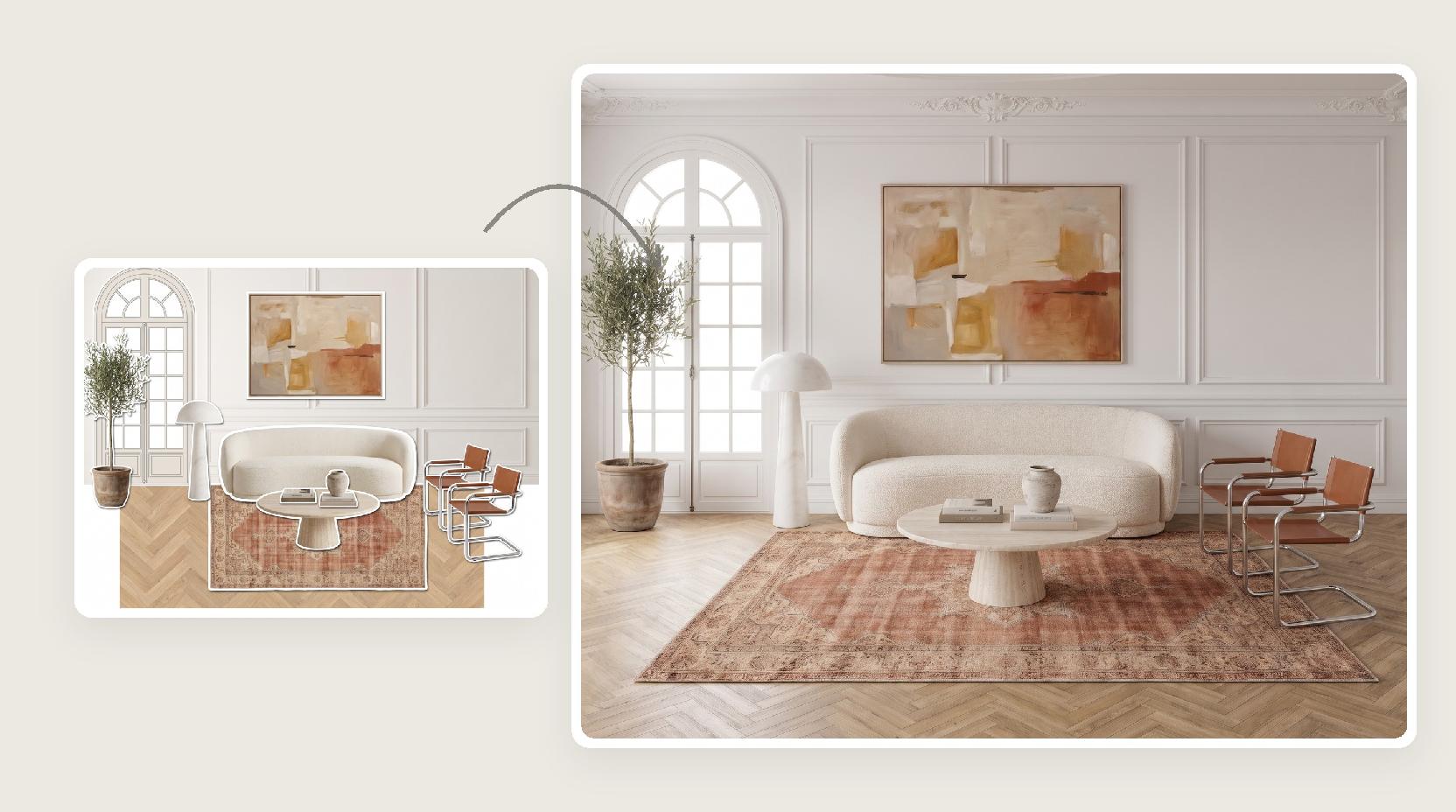
08/Can I turn a mood board into a living room design?

Yes. If you already have a collage of furniture and materials, Moodboard to Render in Lovspark turns it into a finished living room image.

09/What makes a good photo for Lovspark AI?

A bright, level photo from a corner or doorway that shows the seating area and the main window, with lights on. Avoid ultra-wide lenses and very dark photos; JPG or PNG files of at least 1600 px on the long side work best.

10/What other rooms can I redesign?

The same Lovspark AI tool works for kitchens, bathrooms, bedrooms and basements. Each has its own page with examples.

Guides and tips

More AI design skills

Browse all skills

AI Living Room Design

A sofa and a rug are hard to picture from a product page. Upload a photo of your living room to Lovspark and let Lovspark AI show the redesign first.

27 AI design skills · 15 image and video models