By the Lovspark Product Team · Updated November 24, 2026

For freeform and parametric design

Rhino AI Rendering

Curved roofs, twisted towers and Grasshopper forms rendered from one viewport capture, without mapping textures onto NURBS surfaces.

In Rhino, a convincing render usually means materials on every object, texture mapping that survives curved surfaces, a fine render mesh, an HDRI and enough Cycles samples, or a V-Ray or Enscape license on top. For a concept view you can skip all of that: capture the viewport in Arctic and upload it. Lovspark AI reads the form and the camera from the capture and adds timber, concrete, glass and a real site.

200 free credits every month · 30 credits per run · No install needed · Saved to your Lovspark account · Open in Lovspark

Upload a viewport capture and render it with AI

Viewport Capture
No image handy? Try these:
Material PhotoOptional
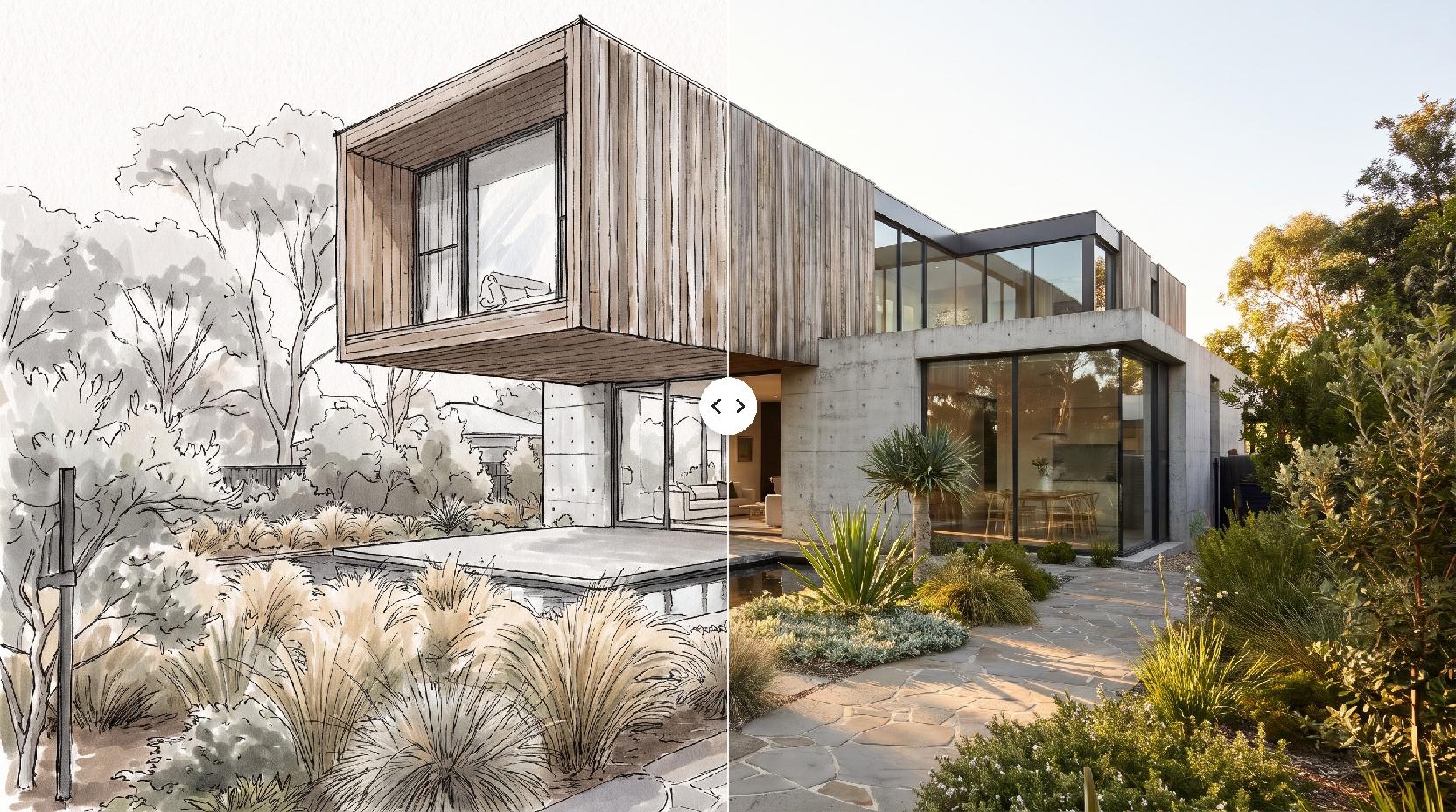
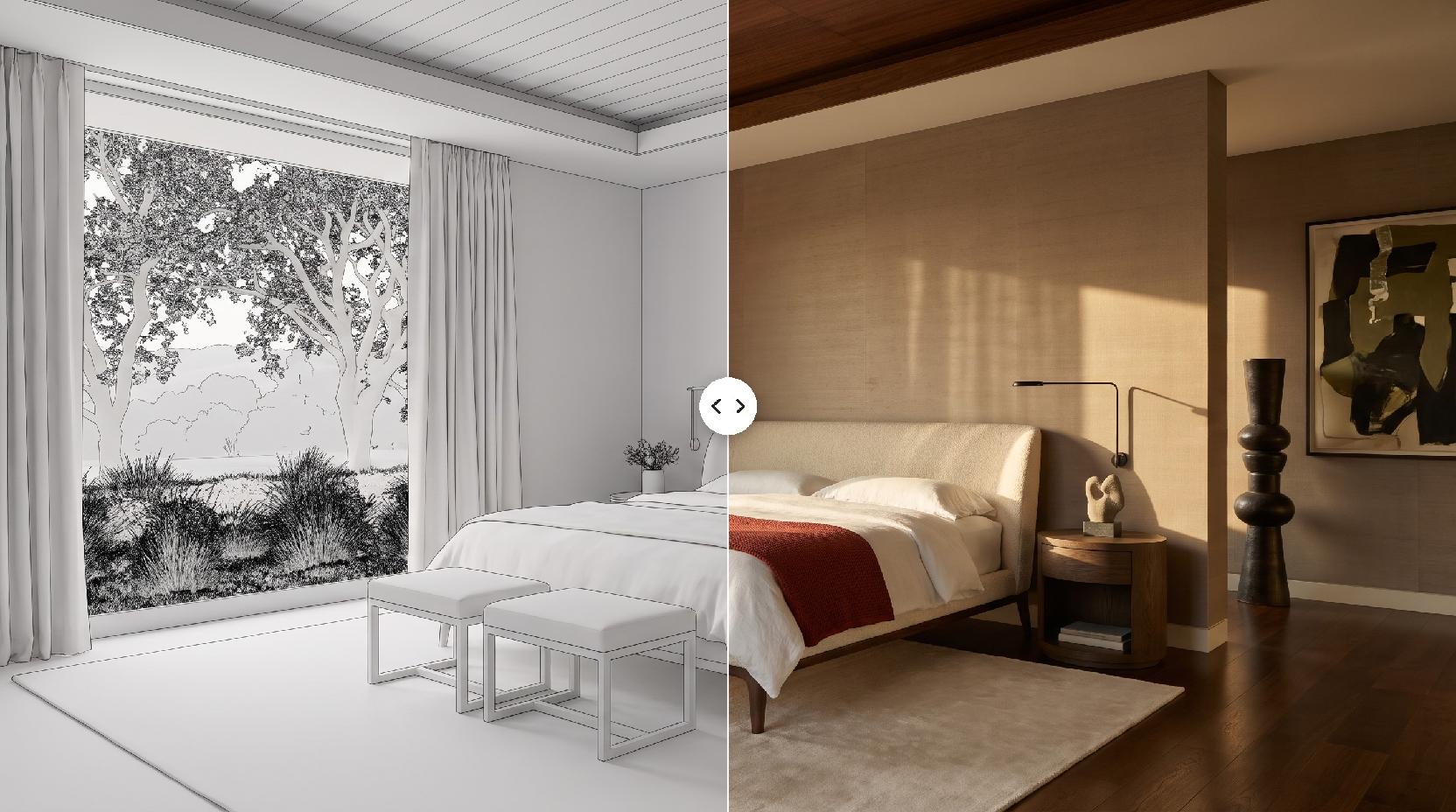
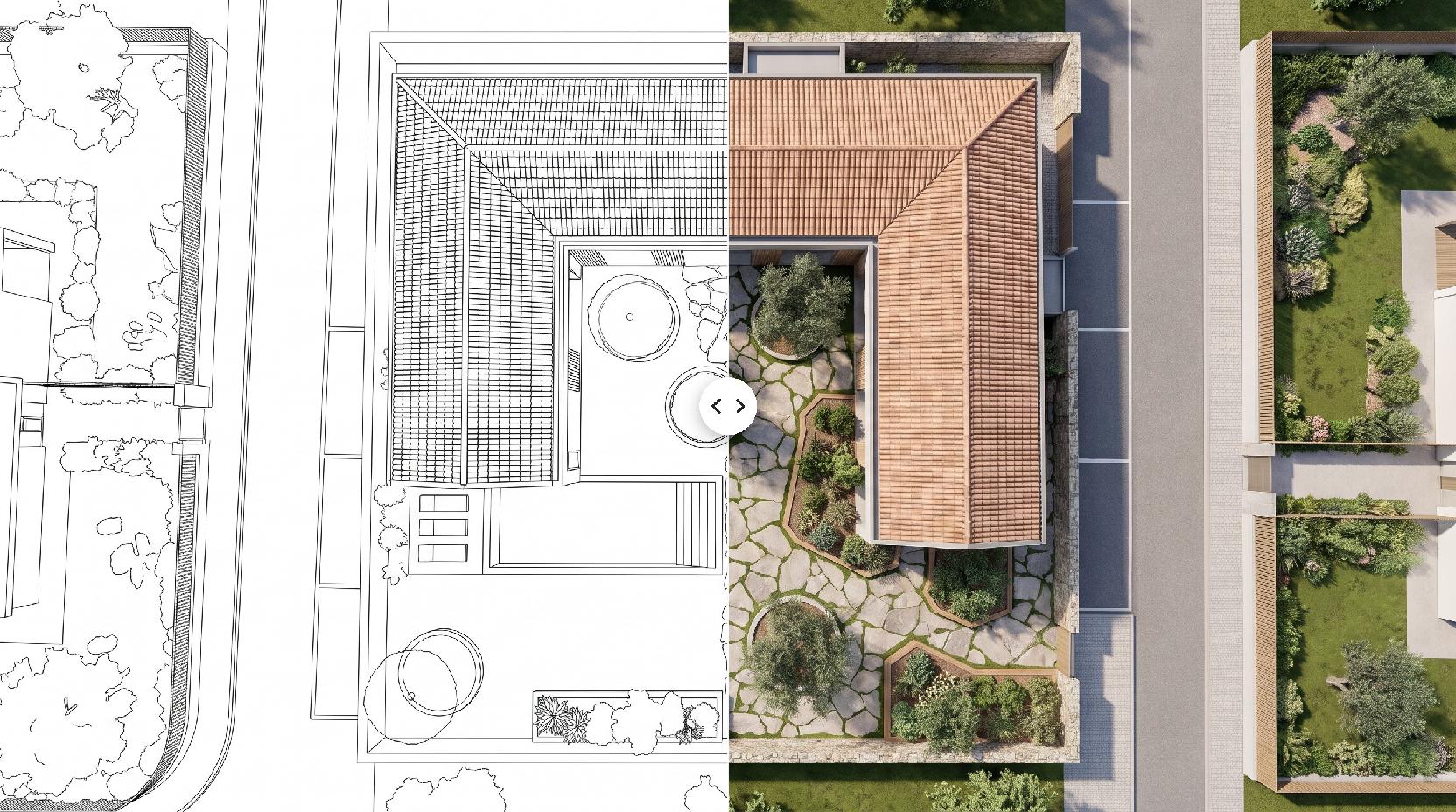
Rhino AI Rendering – original imageRhino AI Rendering – generated result
Example result

From viewport to render in three steps

  1. Switch the viewport to Arctic

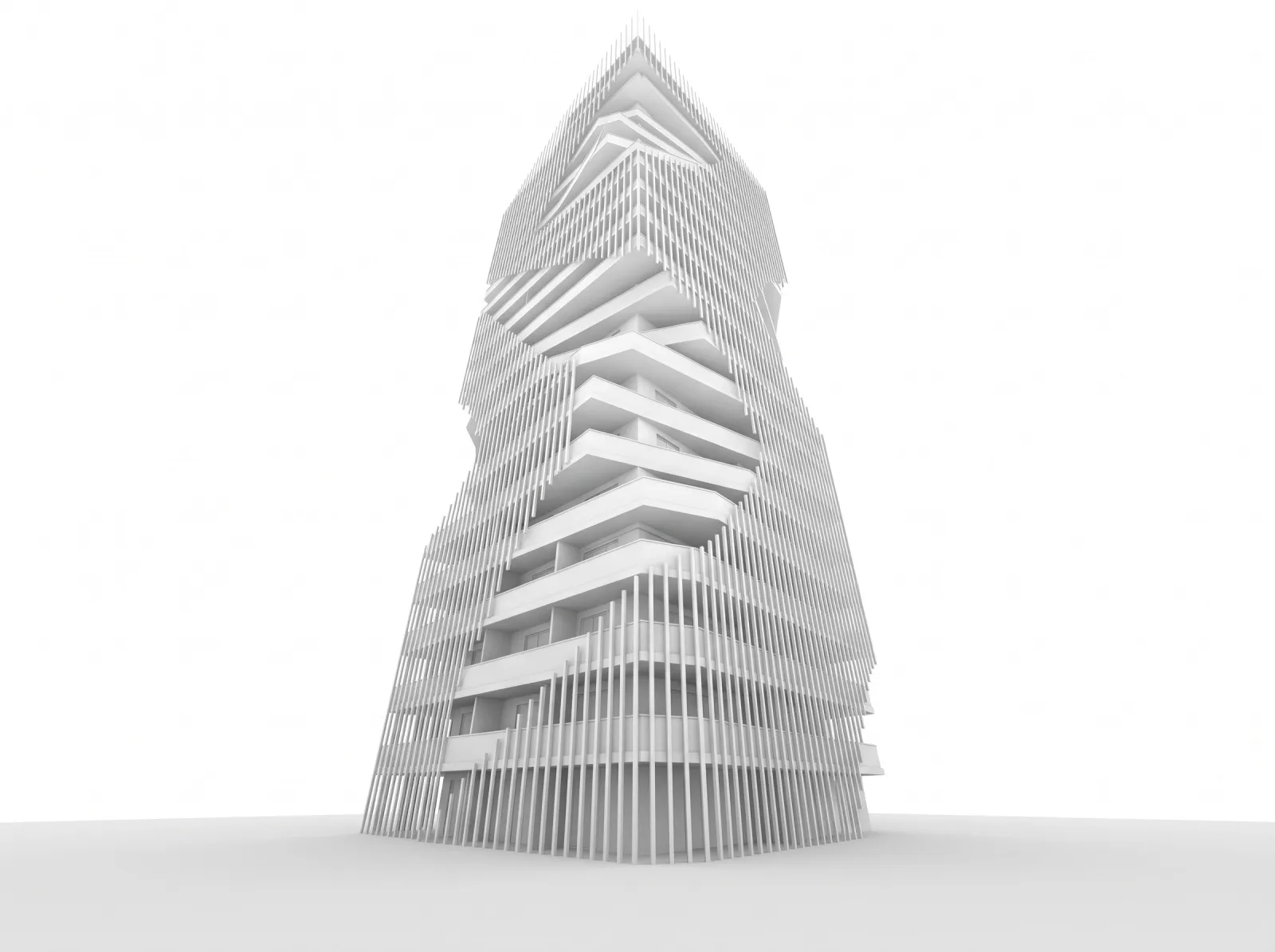
    Arctic shades every surface white with soft occlusion, which shows curvature far better than Shaded. Set a lens of about 35 mm and keep the camera near eye height for street views.

  2. Save it with ViewCaptureToFile

    Pick a custom size such as 2400 × 1600 and untick the grid and world axes. The capture is independent of your screen size, so a small viewport still gives a sharp image.

  3. Upload the capture and pick materials

    Describe the finishes or add a material photo. The render comes back in about a minute, with your curves and camera unchanged.

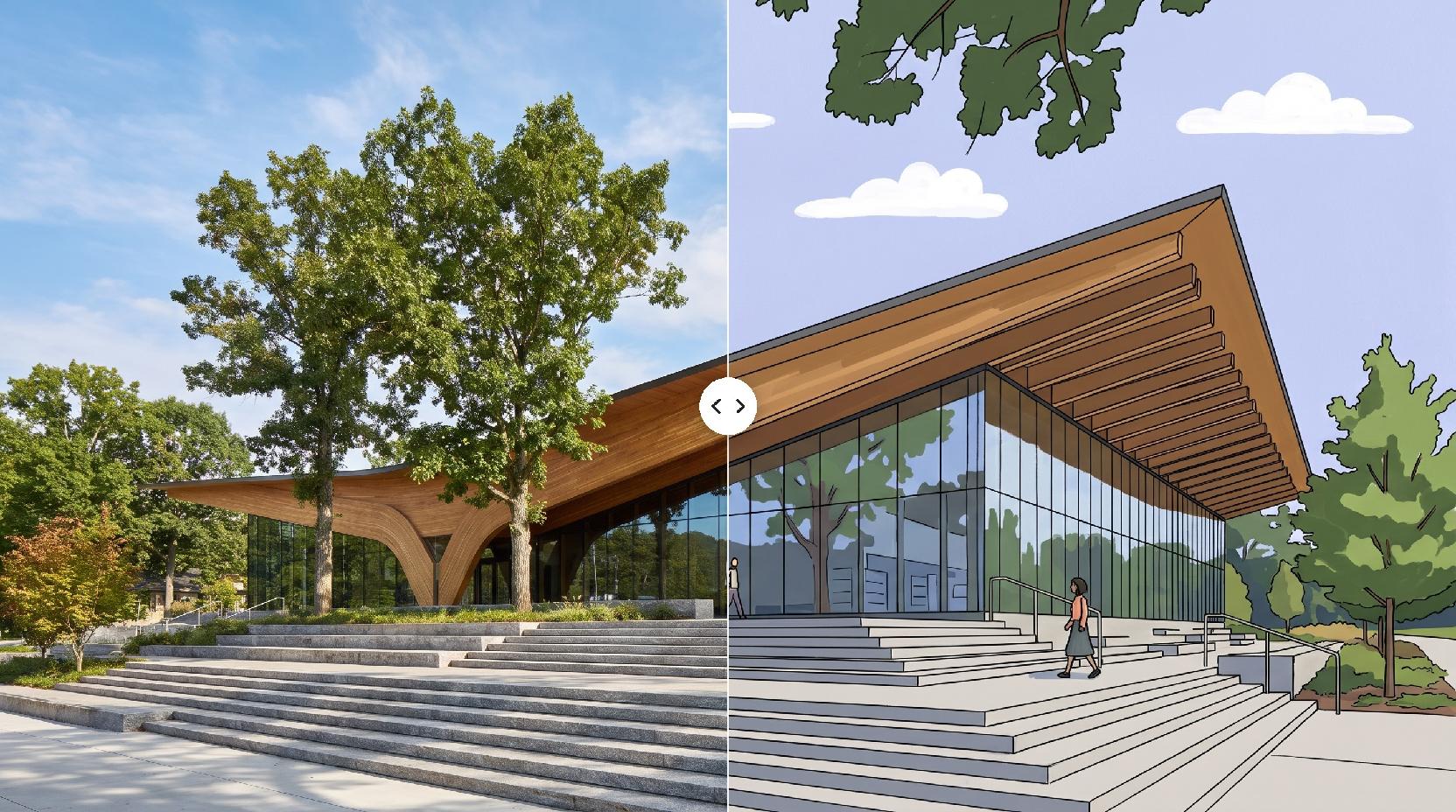
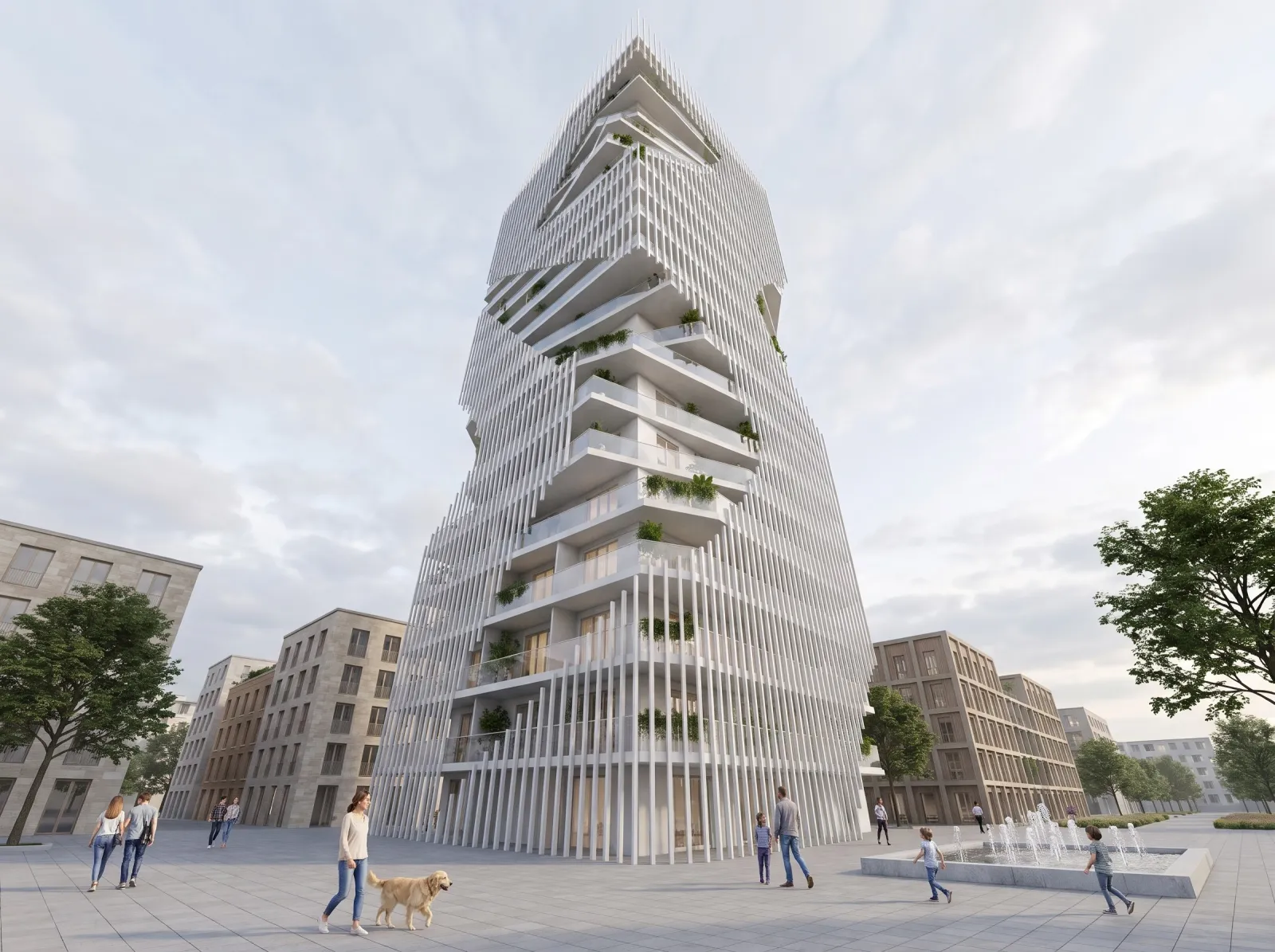
Four freeform models, from white capture to AI render

Drag the line to compare · click to enlarge

Gridshell community hall

Two soft timber gridshell domes keep their diagonal lattice, set on a small-town green with families arriving for a market.

Hillside villa with a wrapped roof

The sweeping roof that folds down into a side wall gets pale shingles, while the overhangs and glazed ground floor stay as modeled.

Office with undulating floors

Wave-shaped floor bands become smooth white concrete with continuous glass set back between them, on a calm downtown street.

Library with a wave ceiling

An interior capture becomes a reading room with light oak ceiling ribs, limewash walls and long oak tables under arched windows.

Why freeform models suit AI rendering

Compared onBuilt-in Cycles render or a pluginLovspark AI from a white viewport capture
MaterialsAssign to every object, set mapping or unwrap UVsDescribe them or add one photo
Curved surfacesRefine the render mesh to hide facetsRead from the shaded capture
Light and siteEnvironment, HDRI, sun and ground planeAdded by the AI from your description
Software and hardwarePlugin license, NVIDIA GPU for V-Ray GPUBrowser or desktop app, any recent computer

Who renders freeform models with Lovspark AI

Rendering in Rhino: the usual routes, and where AI fits

What the built-in renderer and the common plugins ask of you, what slows down a single concept view, and how to prepare a capture that renders well.

  1. The built-in route: Raytraced and Render
  2. The plugin route
  3. Where one concept view loses the most time
  4. What the AI changes, and what it does not
  5. Arctic, Technical or Pen?
  6. Using linework you already make

The built-in route: Raytraced and Render

Version 8 renders with Cycles. The Raytraced display mode refines the view until it reaches its sample count, and the Render command offers presets from Low (15 samples) to Final (1,500). Objects without a material render plain white, and Cycles picks the first CUDA GPU or falls back to the CPU.

The plugin route

Most offices add a dedicated engine. Prices are as listed on each vendor's site in November 2026.

  • V-Ray: Grasshopper nodes and a material library; Solo is billed yearly at about $540, and GPU rendering needs an NVIDIA card with the whole scene in video memory.
  • Enscape: launched from a toolbar inside the modeler and reads its materials; real-time, with a 4 GB GPU minimum on Windows.
  • KeyShot: linked through LiveLinking; Professional is $1,299 a year.
  • Twinmotion, Lumion and D5 Render: synced through Datasmith or LiveSync; Lumion and D5 run on Windows only.

Where one concept view loses the most time

  • Faceted curves until the render mesh is refined.
  • Textures stretching on curved surfaces until mapping is fixed or UVs are unwrapped.
  • Grey or slow renders until the environment, sun and ground plane are set; McNeel forum users report a ground plane turning a 51-second test into more than five minutes.
  • Grasshopper geometry that does not appear in Rendered mode until it is baked or sent through Custom Preview, which only accepts meshes.

What the AI changes, and what it does not

Lovspark AI skips materials, mapping, meshing and lighting by reading the form from one capture, so a view takes about a minute. It does not read your layers, materials or exact dimensions, and fine repeated detail such as panel joints can shift. For final images with exact materials, animations or fabrication checks, stay with Cycles or V-Ray.

Arctic, Technical or Pen?

We captured one house in four display modes and rendered each with the same AI prompt. Arctic kept every detail we checked, Technical lost one window bay, Pen moved a transom and Shaded lost two details. The full comparison is in our [rendering guide](/articles/rhino-rendering-guide).

Using linework you already make

Many studios already save Pen or Technical captures and Make2D linework to composite in Photoshop. The same Technical capture works as an AI input when the facade depends on fine edges, and the render can sit next to your linework on the board.
FAQ

Rhino AI Rendering FAQ

01/What is Rhino AI rendering?

It turns a viewport capture into a photoreal image. You save the view with ViewCaptureToFile, upload it to Lovspark, and the AI adds materials, light and surroundings while keeping the form and camera.

02/Is Rhino Render the same as Cycles?

In version 8, yes: the Render command and the Raytraced display mode both use Cycles. Lovspark is a separate step that starts from a capture and needs no render settings.

03/Why do my curved surfaces look faceted when I render in Rhino?

The renderer works from a mesh of your NURBS surfaces, and the default Jagged & Faster setting is coarse. For an AI render, a smooth capture is what matters; if the viewport itself looks faceted, raise the display mesh quality before capturing.

04/Do I need to map textures or unwrap UVs?

No. Describe the materials or add a material photo, and the AI places them on the surfaces it sees in the capture.

05/Can I render Grasshopper geometry without baking it?

Yes. As long as the preview shows in the viewport, capture it and upload the image.

06/Which display mode should I capture?

Arctic in most cases, Technical when fine edges such as mullions matter. Avoid Shaded and Rendered with untextured white surfaces.

07/Does it work on a Mac?

Yes. Lovspark runs in the browser and as a desktop app on macOS and Windows.

08/Is Rhino AI rendering free?

Yes, you can start free. Free Lovspark accounts get 200 credits every month and each AI render uses 30 credits, so you can test a few of your own captures before paying. Free results carry a watermark and are for personal use; paid plans add commercial rights.

09/Should I still use V-Ray or Enscape?

Use them for final images with exact materials, animation or walkthroughs. Use Lovspark for early options, quick client previews and testing materials on a form before you invest in a full scene.

Guides and tips

More AI design skills

Browse all skills

Rhino AI Rendering

Skip the mapping and the mesh settings for your next concept view. Capture the viewport and see the form as a building in about a minute.

27 AI design skills · 15 image and video models