By the Lovspark Product Team · Updated November 24, 2026

For residential architects working in BIM

Archicad AI Rendering

Show homeowners the house before CineRender finishes its first pass: save the model view as a PNG and let AI turn it into a finished exterior or interior in about a minute.

Rendering inside Archicad means tuning Cineware surfaces channel by channel, choosing between Basic and Detailed settings and leaving the CPU to work, sometimes for hours. Moving to Twinmotion, Lumion or D5 means a sync plugin, a second set of materials and, for Lumion and D5, a Windows PC. For an early client meeting, save the view as an image instead. Lovspark AI keeps your walls, roofs and openings and adds siding, stone, planting and sky.

Render a saved view with AI

200 free credits every month · 30 credits per run · No install needed · Saved to your Lovspark account · Open in Lovspark

Save a view as a PNG and render it with AI

Saved Model View
No image handy? Try these:
Material PhotoOptional
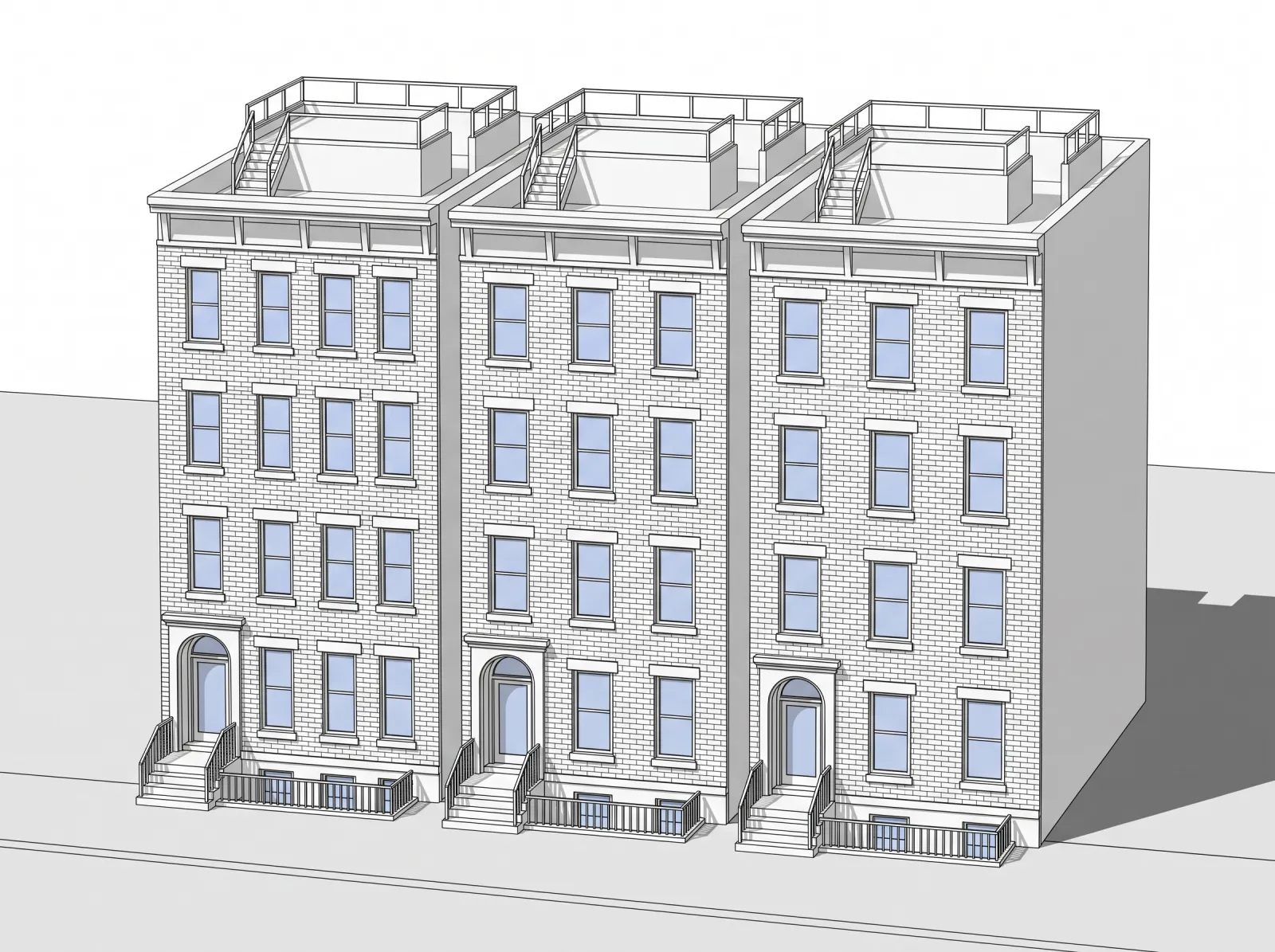
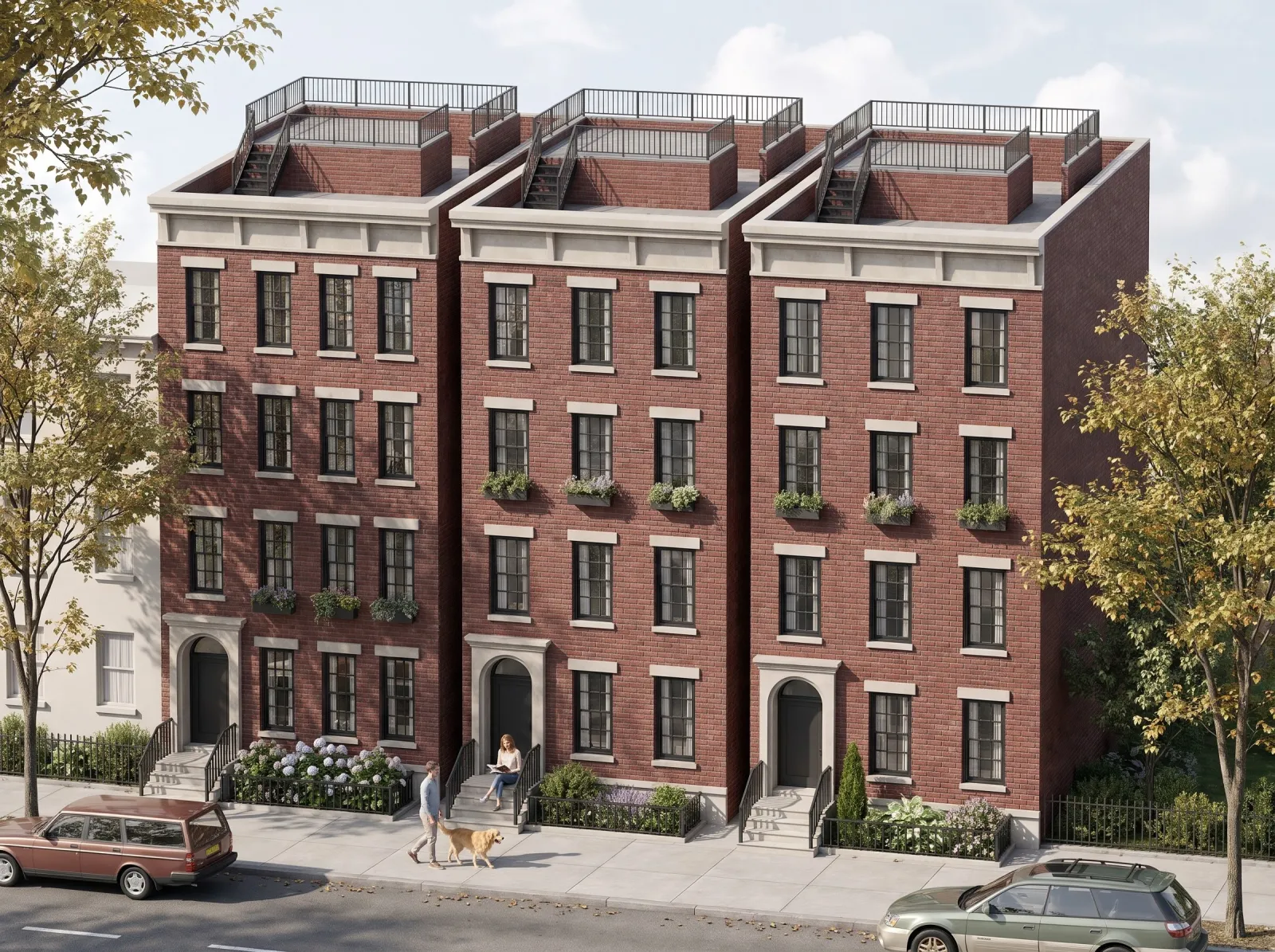
Archicad AI Rendering – original imageArchicad AI Rendering – generated result
Example result

From the model to a client-ready AI image

  1. Frame the house in perspective

    Pick a perspective at standing height. Under View > 3D View Options > 3D Styles, a shaded style with contours and sun shadows gives the clearest input.

  2. Choose finishes the client likes

    Photograph the siding, roof and stone samples on your desk, or describe them in a sentence. The render takes its materials from that photo.

  3. Save as PNG and upload

    Use File > Save As with the 3D view active and pick PNG. After the upload, Lovspark AI returns a finished exterior within a minute; swap the sample photo to show the client a second option.

Houses, apartments and an interior, rendered with AI

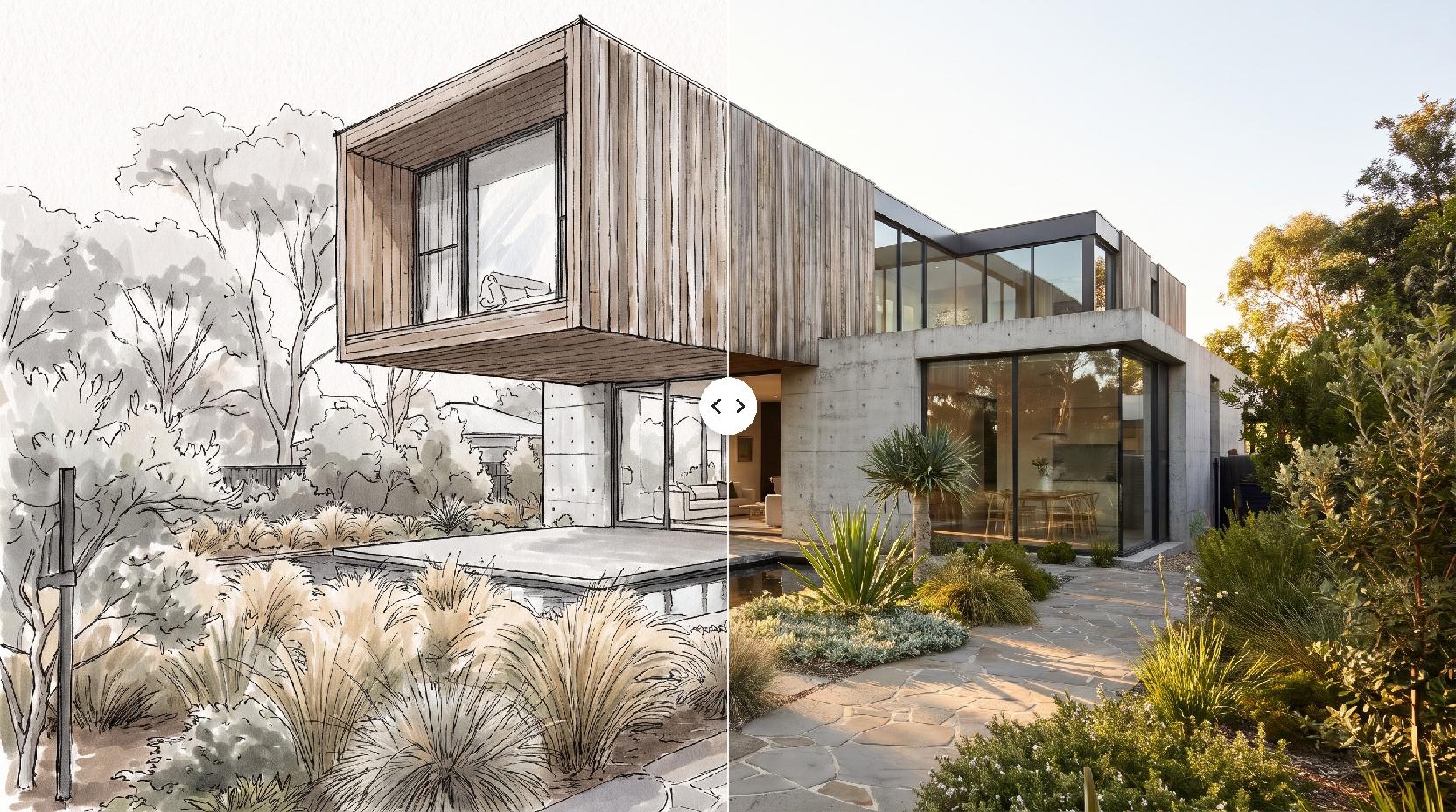
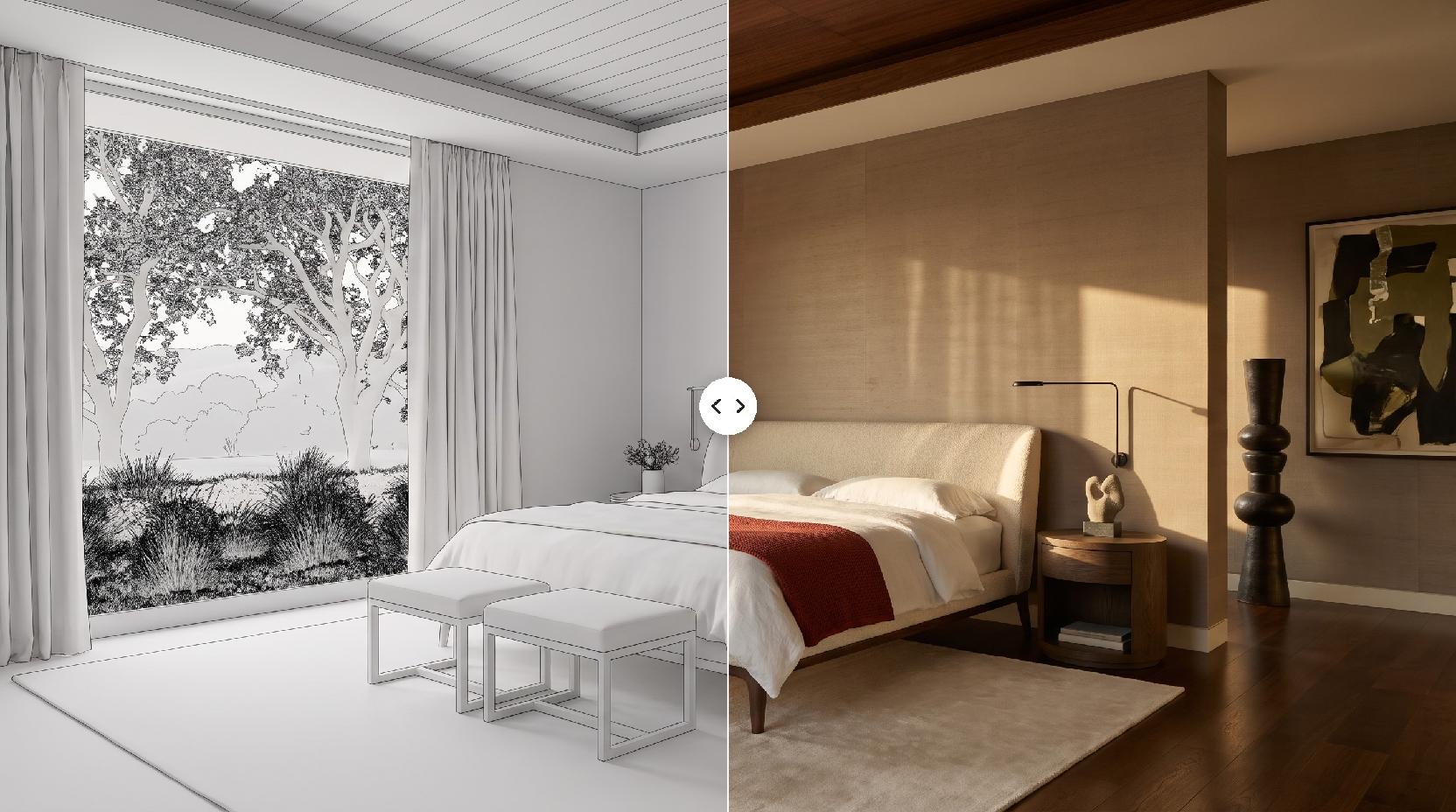
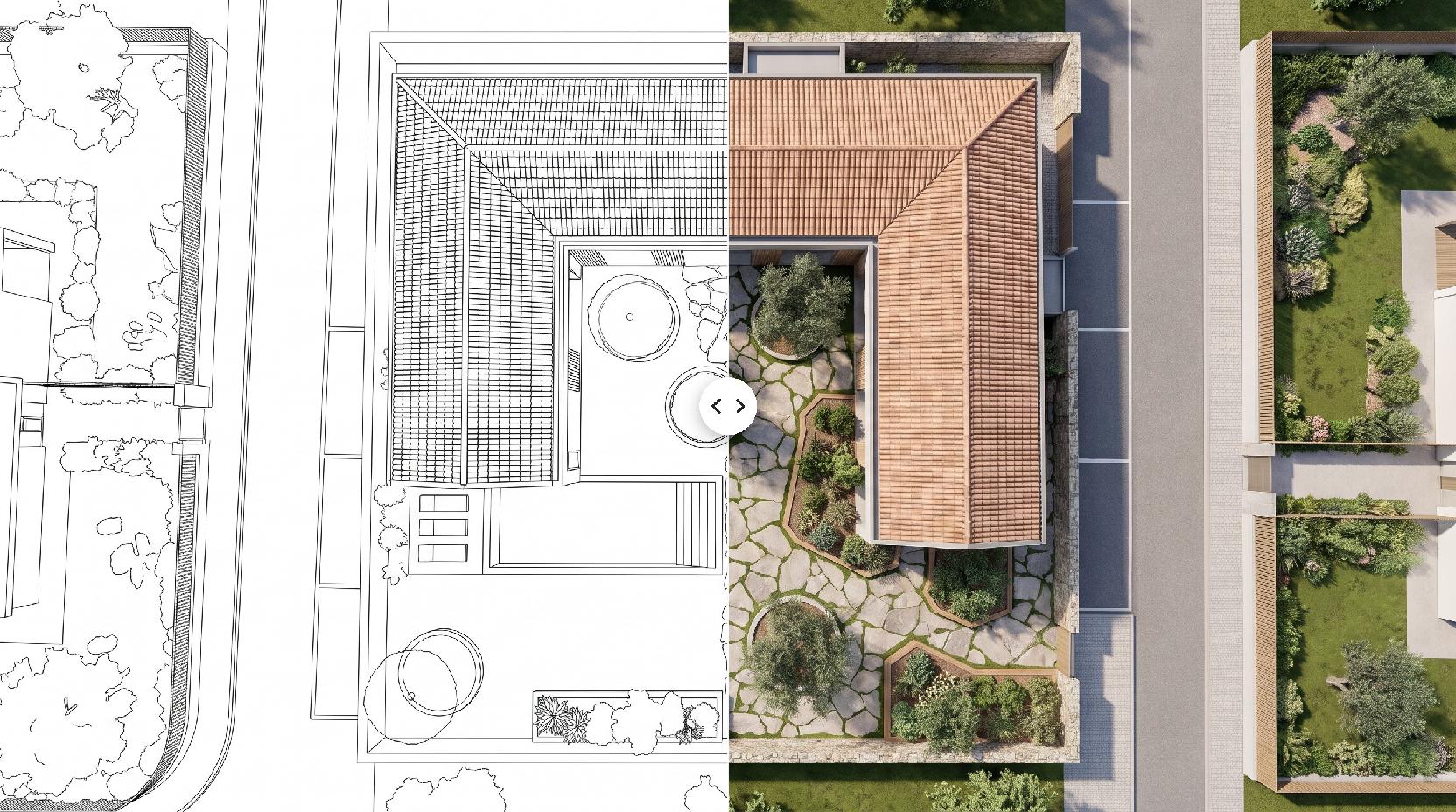
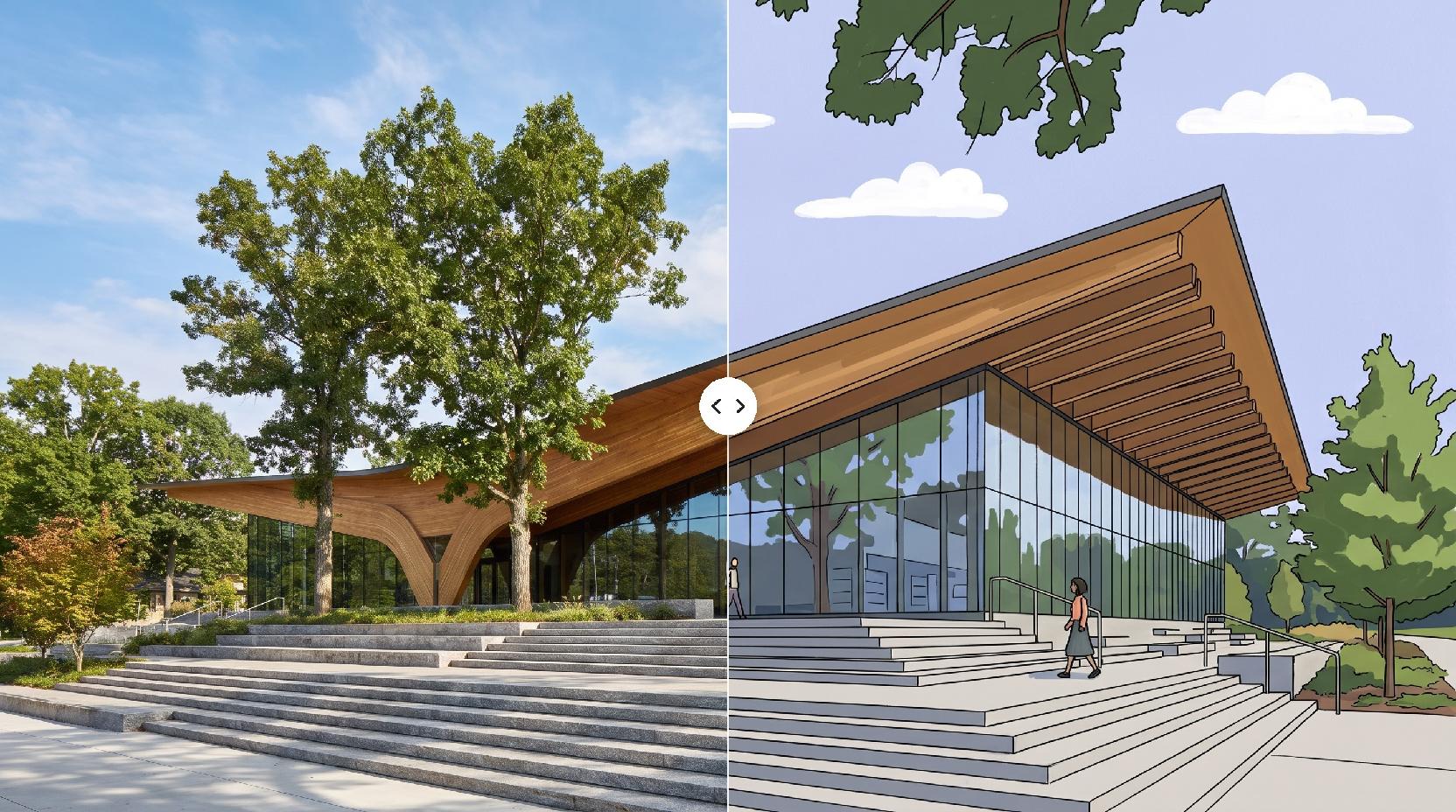
Drag the line to compare · click to enlarge

Desert modern house

Flat roof planes and a walled courtyard become sand-colored stucco, agave and desert grasses in soft morning light, with the overhangs kept to the model.

Lake cabin

The broad gable and wraparound deck get dark timber and a fieldstone chimney, on a grassy shore with the lake beyond.

Four-story apartments

Buff brick, bronze windows and glass balconies turn a planning model into a street view for a neighborhood meeting.

Double-height living room

An interior view becomes a calm living room with a plaster fireplace wall, a bouclé sofa and oak stairs.

What you skip compared with CineRender

Compared onCineRender, Redshift or a sync pluginLovspark AI from a saved PNG
SurfacesSet Cineware channels per surface, or rebuild materials in the pluginOne sample photo or a sentence
Render timeCPU rendering, from minutes to many hoursAbout a minute
PlatformLumion and D5 need Windows; Redshift excludes RTX 40/50Any Mac or PC, any edition
Best forFinal, controllable images and animationsEarly options for clients and planning boards

Who uses Lovspark AI for BIM renders

Rendering in Archicad: CineRender, plugins and AI

How the built-in renderer works, what the common plugins need, and when a Lovspark AI render from a saved view is the better choice.

  1. The built-in CineRender
  2. Why renders take so long
  3. Redshift and the plugin route
  4. Archicad AI Visualizer and Lovspark
  5. When to stay with CineRender or Twinmotion

The built-in CineRender

The built-in renderer, called Cineware by Maxon in recent versions, lives under Document > Creative Imaging > PhotoRendering Settings. Basic settings cover the render size, the environment (Archicad sun or an HDRI) and the background; Detailed settings add global illumination, physical sky and grass. Each surface has its own channels, including color, diffusion, up to sixteen reflectance layers, bump and displacement. The Solo edition ships with the basic engine only.

Why renders take so long

CineRender uses the CPU and memory, not the graphics card. Graphisoft community threads describe a render reaching 1.5% after three and a half hours and an interior stuck at 9% for eighteen hours, usually traced to unoptimized presets or grass left switched on.

Redshift and the plugin route

  • Redshift: runs on the GPU, but Graphisoft's system requirements list no support for NVIDIA RTX 40 and 50 cards.
  • Twinmotion: syncs through the Datasmith Direct Link; free for companies under $1 million in yearly revenue, otherwise $445 per seat per year.
  • Enscape: real-time on Windows and Apple Silicon Macs, with a 4 GB GPU minimum.
  • Lumion and D5 Render: sync through LiveSync on Windows only, and Lumion does not carry over the model's PBR materials.
  • V-Ray: Chaos does not offer a version for this program.

Archicad AI Visualizer and Lovspark

Graphisoft now includes an AI Visualizer in the Studio, Collaborate and Max editions of version 30. Lovspark AI starts from a saved image instead, so it works with any version or edition, lets you choose between several image models, takes a photo of your real material samples, and continues into furniture placement, mood boards and FF&E schedules in the same Lovspark account.

When to stay with CineRender or Twinmotion

Use them for construction-accurate materials, light you need to reproduce exactly, walkthroughs and animations. An AI render reads the image, not the BIM model, so it is for design communication rather than documentation.
FAQ

Archicad AI Rendering FAQ

01/What is Archicad AI rendering?

It turns a saved model view into a photoreal render. You export the view as a PNG, upload it to Lovspark, and the AI adds finishes, planting and light while keeping your walls, roofs and openings.

02/How do I save the Archicad 3D window as an image?

Make the 3D view active, then use File > Save As and choose PNG Image. The Options button lets you include an alpha channel if you need a transparent background.

03/Why is CineRender so slow?

It renders on the CPU, and the default presets, global illumination and grass add a lot of time, especially in interiors. An AI render skips that wait and returns one view in about a minute.

04/Does it work with Archicad Solo?

Yes. Solo has no CineRender engine, but every edition can save a view as an image, which is all Lovspark AI needs.

05/Can I use it on a Mac?

Yes, in the browser or the Lovspark desktop app for macOS. Lumion and D5 Render, by contrast, only run on Windows.

06/How is it different from Archicad's AI Visualizer?

AI Visualizer is included in the Studio, Collaborate and Max editions of version 30. Lovspark AI works from a saved image with any version, lets you pick the image model and use a photo of your real samples, and adds tools such as furniture placement and FF&E schedules.

07/Is Archicad AI rendering free?

There is a free plan. It includes 200 credits a month and one AI render costs 30 credits, so a few client options cost nothing. Free images are watermarked and for personal use only; a paid Lovspark plan removes the watermark and allows commercial use.

Guides and tips

More AI design skills

Browse all skills

Archicad AI Rendering

Your next homeowner meeting does not need an overnight CineRender. Save the view as a PNG and bring two AI options instead.

27 AI design skills · 15 image and video models