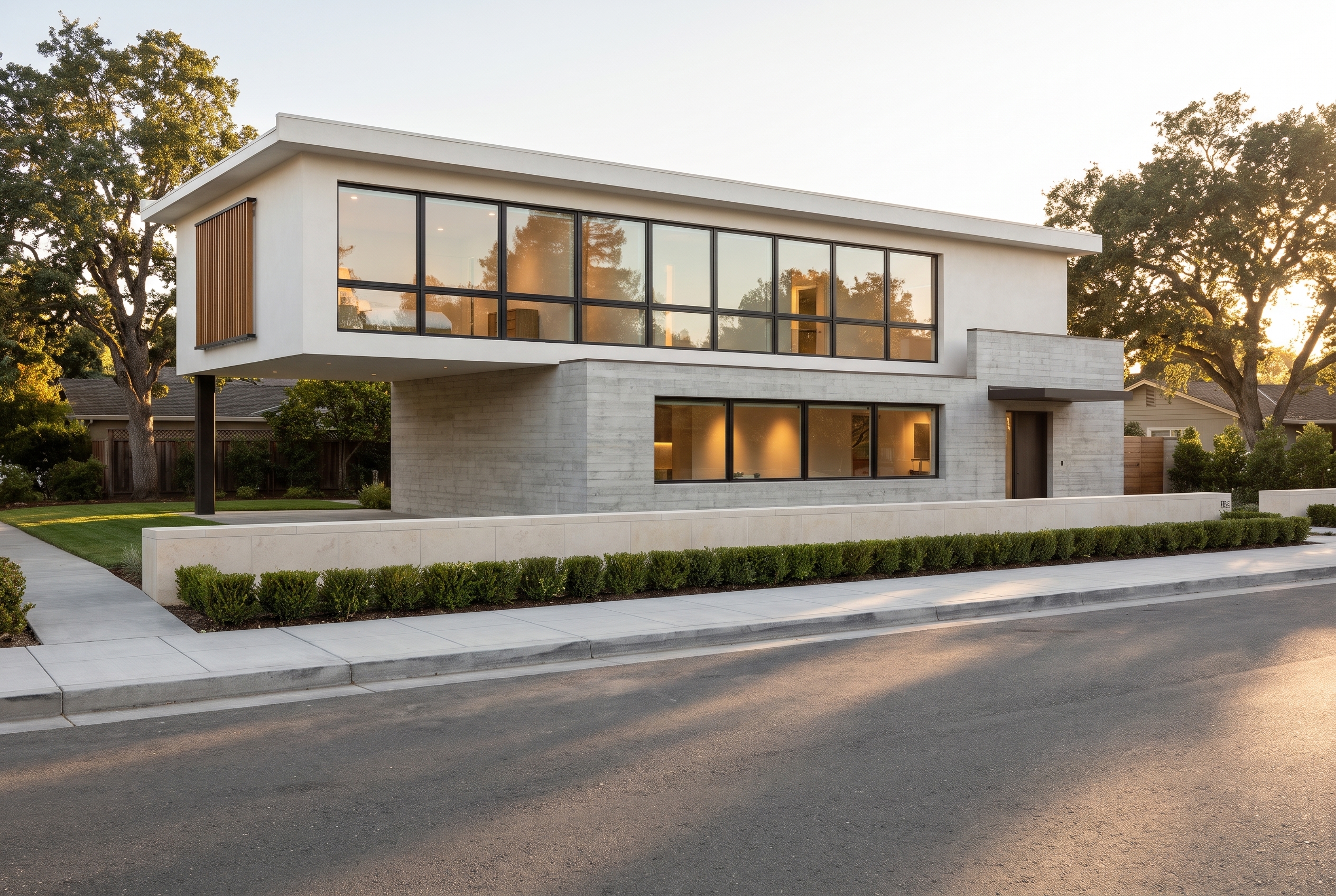
Why we tested it on design work
Most AI image model launches are judged on portraits and product shots. Lovspark users send something else: gray clay models, site plans, shell spaces, floor plans and boards packed with small labels. So when ByteDance released Seedream 5.5 on November 9, 2026, promising stable editing across 100 rounds, native transparent output and sharper small text, we wanted to know whether those claims hold on the architecture and interior work people bring to Lovspark.
We compared it with Nano Banana Pro, the AI image model our users pick most often for client-ready renders on Lovspark. Both models got the same input images and the same English prompts, at 2K, through each vendor's official API, on November 15, 2026. Nothing below was retouched, upscaled or cherry-picked from several tries: every result is the first image each model returned.
 Seedream 5.5ByteDance · image generation and editing
 Nano Banana ProGoogle · image generation and editing
1. Twenty edits in a row: does the room survive?
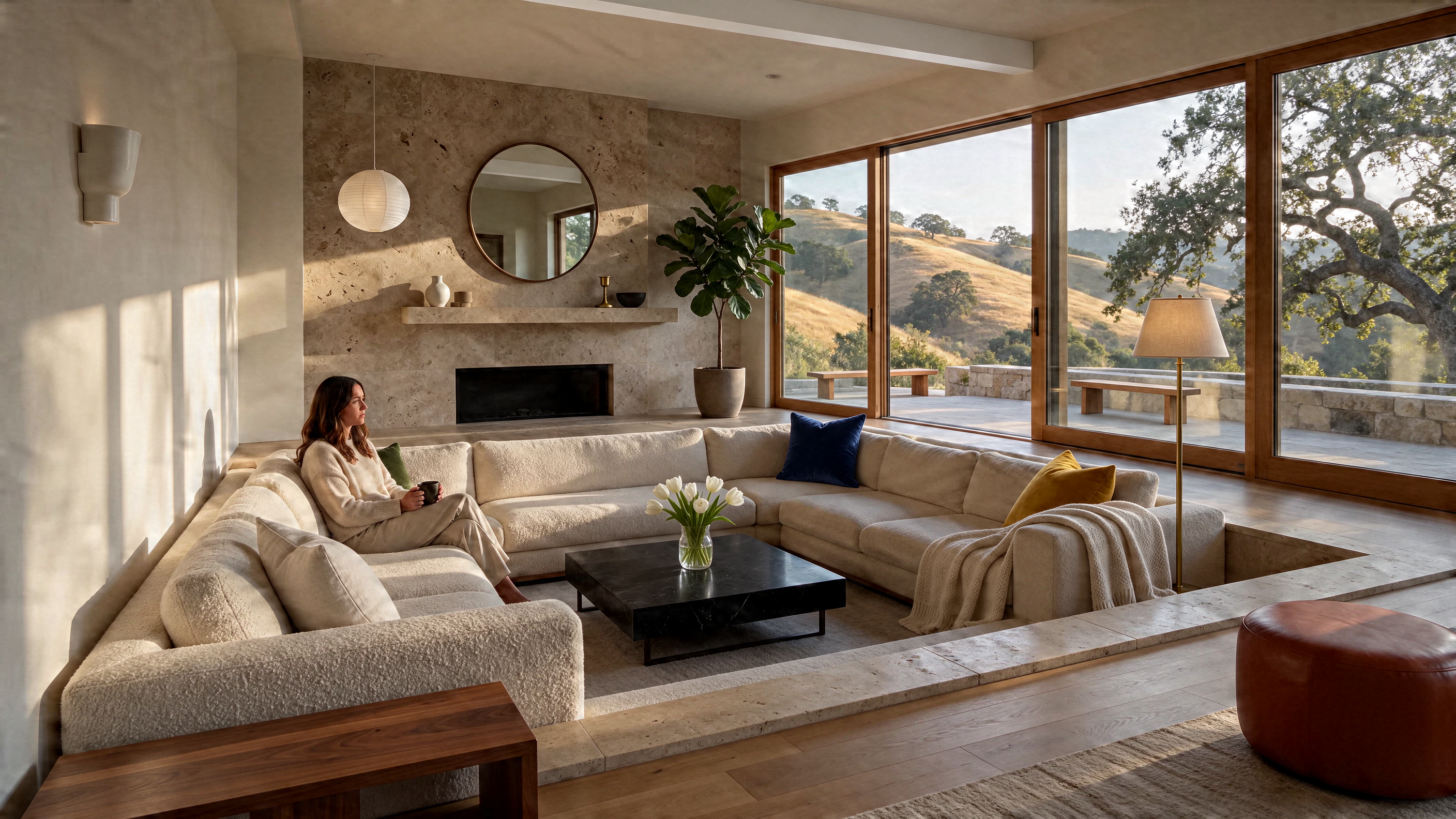
Both models started from the same living room render and edited it twenty times. Each round changed one small thing — a vase, a cushion, a pendant, a rug — and fed the previous output straight back in, without returning to the original or sharpening between rounds. Drag the slider to step through every round.
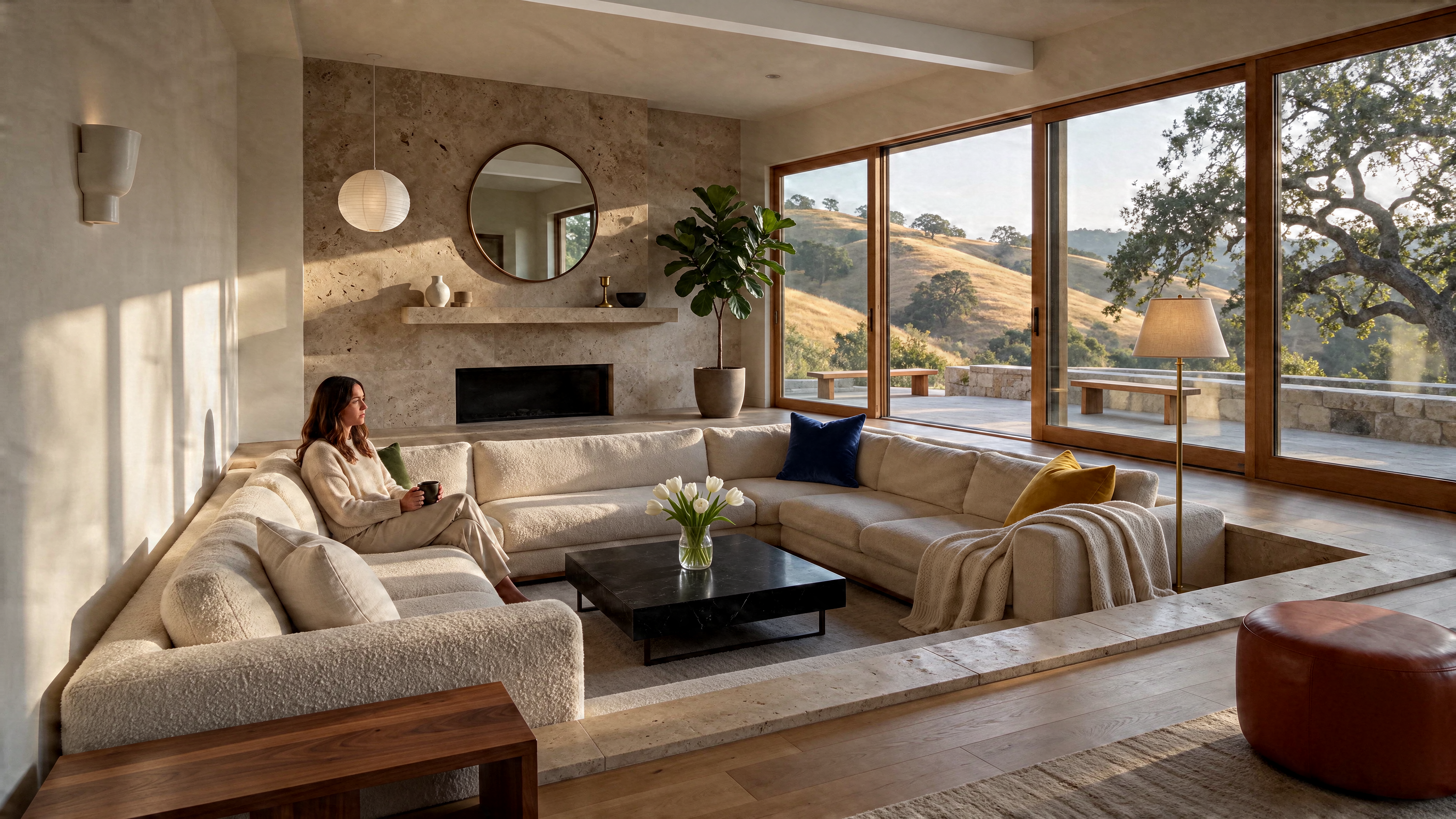
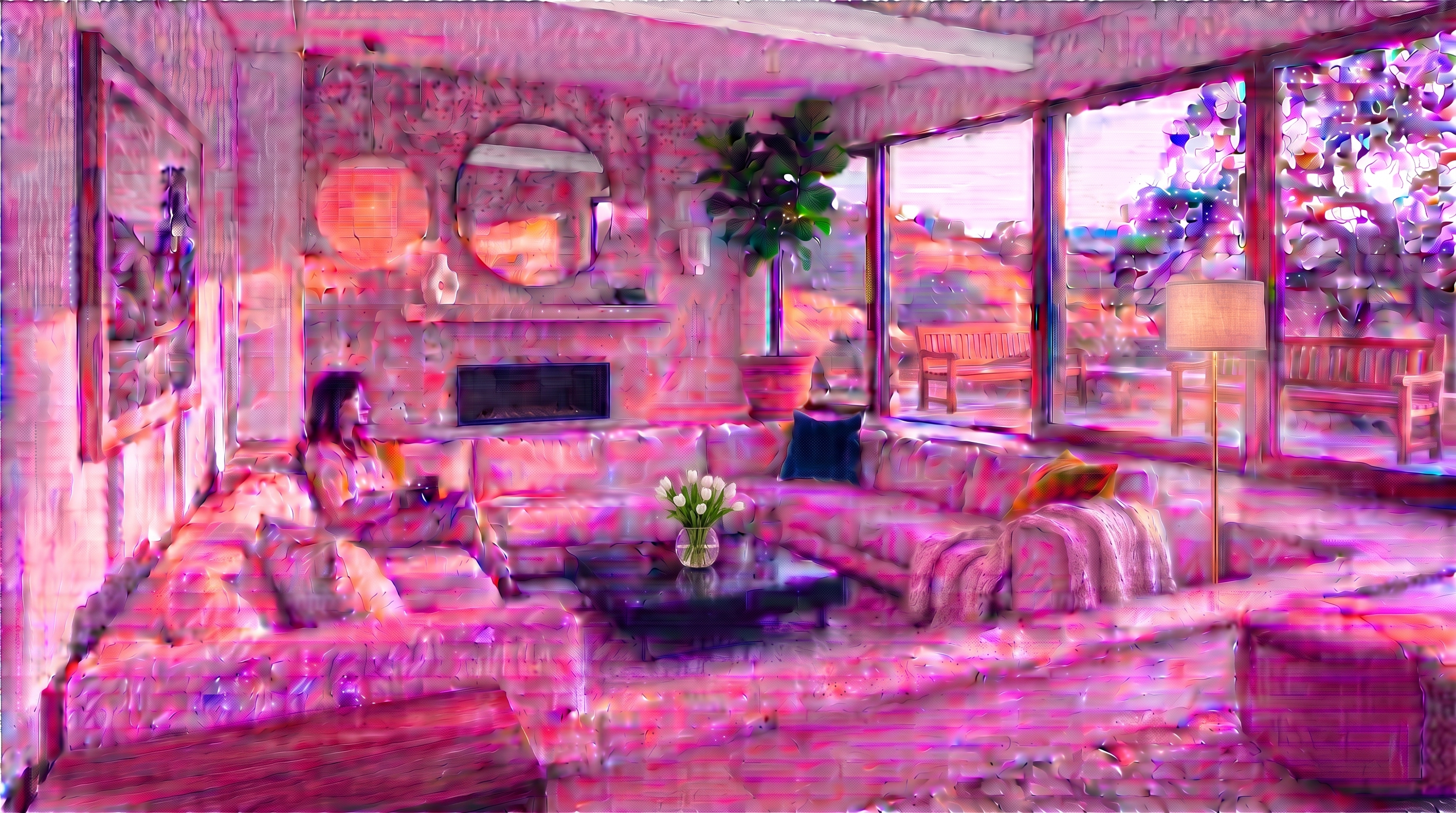
Round 20 · middle cushion → navy velvet
Same starting render, one change per round, each round edits the previous output. Generated November 15, 2026.
ByteDance's new model applied all twenty edits, and the travertine, boucle, oak floor and window view still look as crisp in round 20 as in round 1 — no creeping blur, no color drift toward gray. Two things did move. The camera crept in slightly after the first round and stayed there, and in round 11 the sconce landed on the left wall instead of beside the fireplace, replacing the landscape photo from round 5. Unedited regions stayed stable; where the AI put a new object was not always where we asked.
Google's model applied the edits too, but the image itself broke down. By round 10 an oversharpened, etched texture had spread across the walls and sofa with a pink cast; by round 20 the whole frame had turned magenta and the materials were unreadable. One caveat matters here: through its API, Nano Banana Pro returned a resized JPEG every round, and that JPEG became the next input, so compression loss stacked up over twenty passes, while Seedream 5.5 returned lossless PNGs. Some of the decay may come from that pipeline rather than the AI model alone — but it is the pipeline you get when chaining edits through the API.
What this shows: one 20-round chain on one image. It is strong evidence that small edits do not degrade the rest of a render — not proof that every image survives unlimited edits.
2. Rendering: clay models, site plans and text-only spaces
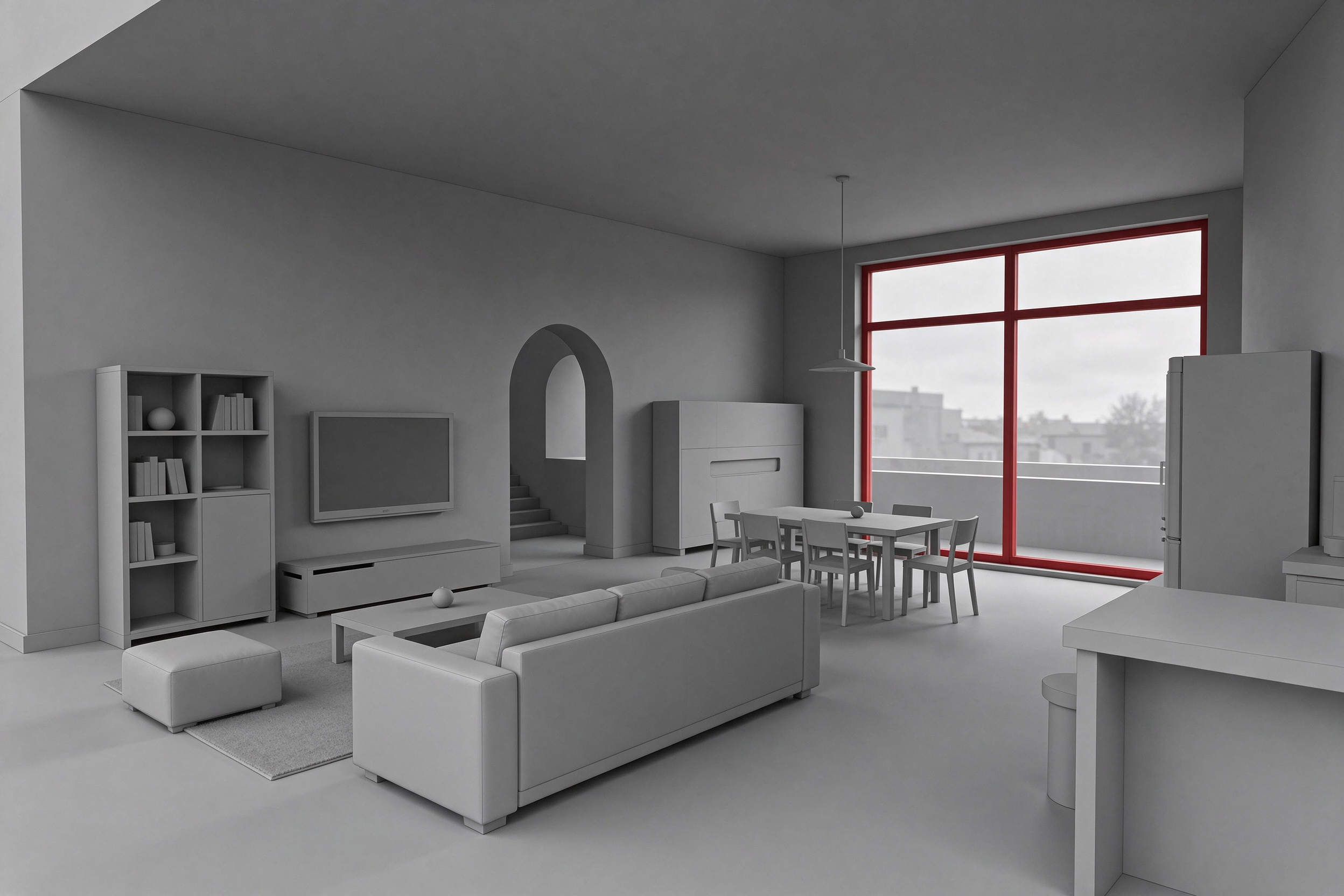
Gray clay model to photoreal interior
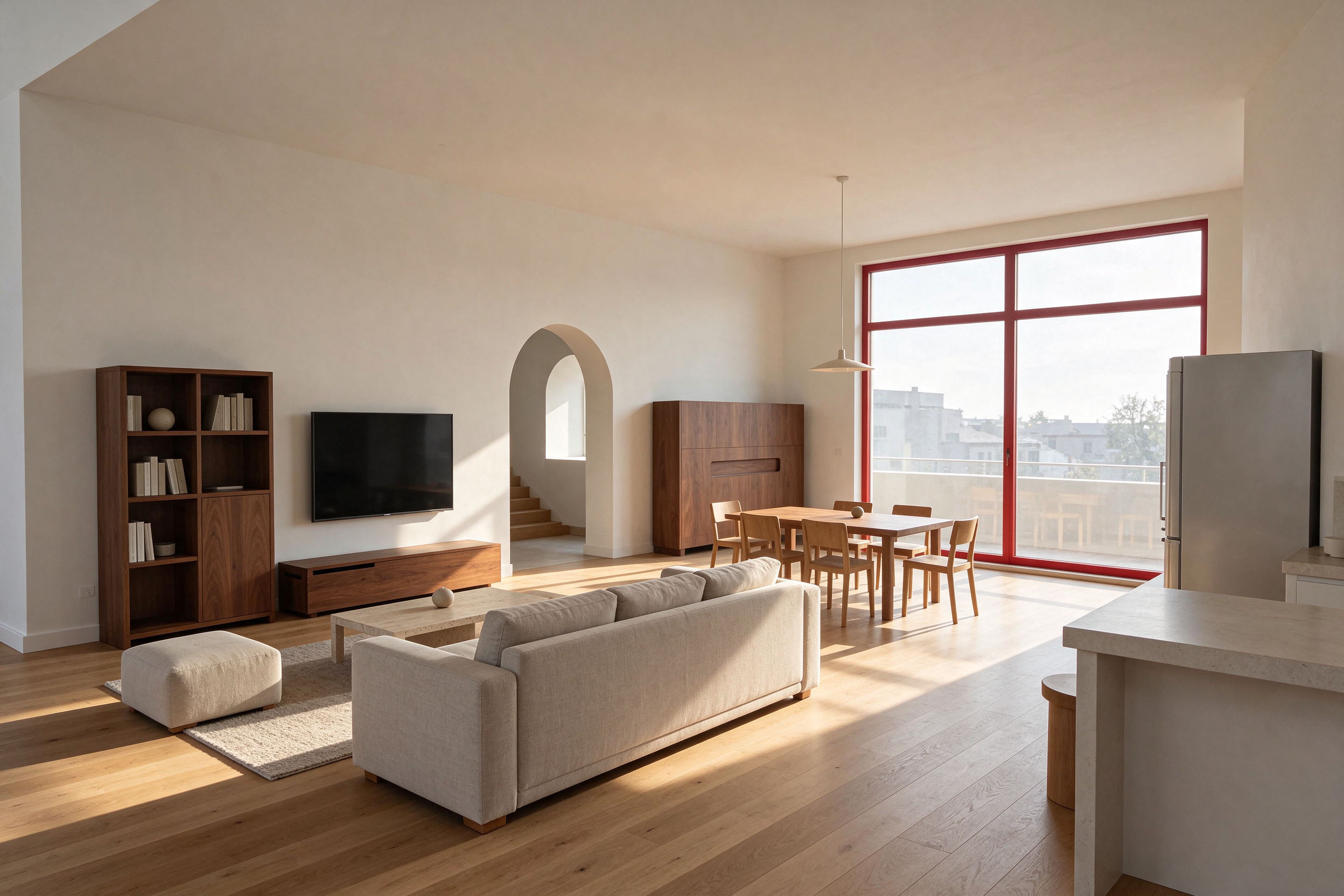
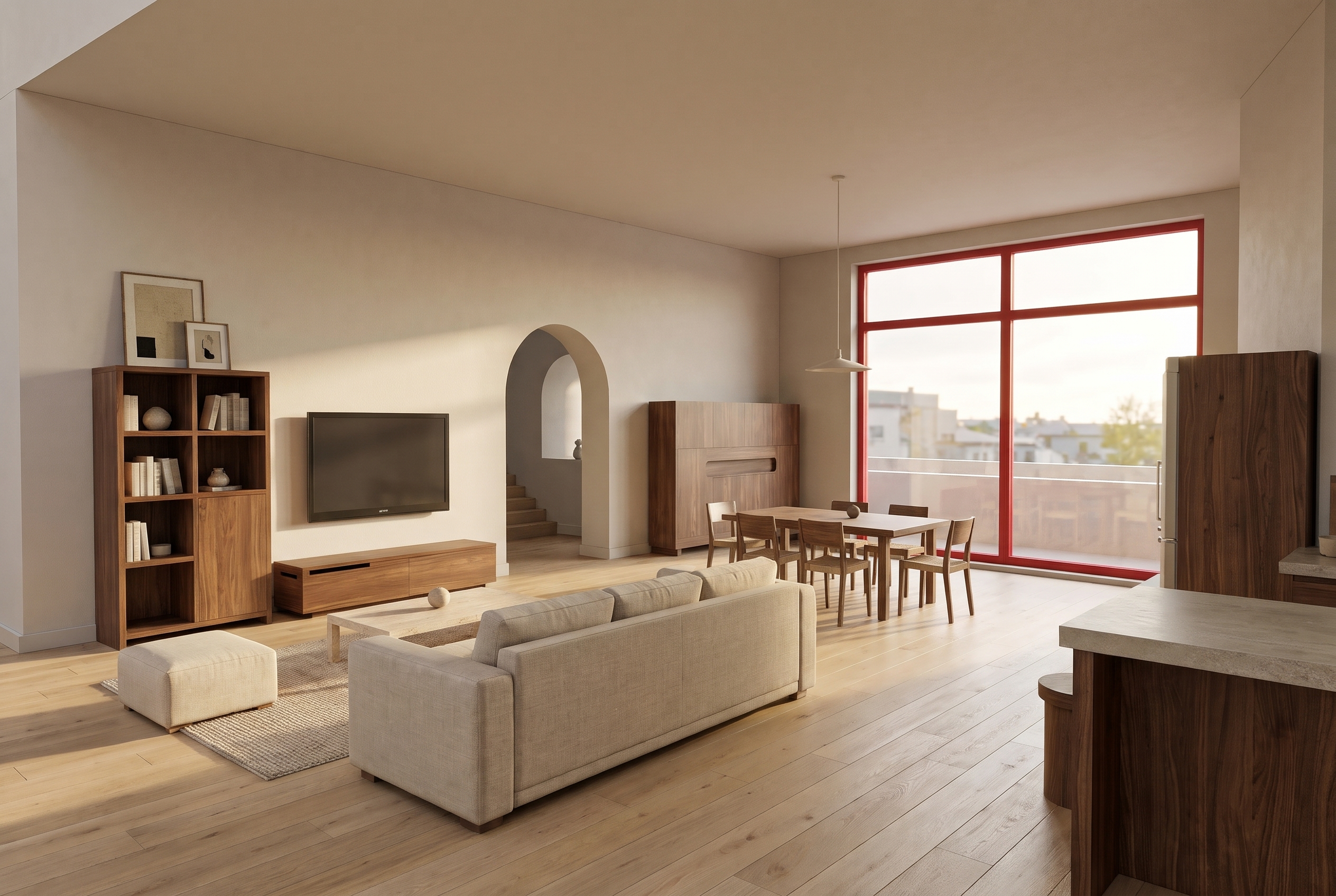
The input was an untextured clay model with red window frames. Both AI image models kept the layout, the camera and the red frames. ByteDance's model leaned into raking afternoon sun and long shadows across the oak; Nano Banana Pro gave softer, more even light but also added framed art and walnut fridge panels that were not in the brief.
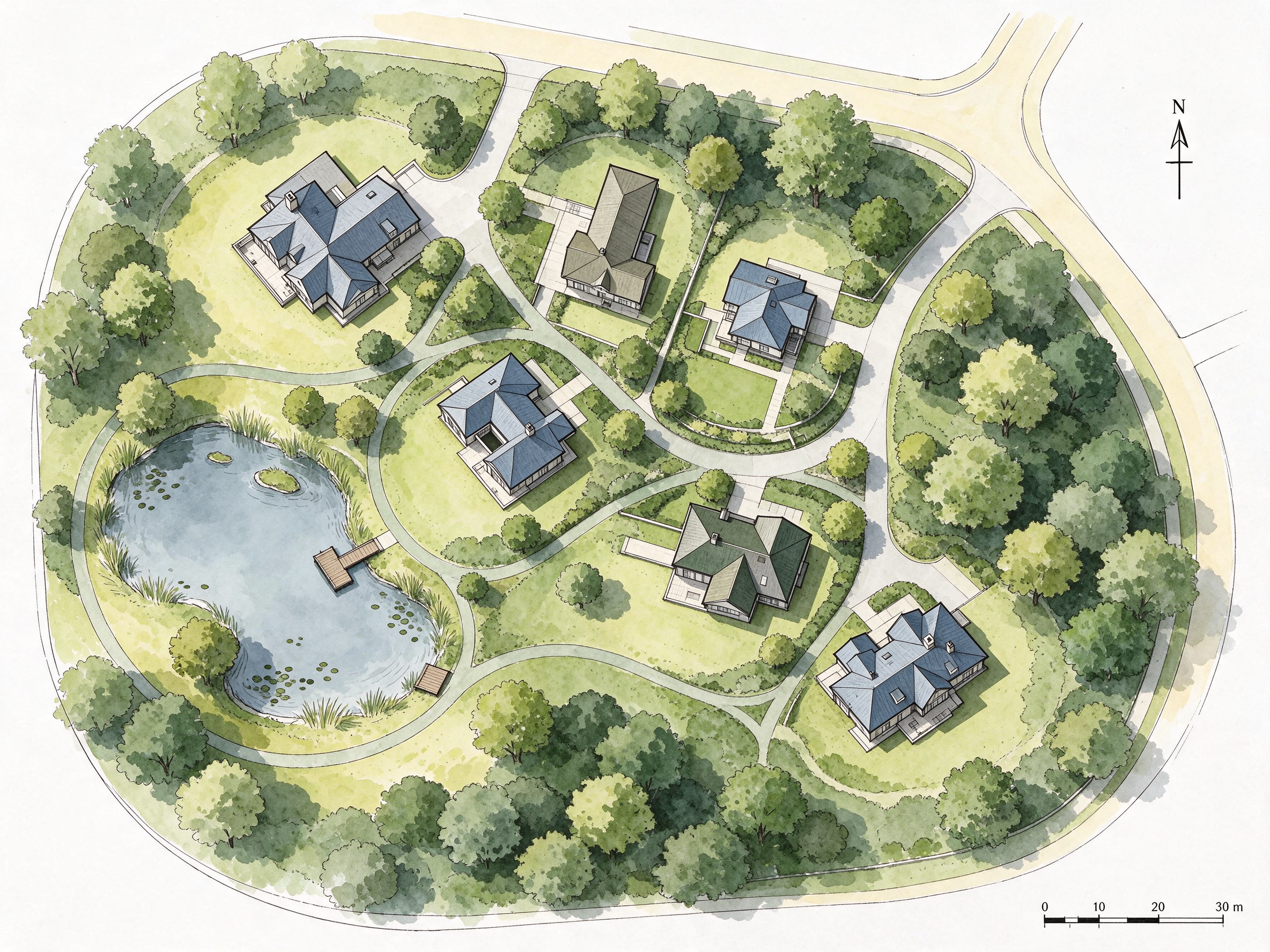
Site plan to aerial photo
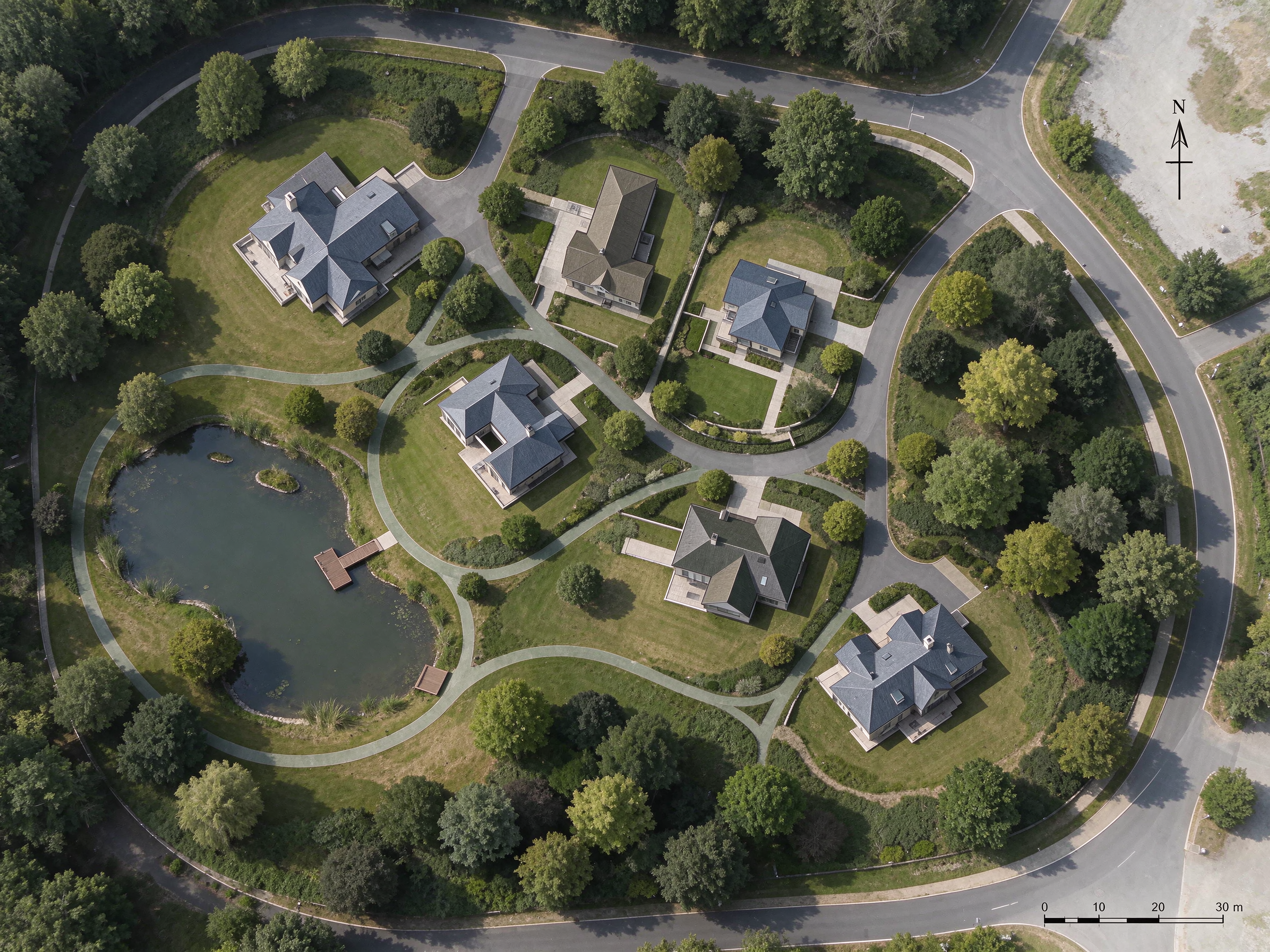
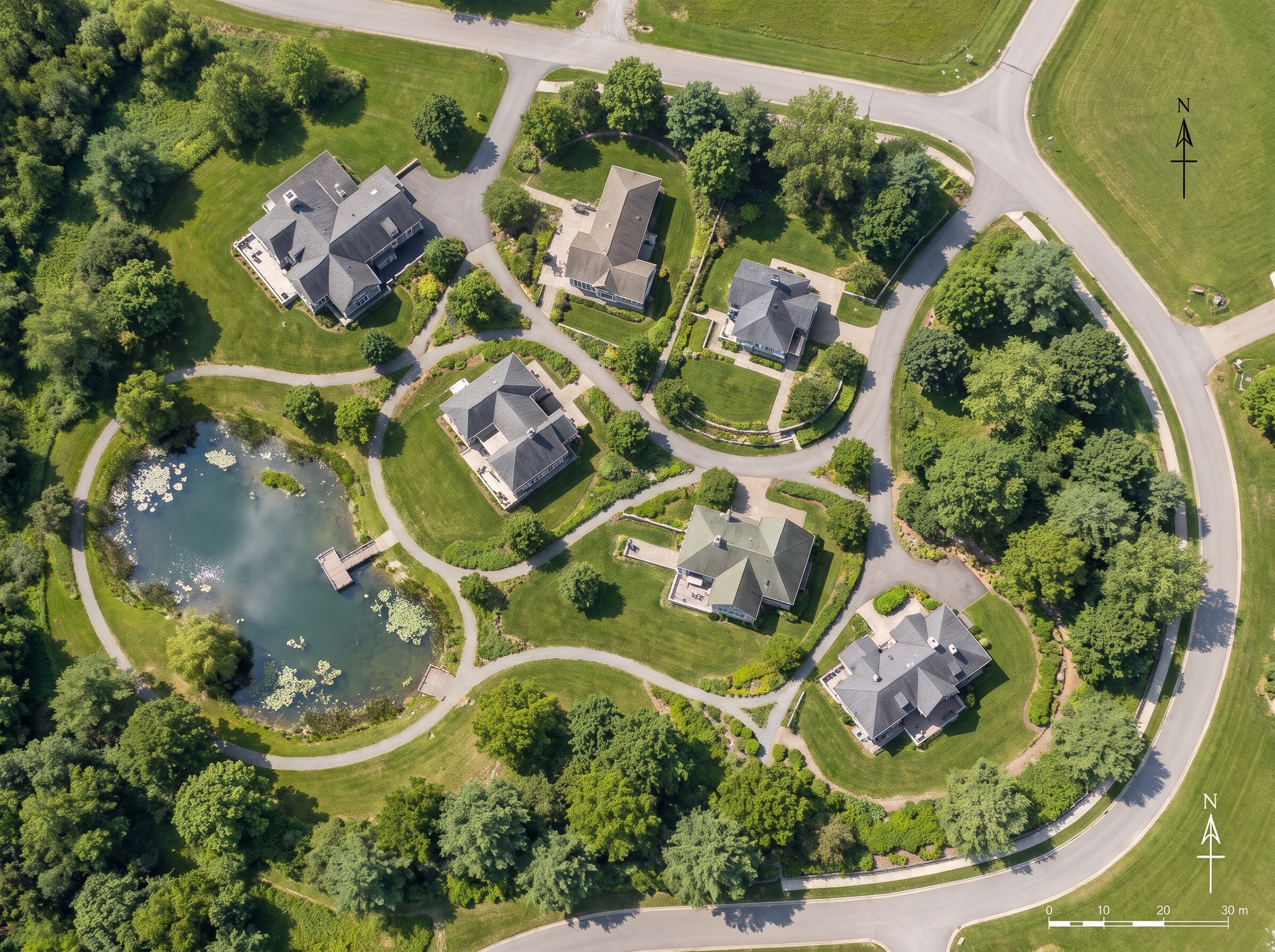
Both kept all six houses, the curving roads, the pond and its jetty in place — a hard test for any AI image model. The ByteDance result has slightly more muted, believable color and kept one north arrow and the scale bar. Google's model rendered lily pads and brighter lawns, but drew the north arrow twice.
A space from words alone
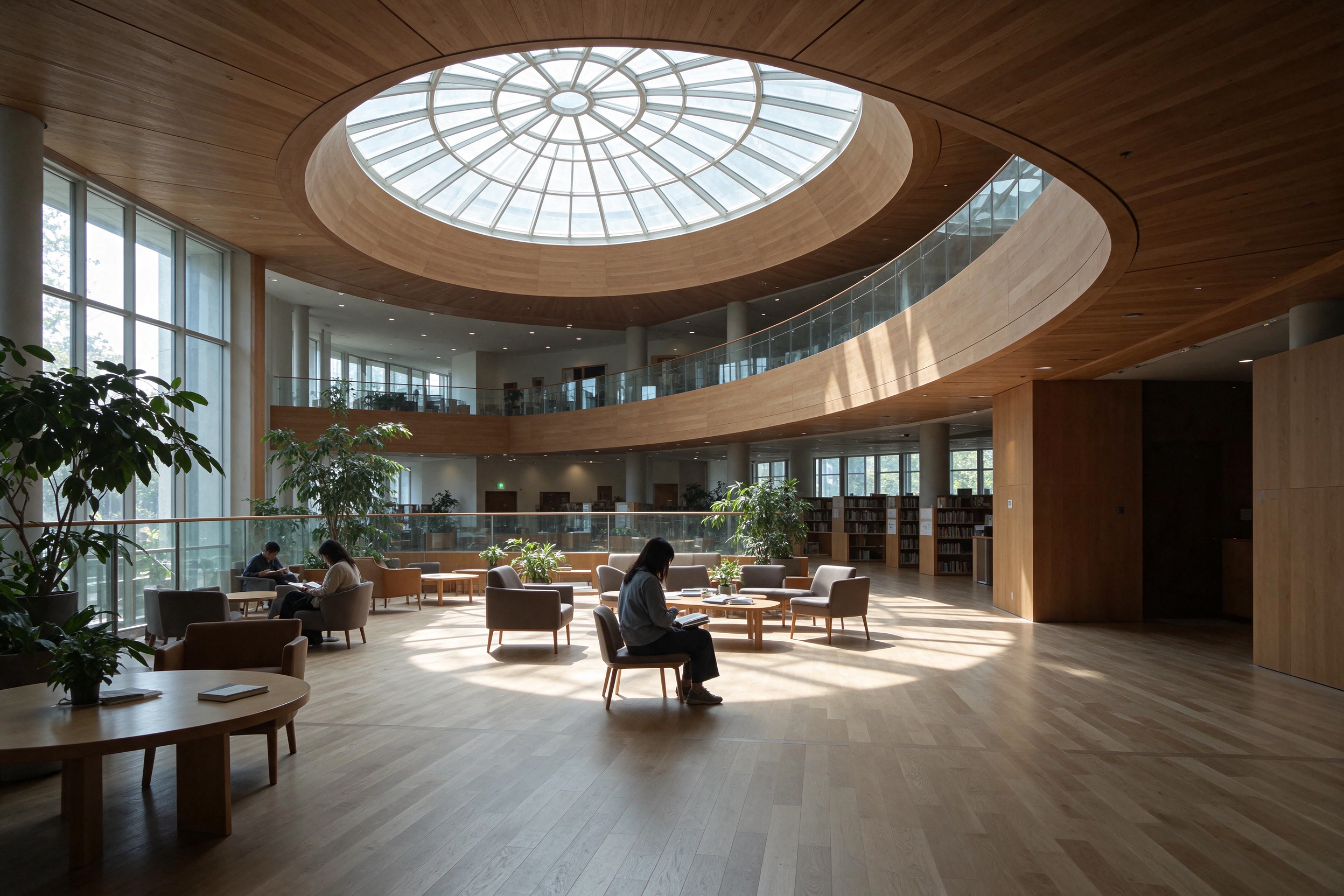
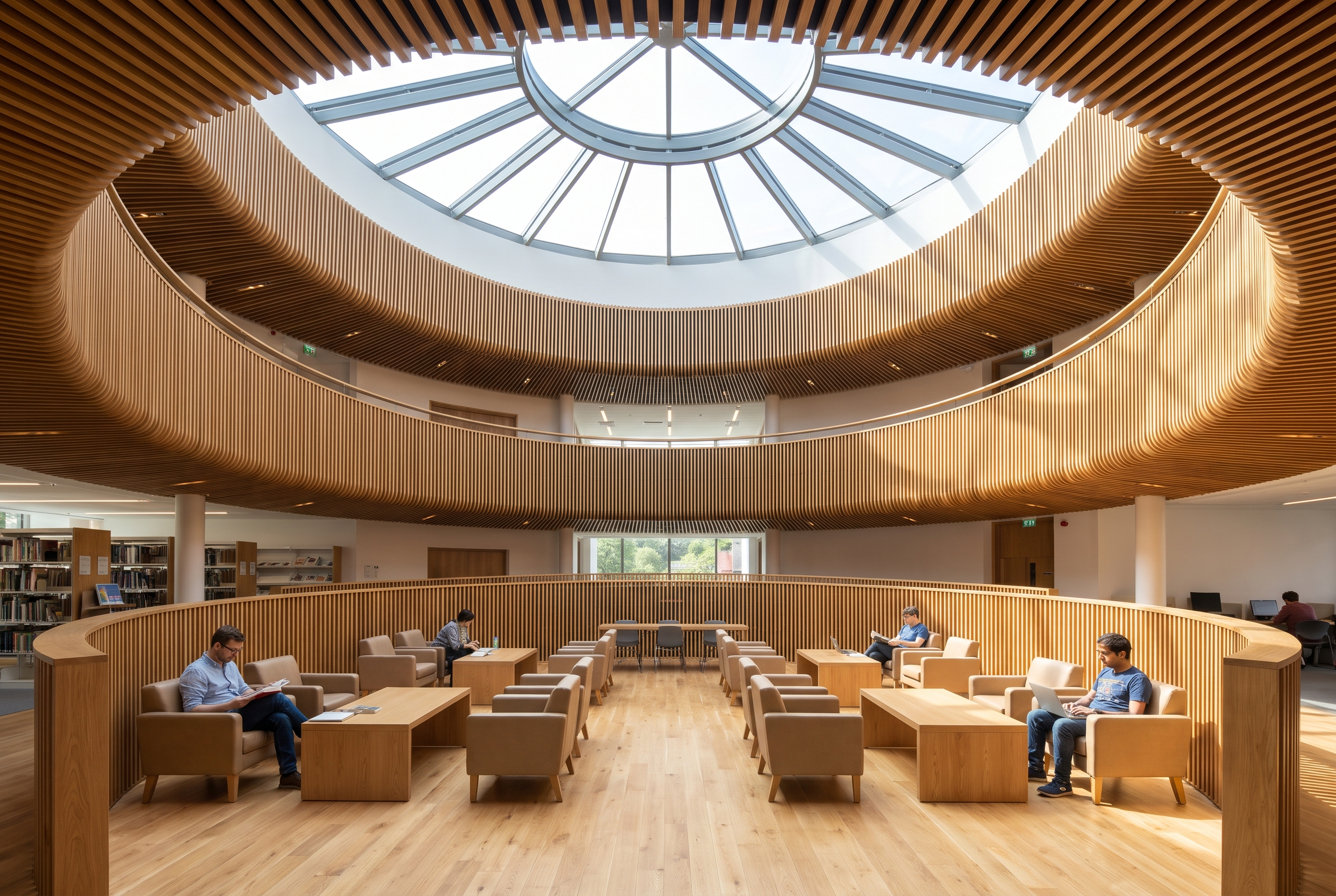
No base image, just a paragraph: a library atrium with curved timber balconies and a circular skylight. Both results would work as early AI mood images. ByteDance's model went for a quieter, photographic mood with a pool of sun on the floor; Google's model went brighter and more symmetrical, with fine timber slats on every curve.
3. Reading drawings: shell fit-outs and plan coloring
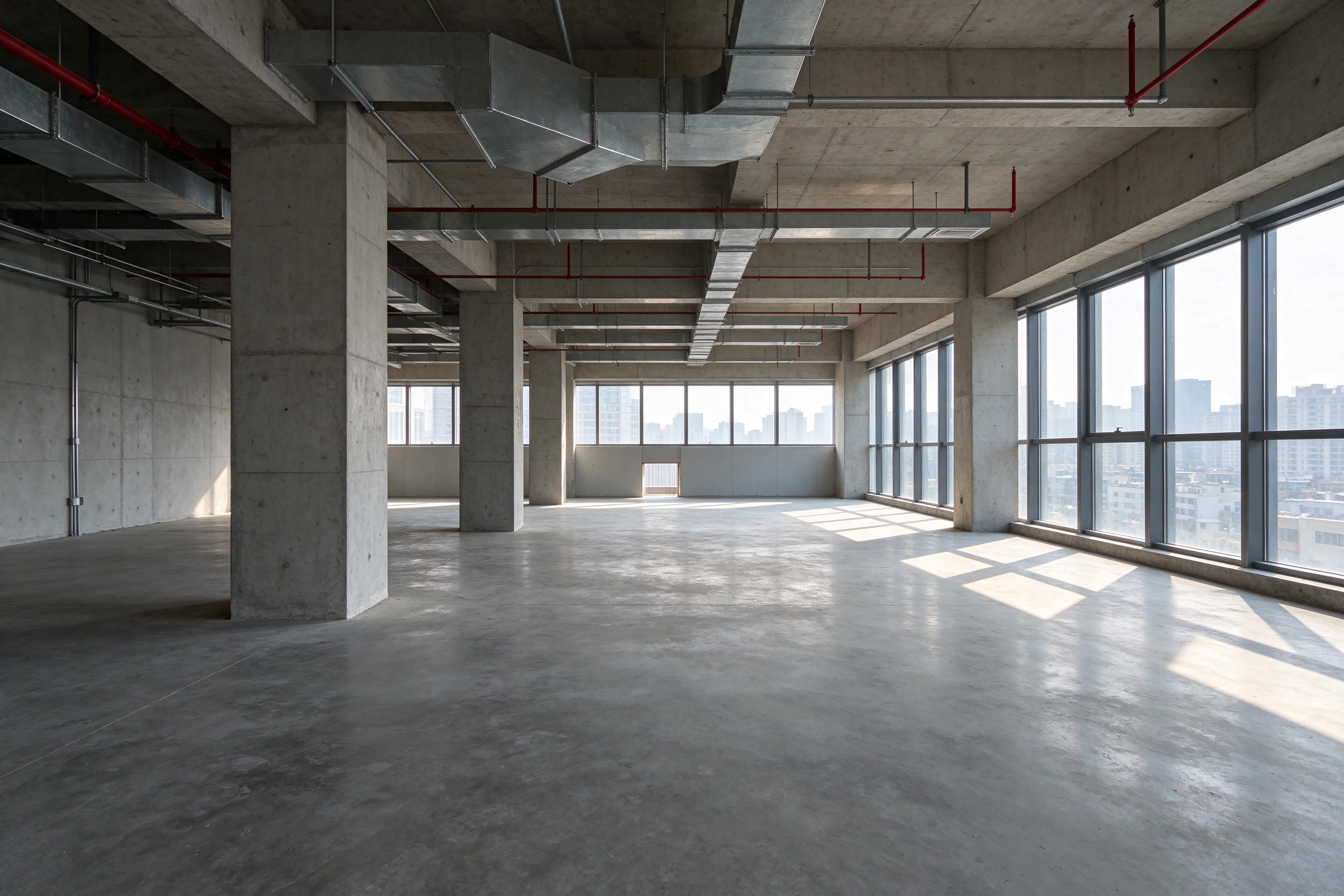
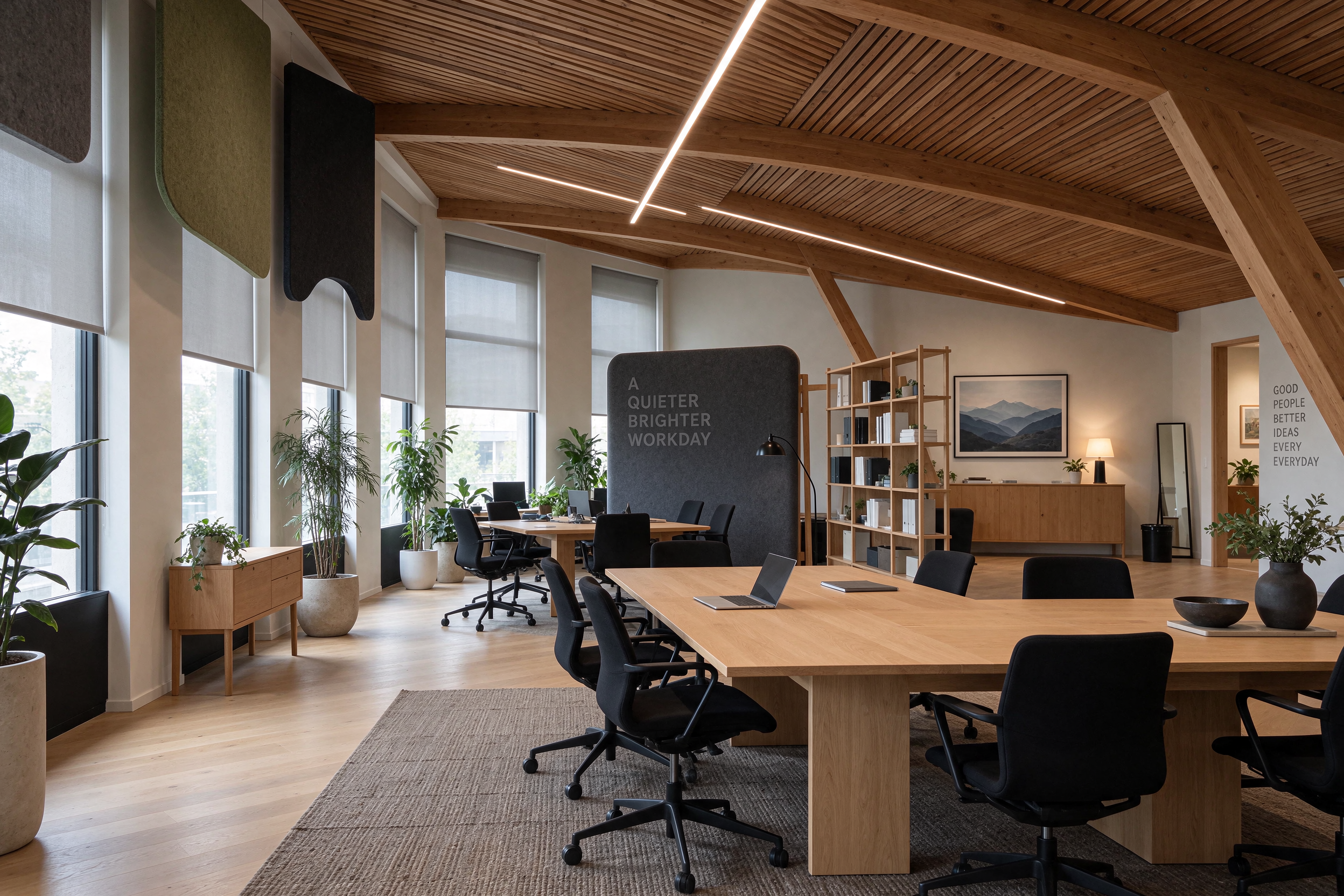
Shell space plus a style reference
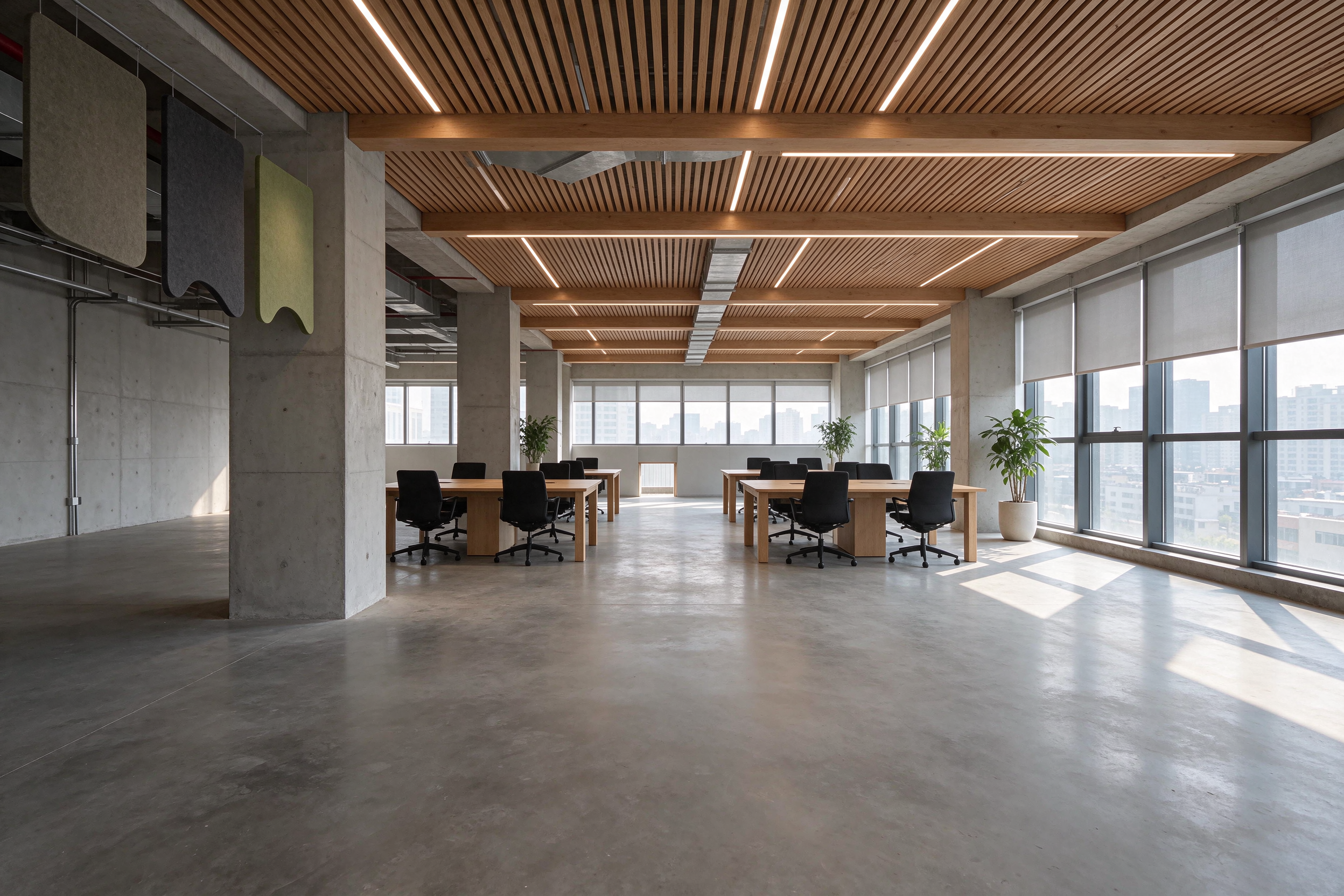
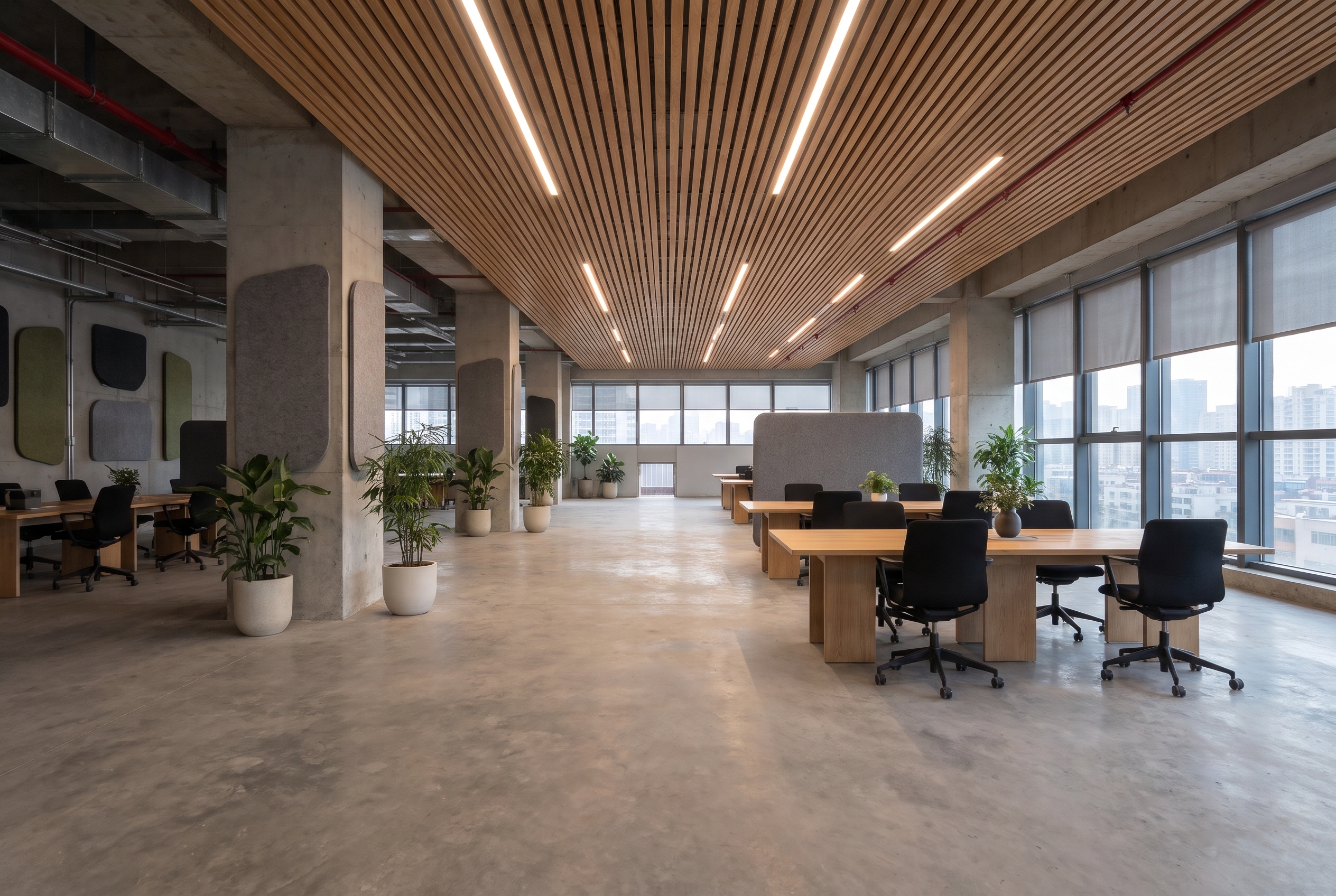
This prompt asks a lot: keep the raw office's columns, windows and city view from the first image, and borrow the oak slat ceiling, desks, felt panels and blinds from the second. Both understood which image was the space and which was the style. ByteDance's model stayed closer to the original shell — exposed ducts and bare concrete walls are still visible. Google's model delivered a fuller, more finished fit-out with more plants and wall panels.
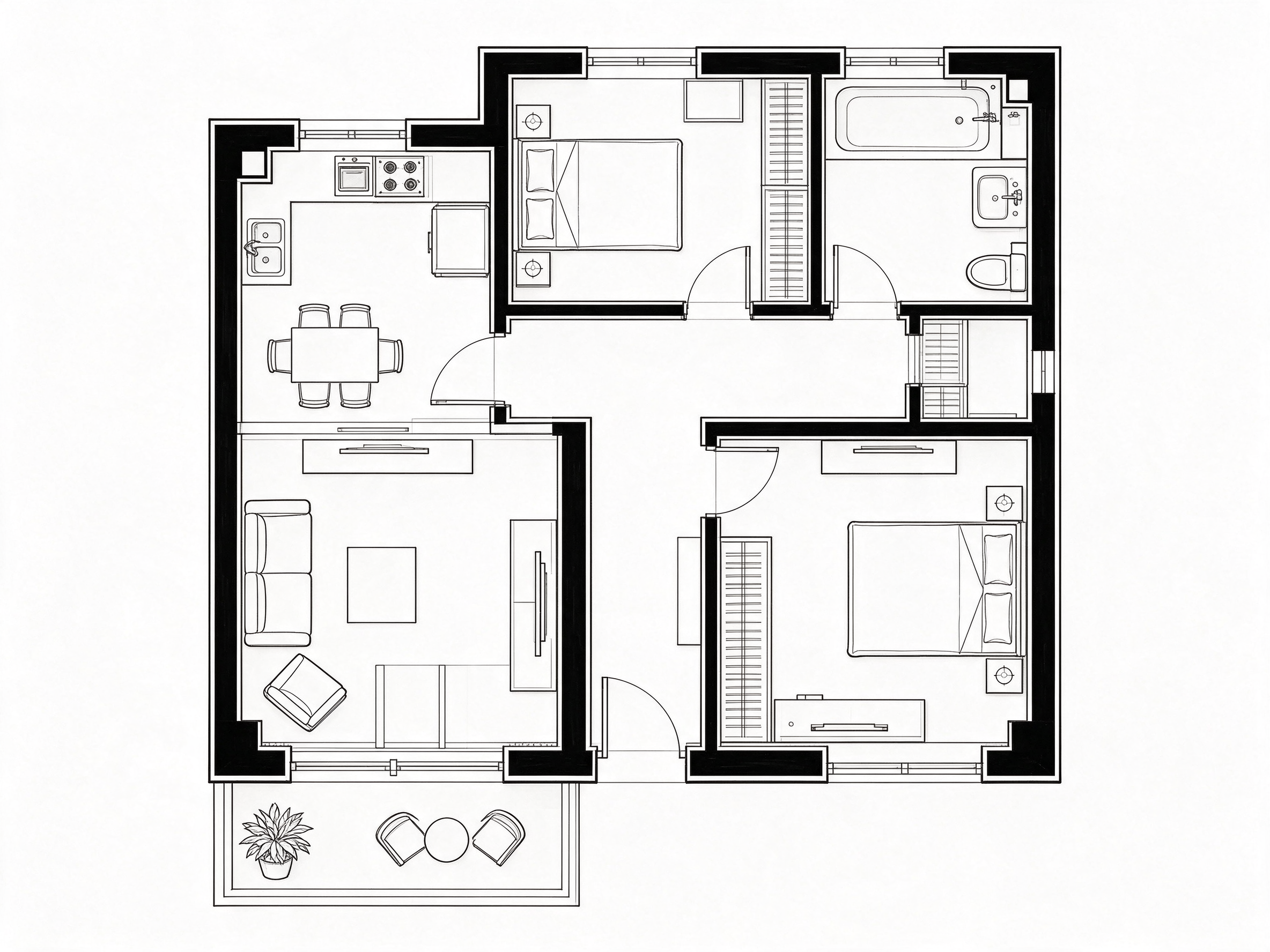
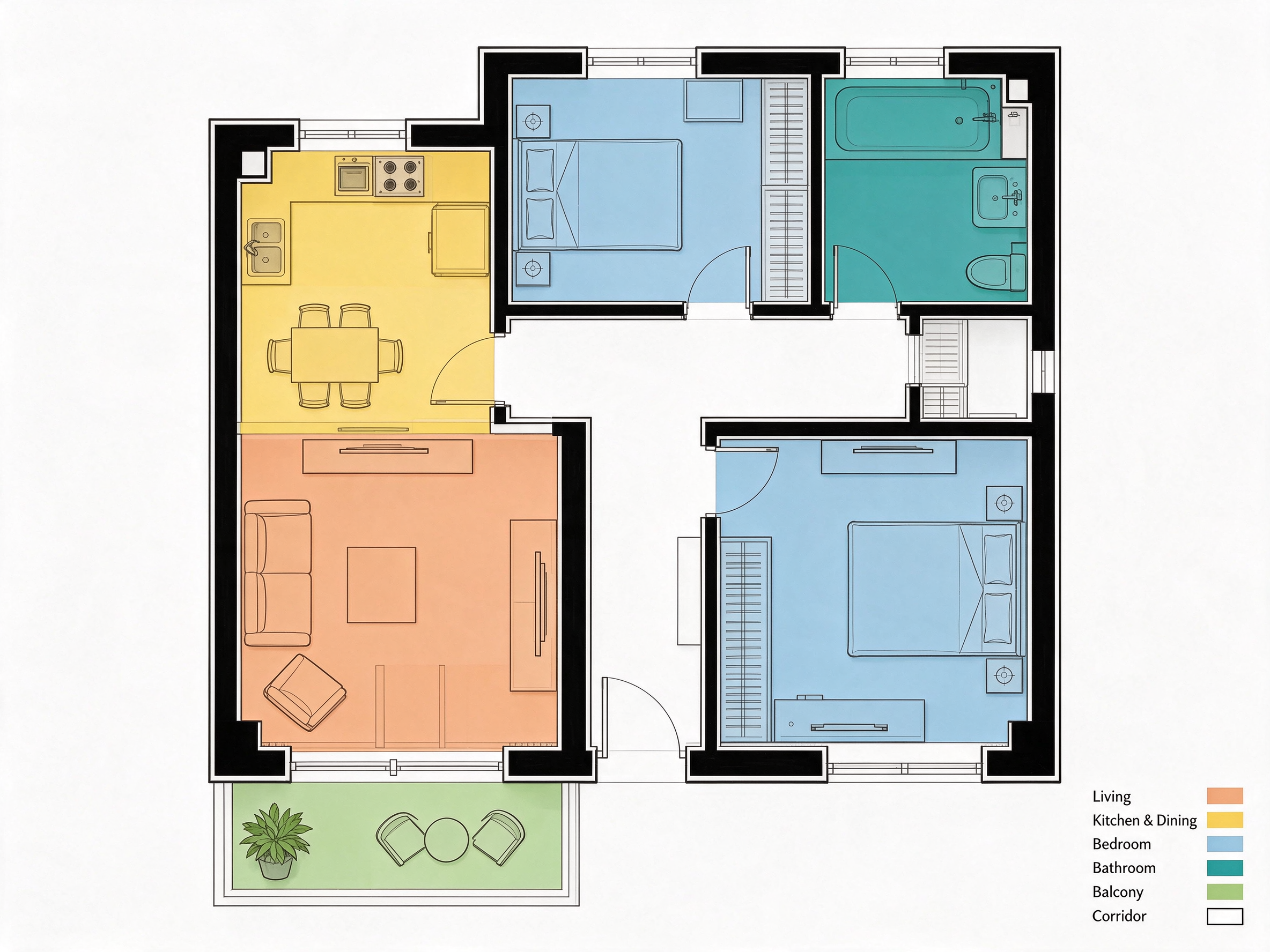
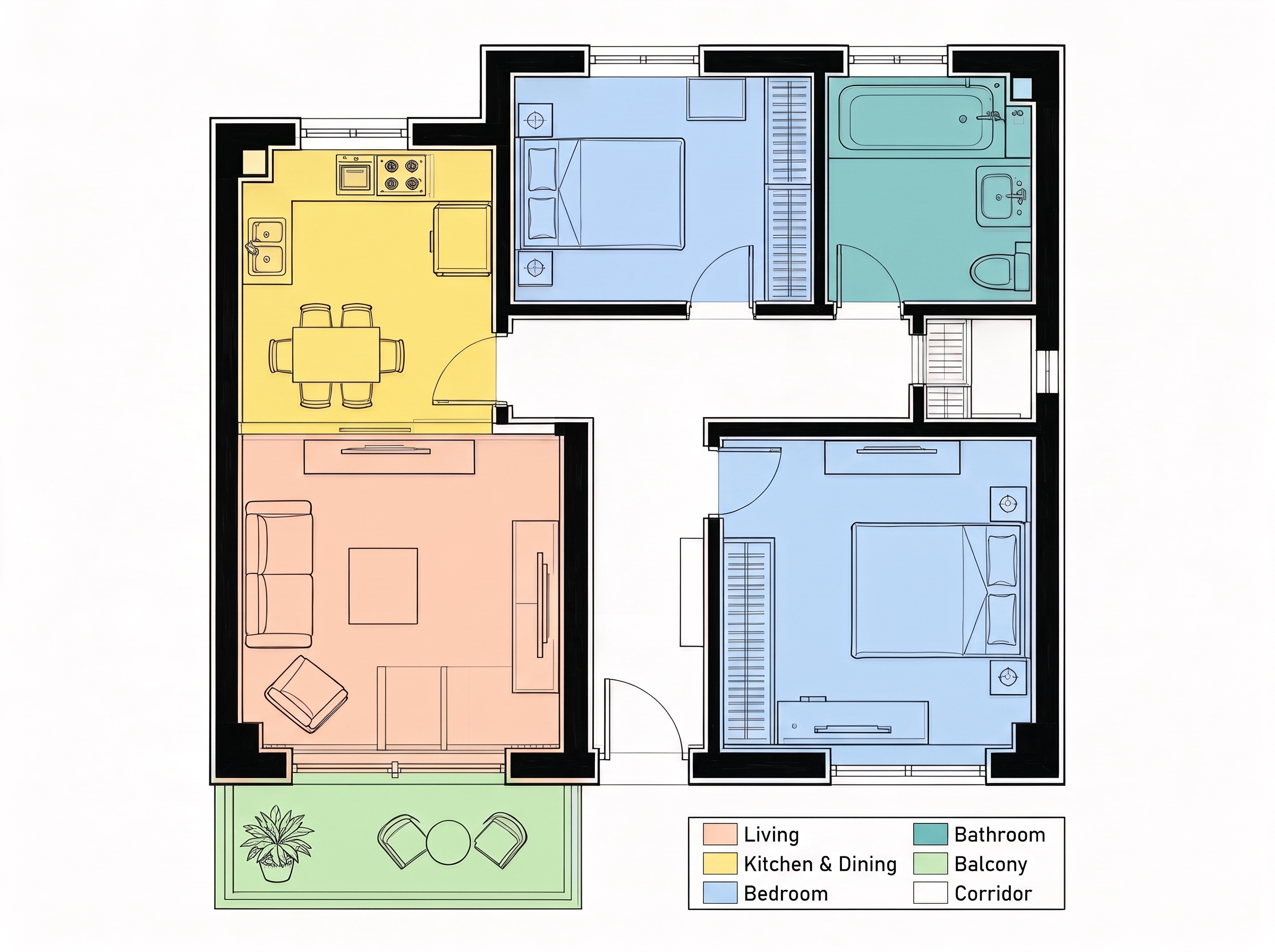
Coloring a floor plan by function
Plan coloring looks trivial until a model has to find room boundaries on its own. Both colored each room by its function, left the corridor and entry white as asked, kept every wall and door line, and wrote a correct legend. On this task the Lovspark team could not separate them.
4. Analysis boards: can you read the small print?
In Lovspark we asked for a site analysis board for a riverside library in Portland with exactly six info boxes — Sun Path, Wind, Access, Views, Noise, Program — each with two lines of small annotation. ByteDance's model produced six boxes, each with its own mini diagram, and the annotations stay legible when cropped straight from the image below. One flaw: the Program box lists both “Gallery” and a misspelled “Galery”. Google's board is cleaner overall but has eight boxes, with Access and Views each printed twice.
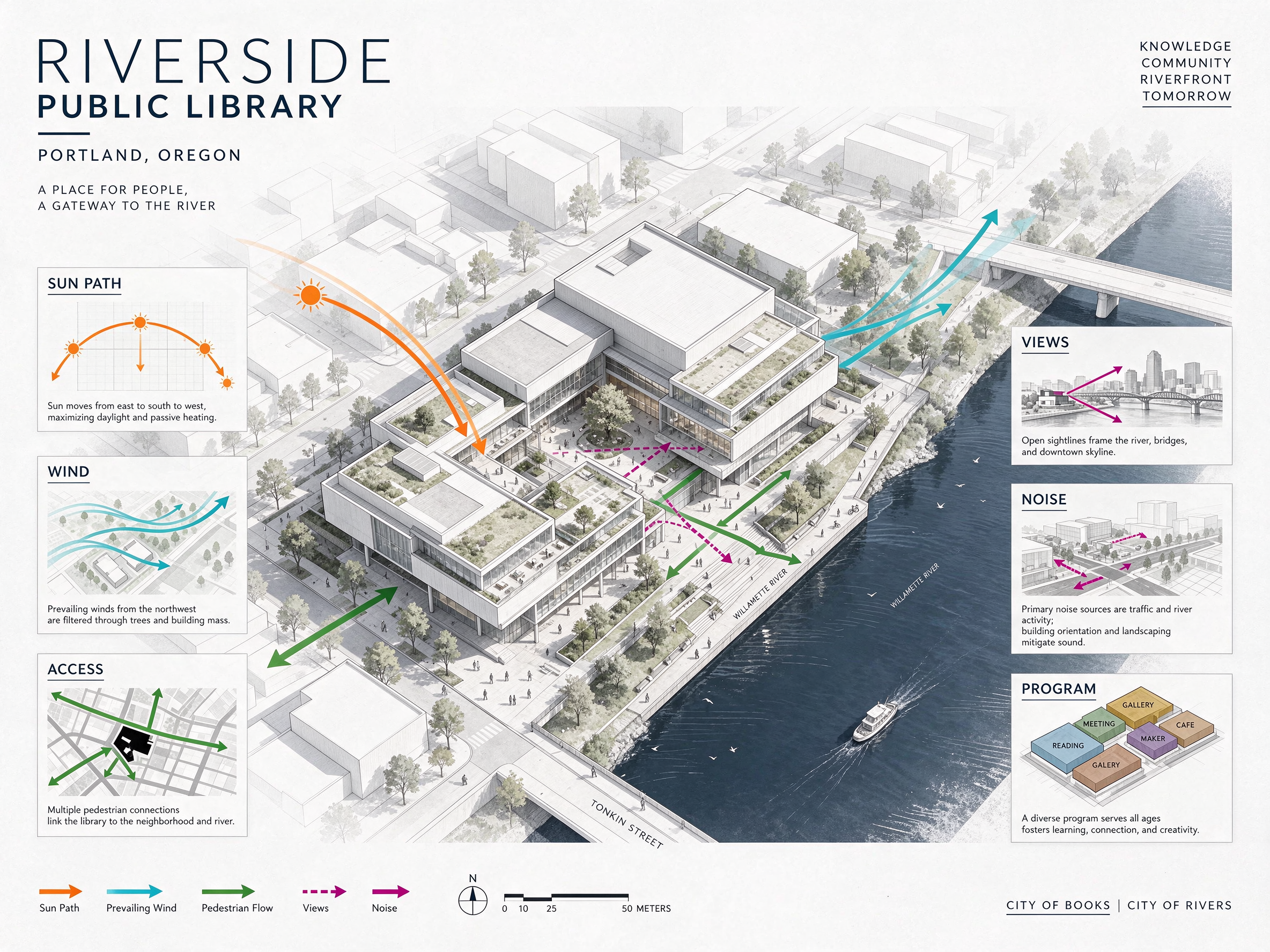
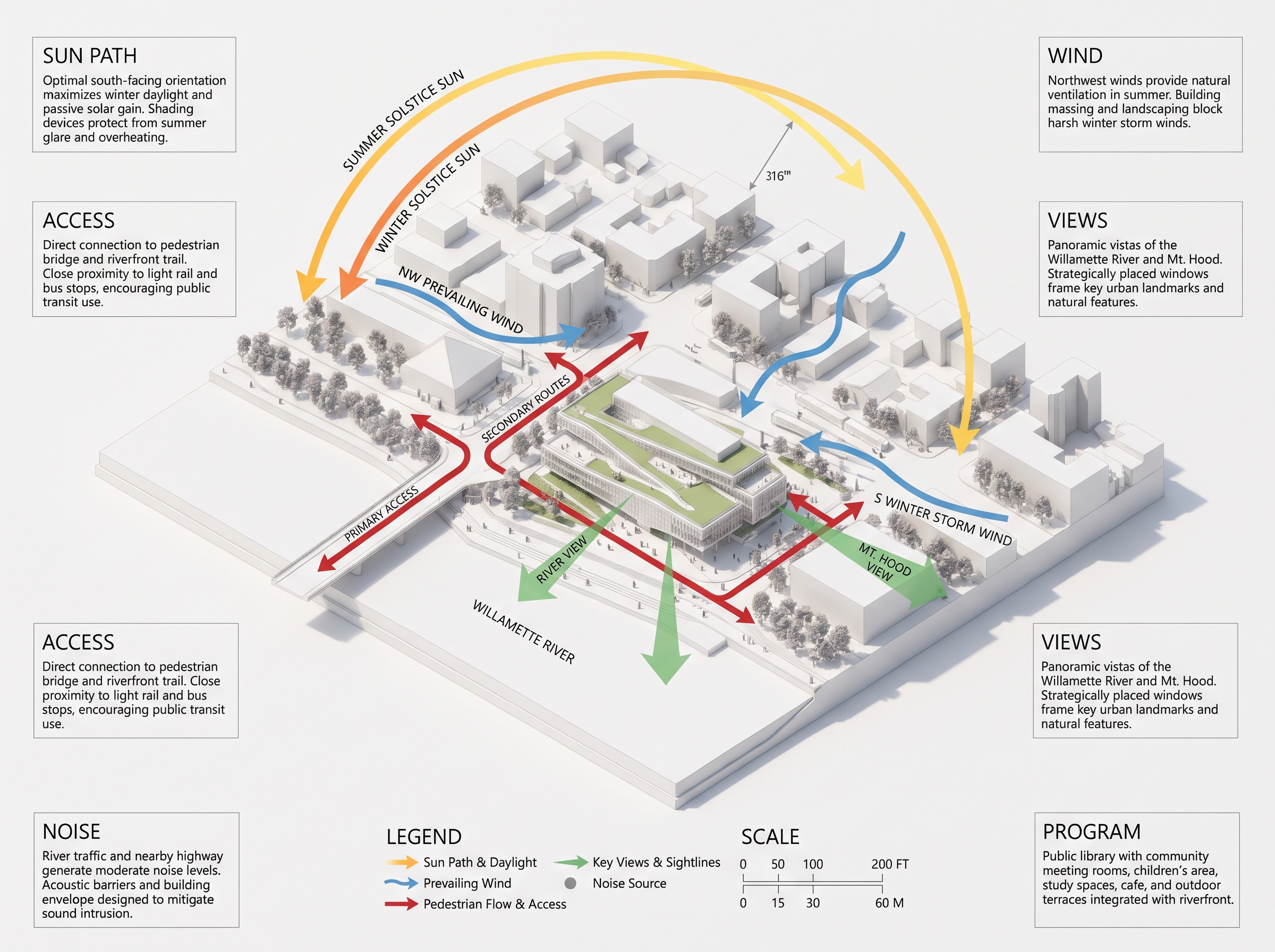
Crops taken directly from the output — no upscaling, no text repair.
Readable is not the same as correct. Every number and claim on these boards was invented by the AI image model. Keep the layout, then replace the data with your project's real information.
5. Transparent assets: a real alpha channel, or a drawing of one?
On Lovspark we asked both models for a rattan pendant on a transparent background. ByteDance's model returned a PNG with a real alpha channel: drop it on any background in Lovspark and only the lamp remains. Nano Banana Pro returned a JPEG with a gray-and-white checkerboard painted into the pixels. It looks transparent in a preview, but the checkerboard comes along when you place it on a board.
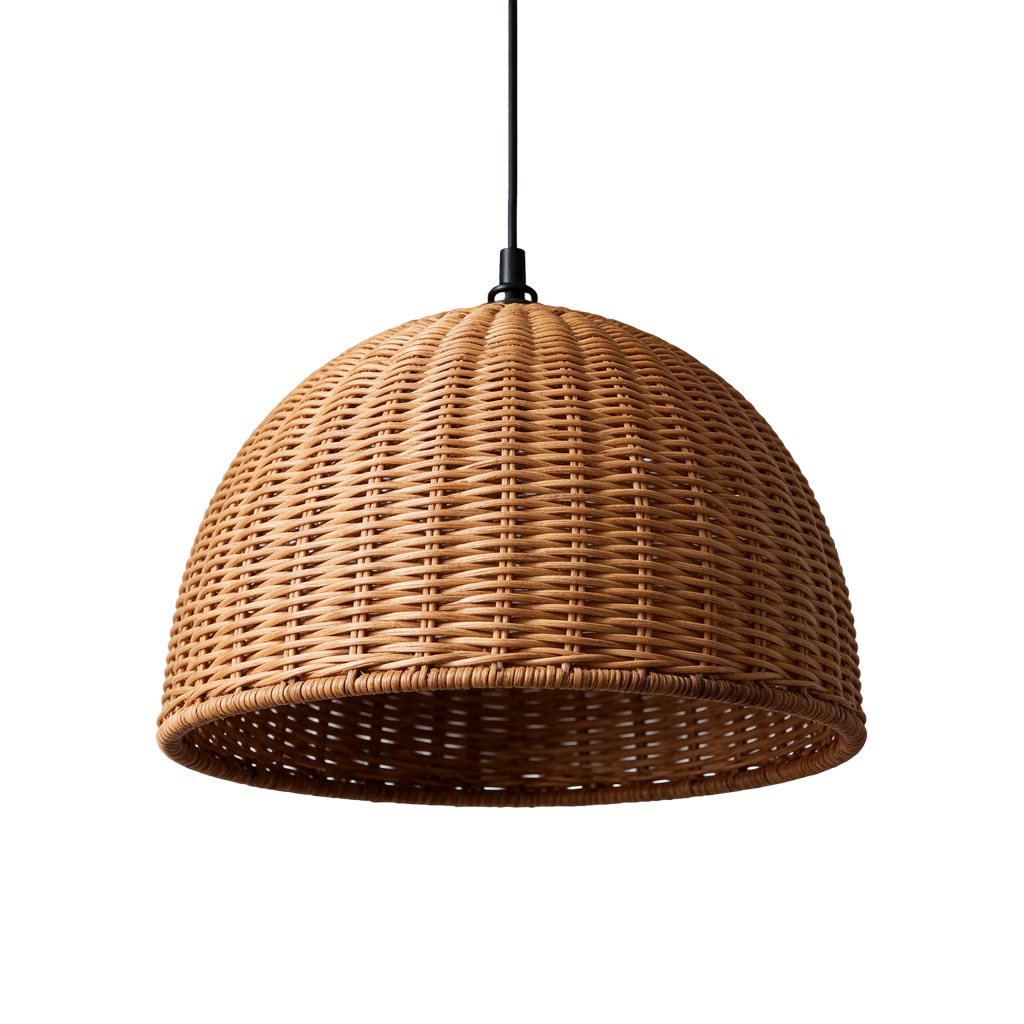
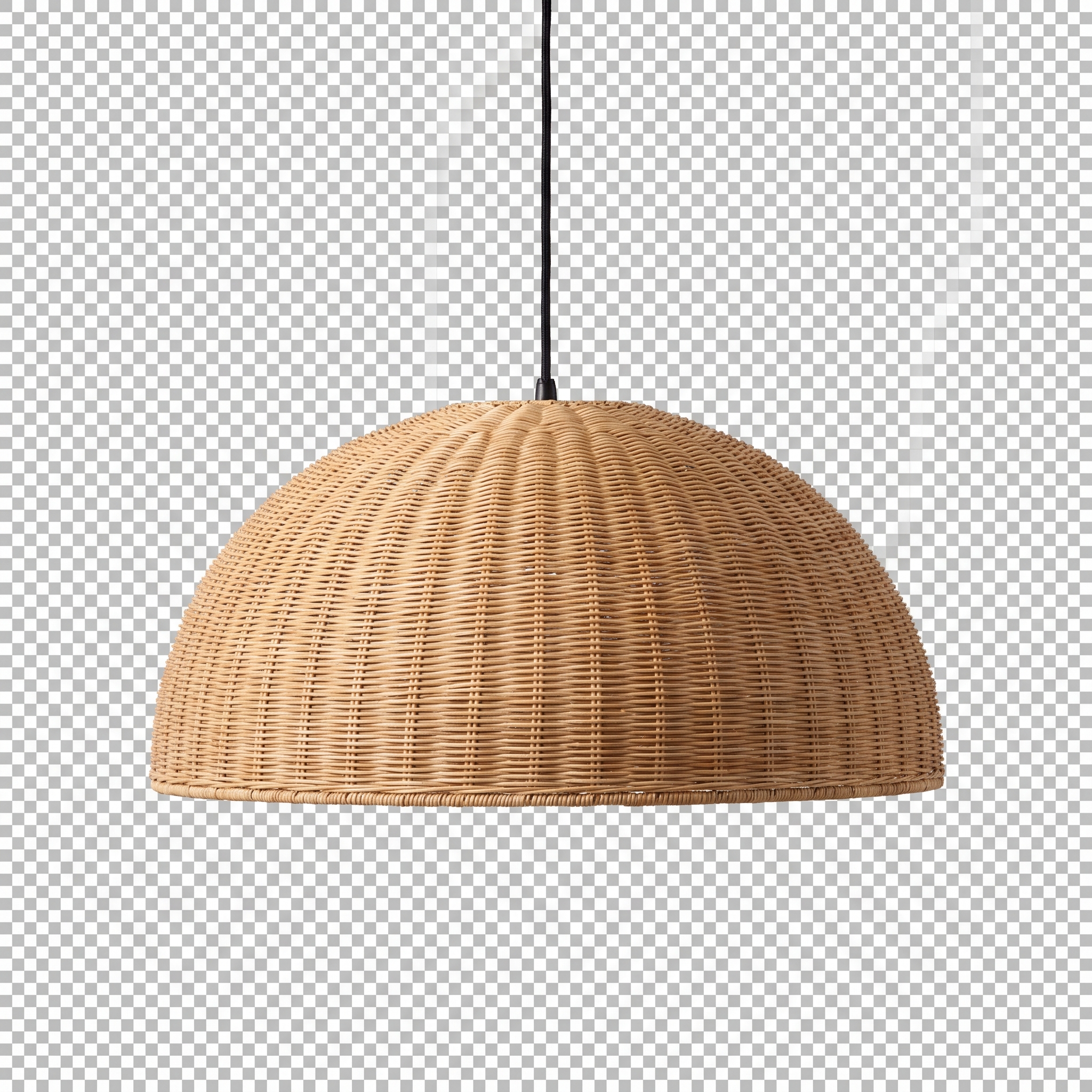
Shown on the page's own checkerboard: the left image is transparent, the right one carries a checkerboard of its own.
The verdict, test by test
| Test | Seedream 5.5 | Nano Banana Pro |
|---|---|---|
| 20-round edit chain | All 20 edits applied, no blur or color drift; one object placed on the wrong wall | Edits applied, but heavy artifacts and a magenta cast by round 20 (JPEG output fed back each round) |
| Clay model to render | Layout kept; strong sunlight | Layout kept; added decor not in the brief |
| Site plan to aerial | Faithful, natural color | Faithful; north arrow drawn twice |
| Text-only space | Moody, photographic | Bright, symmetrical |
| Shell + style reference | Closer to the original shell | Fuller, more finished fit-out |
| Floor plan coloring | Correct, corridor left white | Correct, corridor left white |
| Analysis board | Six boxes as asked, legible small text; one typo | Eight boxes, two headings repeated |
| Transparent PNG | Real alpha channel | Checkerboard painted into a JPEG |
Where we would use Seedream 5.5 on Lovspark
After this round of tests, this is how we would split the work between the two AI image models on Lovspark:
- Client revisions on a render you already like — swap lighting, cushions and finishes round by round with Seedream 5.5 in the Lovspark AI image generator, so the rest of the image holds.
- Boards, diagrams and catalog pages that carry labels and small text, plus AI furniture and decor cutouts that need a real transparent background on the Lovspark canvas.
- Fully furnished hero images where a richer, more finished look matters more than staying close to the input — Nano Banana Pro is still a strong pick in Lovspark.
- Precise geometry, real project data and final drawings stay with the designer. Both models invent numbers and can misplace objects.
Frequently asked questions
What is Seedream 5.5?
Seedream 5.5 is an AI image generation and editing model from ByteDance Seed, released on November 9, 2026. It focuses on stable multi-round editing, native transparent (RGBA) output, sharper small text and more natural light and materials. You can use it in the Lovspark AI image generator.
Is Seedream 5.5 better than Nano Banana Pro for design work?
It depends on the task. In the Lovspark tests the ByteDance model was stronger for repeated edits, analysis boards with exact requirements and real transparent PNGs, while Nano Banana Pro produced fuller, more finished fit-outs. Both AI models handled clay renders, site plans and plan coloring well, and both are available on Lovspark.
How did you run this test?
Same input images and English prompts for both models, 2K output, each vendor's official API, on November 15, 2026. The Lovspark team shows the first result each model returned, with no retouching or upscaling. The edit chain fed each output back in as the next input for twenty rounds.
Can Seedream 5.5 make transparent PNG images?
Yes. Asked for an isolated object on a transparent background, it returned a PNG with a real alpha channel. Nano Banana Pro returned a JPEG with a checkerboard drawn into the image instead.
Where can I try both models on Lovspark?
Both run in the Lovspark AI image generator and on the node canvas. See the Seedream 5.5 and Nano Banana Pro model pages for supported aspect ratios, resolutions and credits.