Exterior & landscape AI

Lawn Replacement

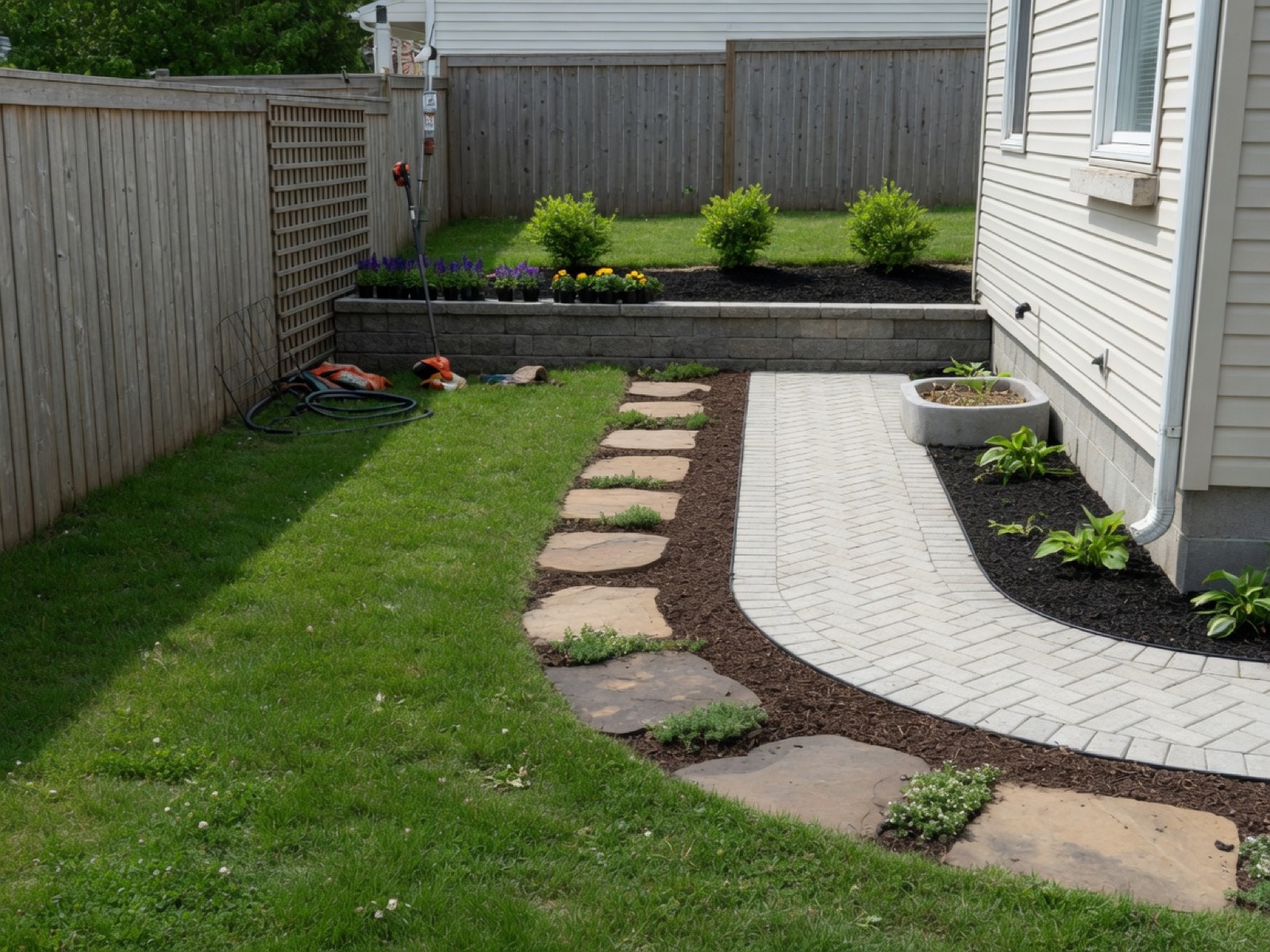
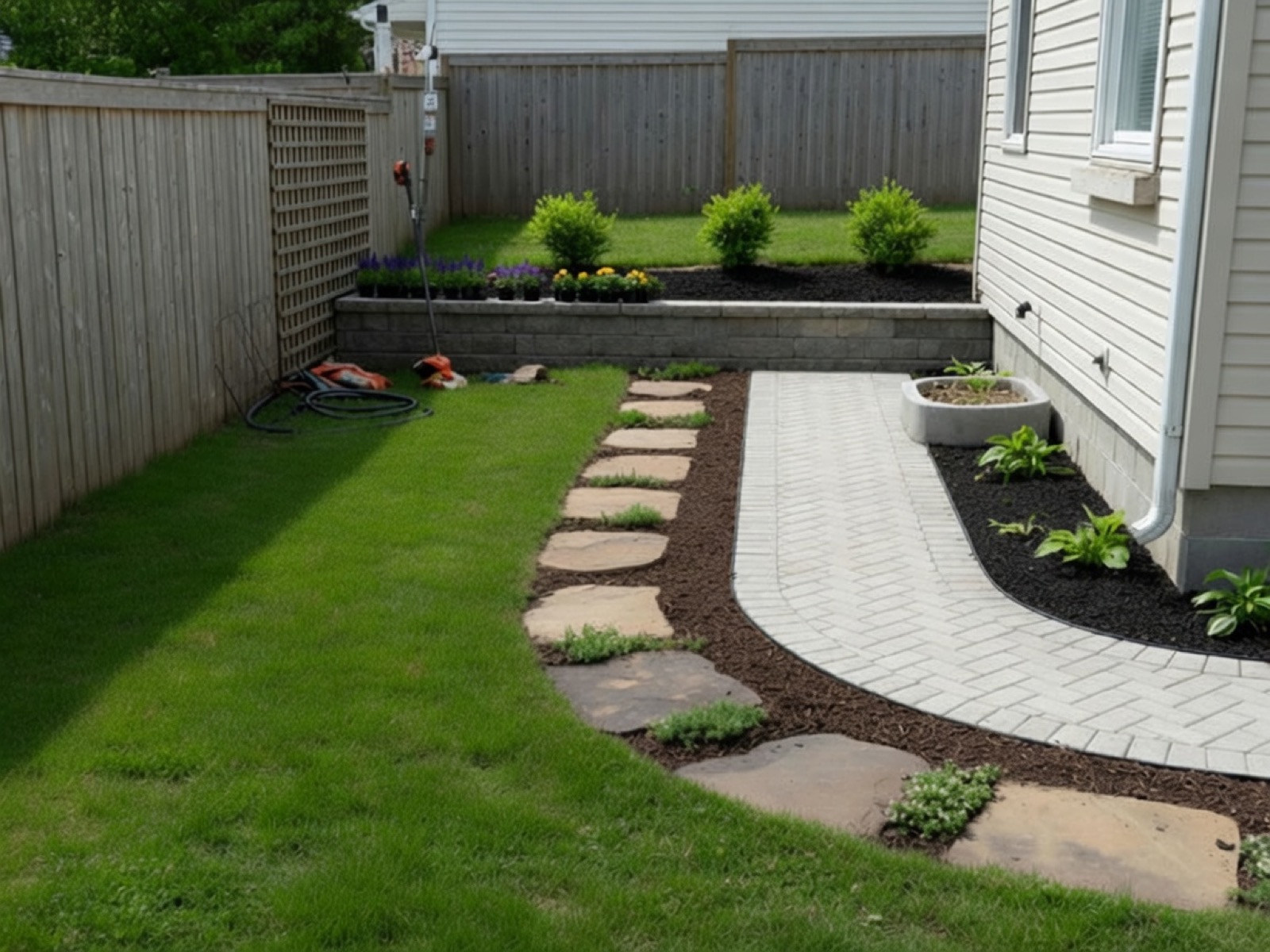
Upload a yard photo and Lovspark’s AI replaces the patchy, brown, or bare lawn with lush even turf — beds, paths, and the house stay in place, so the curb appeal recovers in seconds without a reseeding wait.

<30sAverage processing
4KOutput resolution
10k+Structure preserved
Before & After

Drag to see the transformation

Same lawn — patchy brown left, lush green turf right.

Lawn Replacement — after
Lawn Replacement — before
Patchy Lush green
Lawn Replacement — before Lawn Replacement — after
Compare Before → After

Lawn Replacement — before Lawn Replacement — after
Compare Before → After
Lawn Replacement — before Lawn Replacement — after
Compare Before → After
Turf renewal

What lawn replacement fixes

Grass color, density, and evenness — landscape layout stays.

Lawn Replacement — before Brown patches
Lawn Replacement — before Weeds
Lawn Replacement — before Bare spots
Lawn Replacement — before Uneven tone
Lawn Replacement — before Dry areas
Lawn Replacement — before Edge definition
Lawn Replacement — before Overall density
Lawn Replacement — before Seasonal green
3 easy steps

From one photo to a new lawn

Upload, generate, export — under a minute.

01

Upload your photo

Drag and drop any supported photo. Lovspark accepts JPG, PNG, and WebP at high resolution.

  • Listing photos and client snapshots
  • Wide-angle and phone images supported
  • Batch upload multiple images
lovspark.ai/app — Lawn Replacement
Lawn Replacement — before
02

AI replaces the lawn

Lovspark masks the existing lawn separately from beds, paths, and hardscape, then swaps in healthy turf, artificial grass, or gravel with correct mowing lines, texture, and edge — so the new lawn reads as real, not a green fill.

  • Preserves scene geometry
  • Matches lighting and perspective
  • Photoreal output
lovspark.ai/app — Lawn Replacement
Lawn Replacement — before
Replacing turf…
72%
03

Export or continue editing

Download the result or keep refining on the Lovspark canvas.

  • Export PNG / JPG up to 4K
  • Continue on the same canvas
  • Share with clients instantly
lovspark.ai/app — Lawn Replacement
Lawn Replacement — after
↓ Download PNG → Keep editing ✦ Export
Full workflow

Photo → Transform → Export

One photo, one consistent result.

Lawn Replacement — before
① Upload Input
Lawn Replacement — after
② Lawn Replacement AI transform
Lawn Replacement — after
③ Refine Adjust
Lawn Replacement — after
④ Export Done
Why Lovspark

Replace any lawn from a single photo

Professional results from a single photo.

Lawn Replacement — before

Same photo base

Before and after always from one upload.

Lawn Replacement — after

Seconds not hours

Complete in under 30 seconds.

Lawn Replacement — after

Client-ready

Export for listings and presentations.

Use cases

Who uses Lawn Replacement?

Professionals who need Lawn Replacement in their workflow.

Lawn Replacement — Interior designers
Interior designers Faster client presentations.
Lawn Replacement — Real estate agents
Real estate agents Better listing photos.
Lawn Replacement — Staging teams
Staging teams Scale output without reshoots.
Lawn Replacement — Developers
Developers Visualize options before build.
Gallery

Same scene, transformed

Every example uses one original photo.

Technical Guide

Core Capabilities & Technical Guide

Learn how Lovspark's advanced AI engine ensures physical accuracy and design control.

Catalog Integration & Scaling

Lovspark integrates with real furniture brand catalogs. Our AI automatically parses room dimensions and camera depth to scale every sofa, chair, and table with millimeter precision, avoiding oversized or artificial placements.

AI Relighting & Shadow Rendering

To achieve photorealism, our model detects natural light sources, window directions, and existing ambient illumination. It projects physically-accurate contact shadows and reflections on the floor and walls, seamlessly blending staged items into the photo.

Style Consistency & Control

Select from Modern, Mid-Century, Minimalist, Japandi, or Traditional styles. The engine curates cohesive combinations of rugs, art, and furniture, ensuring the staged room looks professionally designed rather than randomly assembled.

Frequently asked questions

Lawn Replacement is Lovspark’s virtual turf tool — it takes one yard photo and swaps the patchy, brown, or bare lawn for lush even turf (or artificial turf, gravel, or meadow), while beds, paths, and the house stay untouched. The result reads as a healthy, freshly maintained lawn, not a green fill.
Yes. One upload — Lovspark keeps the yard and only swaps the lawn on top of it, so the before and after always come from the same scene.
JPG, PNG, and WebP at high resolution. Exterior shots where the lawn is clearly visible work best — Lovspark reads the texture and edges so the new turf gets correct mowing lines, color, and definition against the beds.
Yes. Batch upload several yard photos and each is returfed independently. Real estate teams often run a whole listing portfolio so every front lawn shows the same lush curb appeal.
Yes. Outputs are yours to use for listings, presentations, and client deliverables. Many users pair Lawn Replacement with Hardscaping: lay the fresh lawn first, then add a patio or path on top.

Ready to try Lawn Replacement?

Upload a photo and see results in seconds. Try Lovspark free — no credit card required.

Start Lawn Replacement →