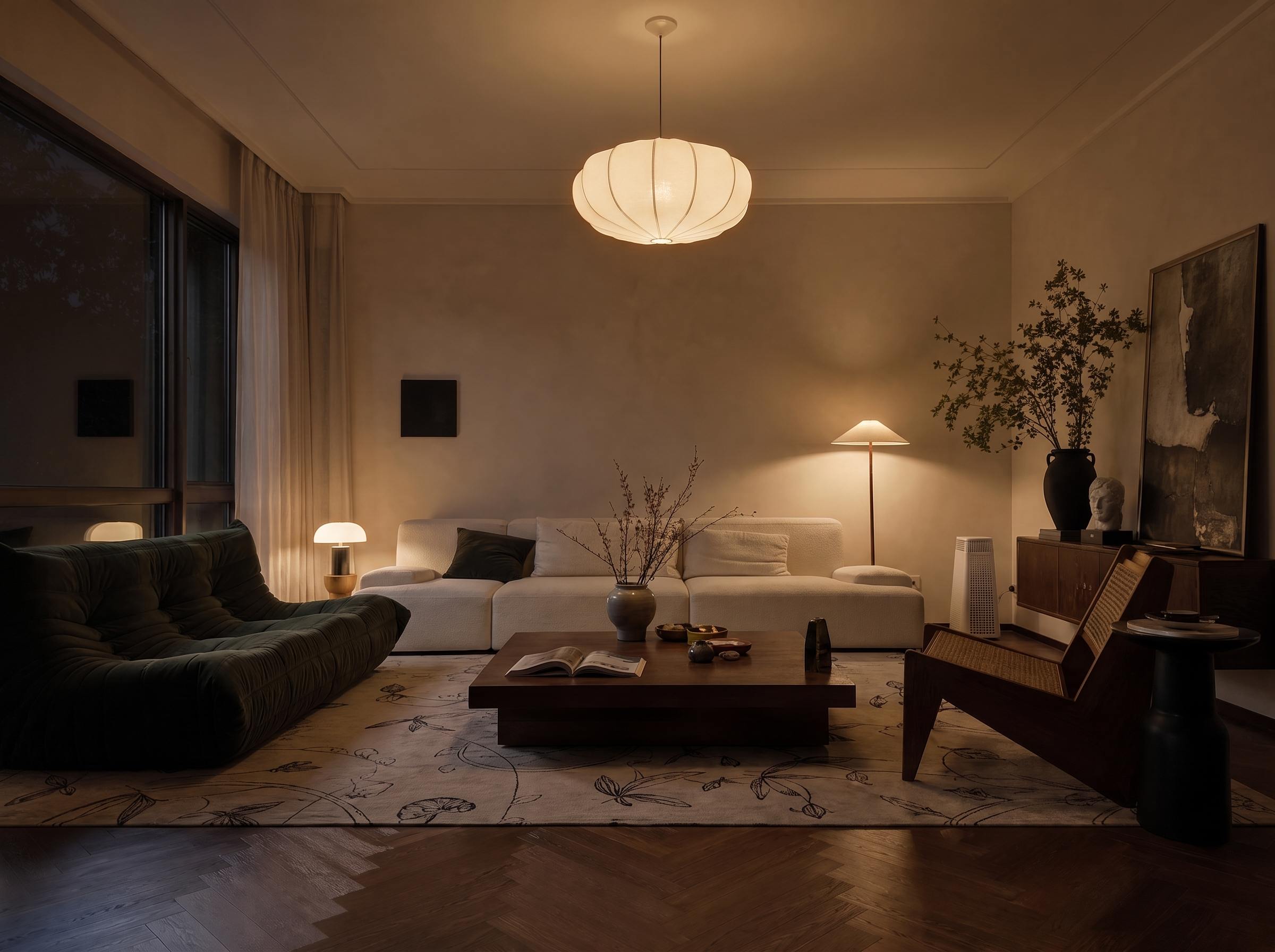
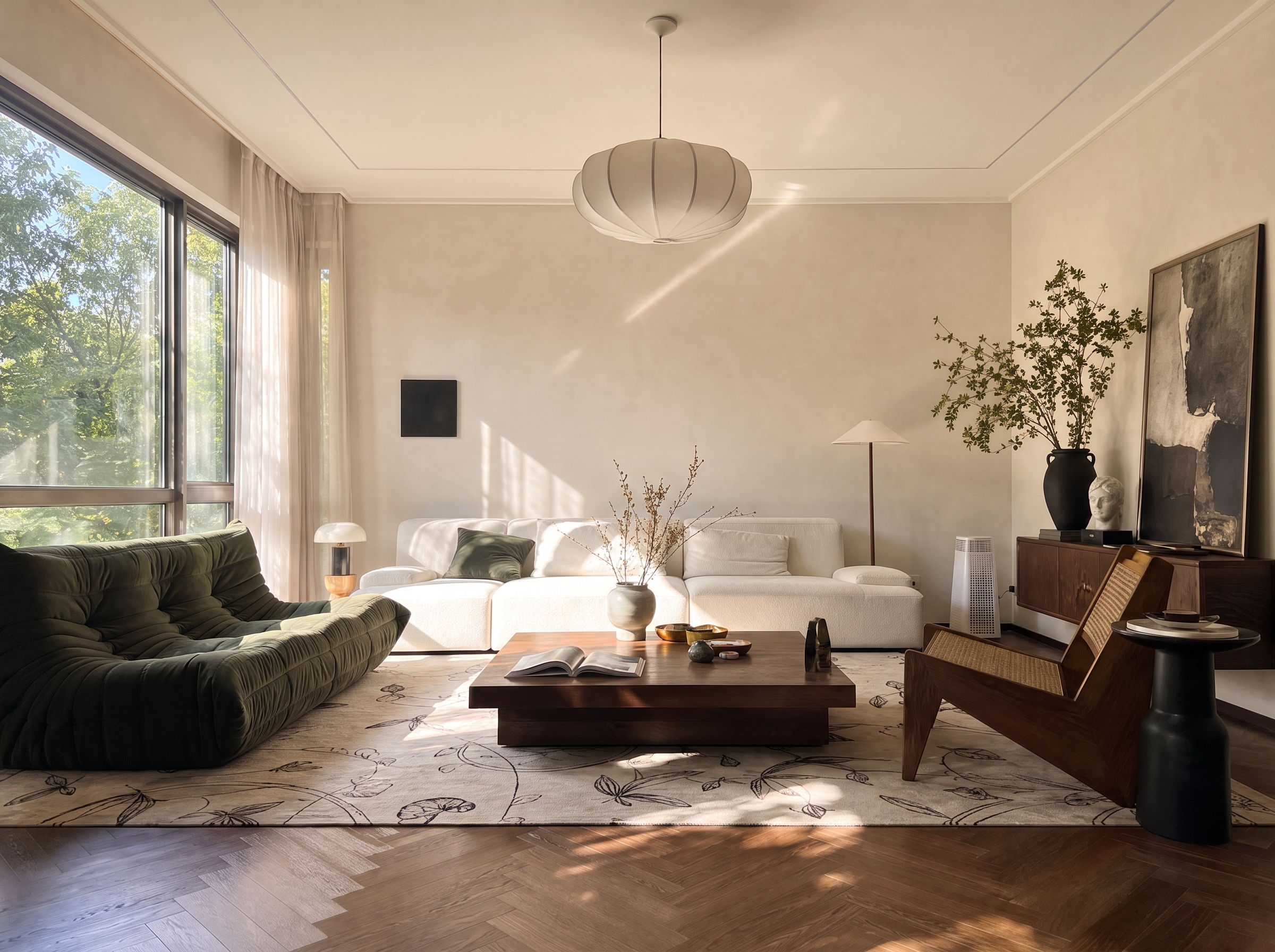
What is Ambience Shift?
In shortRe-light and re-mood an existing design image so you can test atmosphere options quickly for storytelling and client reviews.
Ambience Shift is the quickest way to go from one approved layout to multiple atmosphere directions.
Use it for hospitality, residential, and commercial scenes — anywhere light and mood sell the experience.
Because geometry stays put, stakeholders can judge pure atmosphere differences.

| Input | 1 finished space image |
|---|---|
| Target | Target time / mood / lighting intent |
| Output | Same design under a new atmosphere |
| Preserves | Layout, furniture, and main structure |
| Best for | Mood boards, day-night sets, pitch decks |
- Furnished interior renders
- Exterior dusk/night studies
- Hospitality and retail scenes
“Same design. New atmosphere.”
— Lovspark
Updated by the Lovspark Product Team, based on the live product and real project examples.
What does the Ambience Shift panel include?
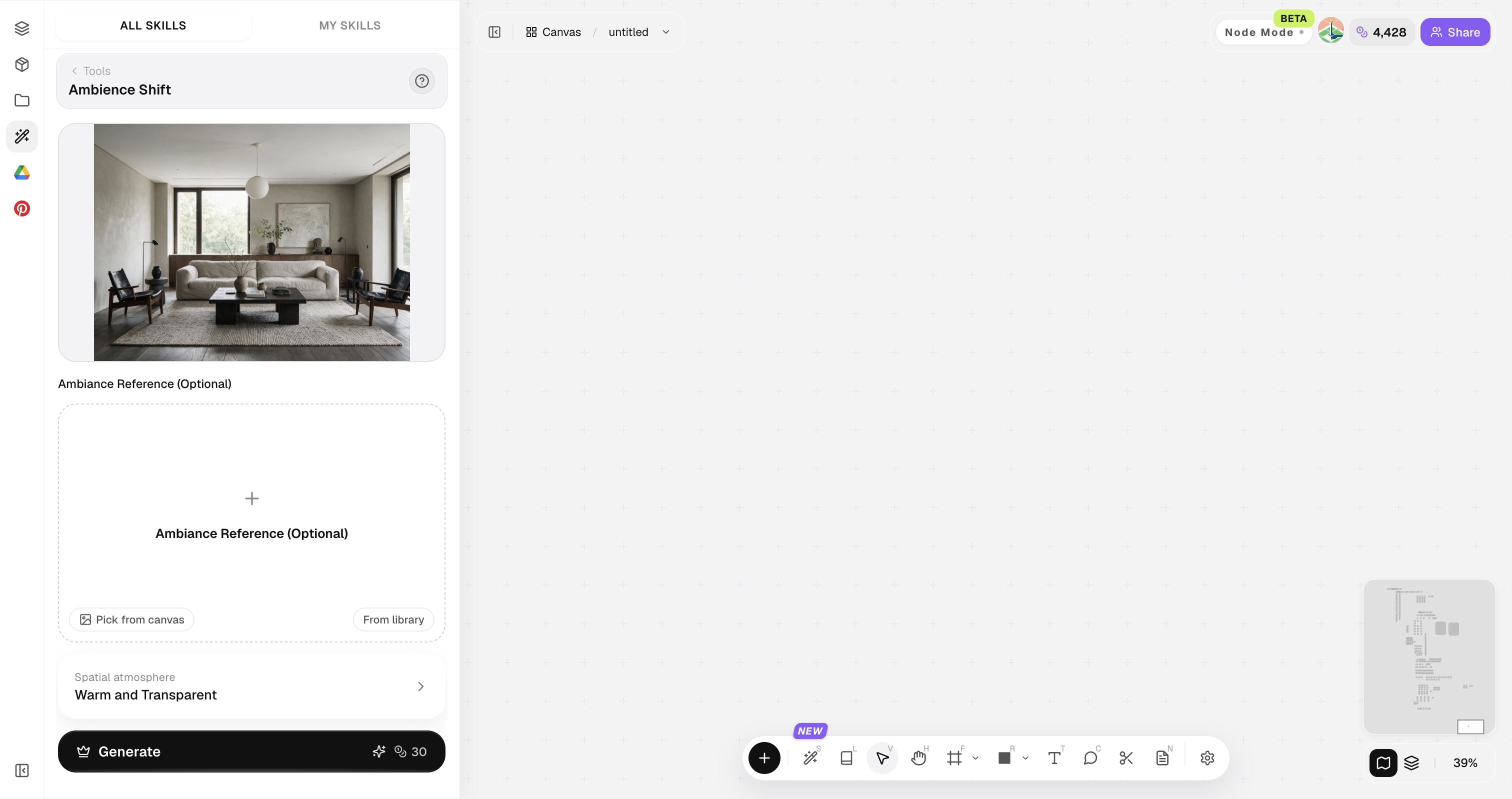
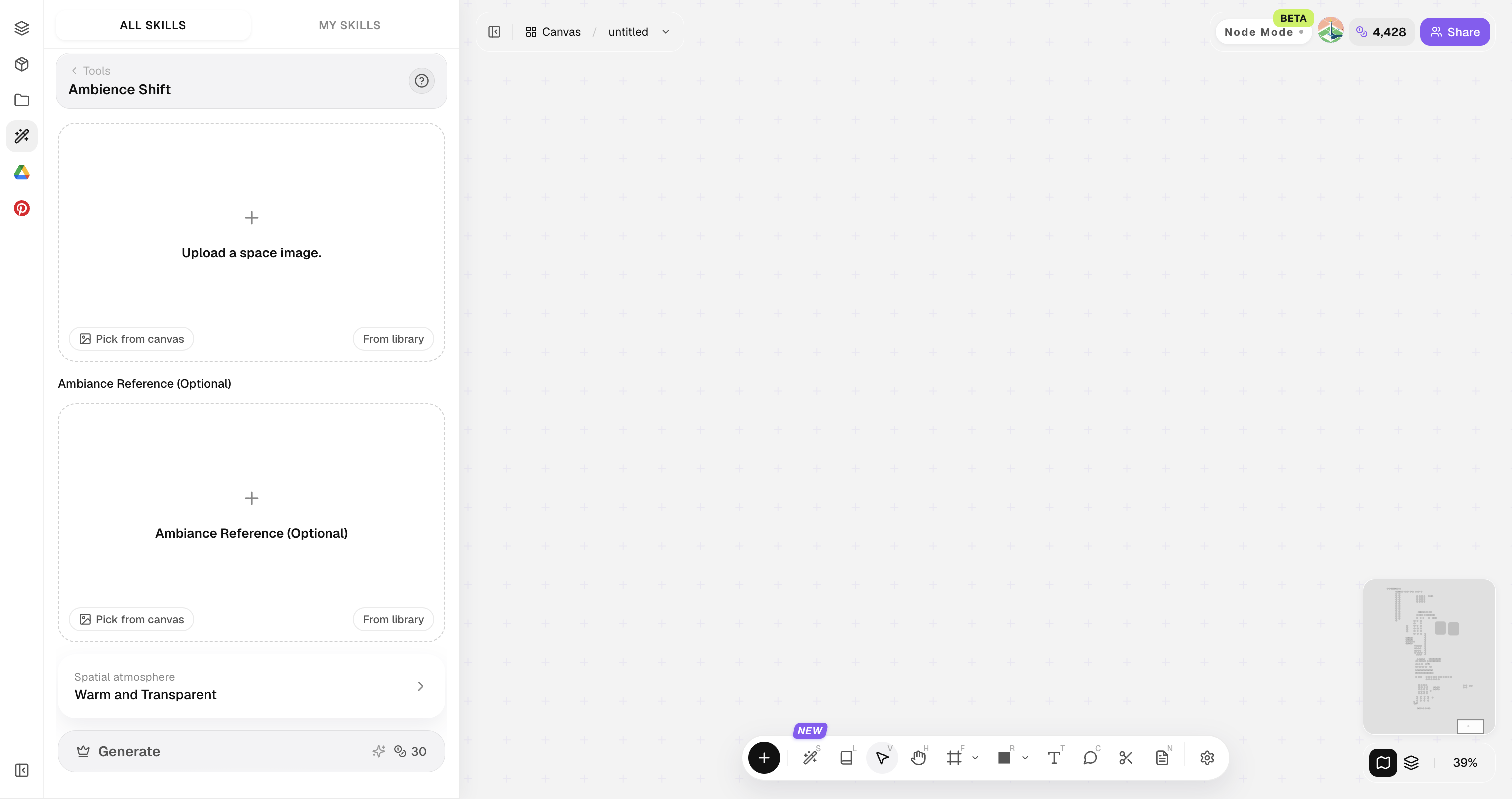
Open Skills library and choose Ambience Shift. The panel provides the original image, style reference, image ratio, and Generate button.

Start from a well-exposed base image; extreme underexposure limits night or golden-hour quality.
How do you shift ambience?
Four steps from one scene to a full mood set.
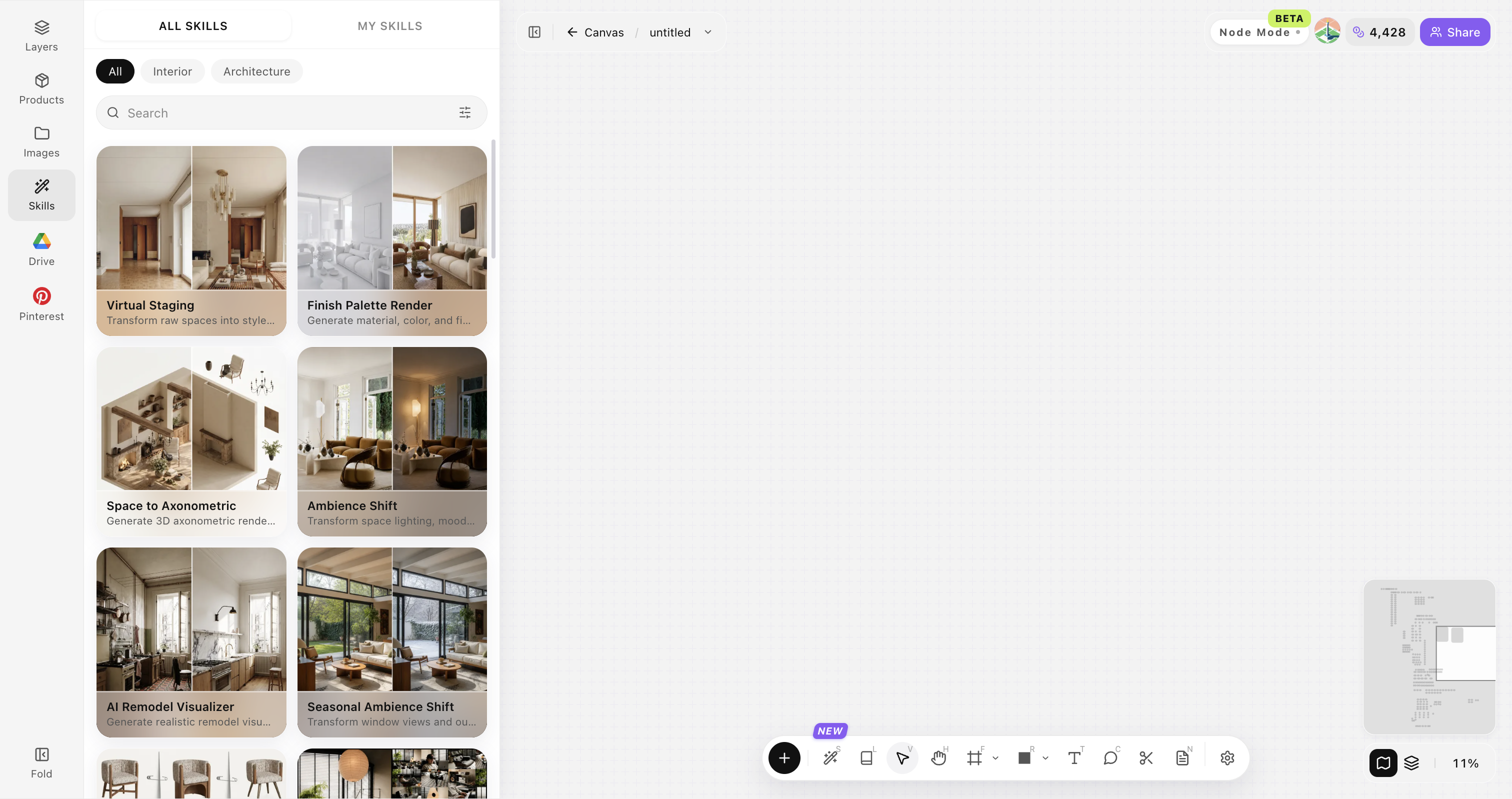
Open Skills library and choose Ambience Shift
Open Skills library, then choose Ambience Shift from the skill list to start this workflow.


Upload your original image
Upload, paste, or drag in a clear original image. It becomes the base for this generation.

Set the target mood
Pick day, dusk, night, warm hospitality, cool gallery, etc.

Generate a mood series
Click Generate and the results appear directly on the canvas. Compare the directions there, then continue refining the strongest option.


Tips for stronger atmosphere shifts
Think like a cinematographer — time of day, color temperature, and contrast.
Decide the narrative first
Decide the narrative first. Morning calm and evening drama need different lighting and temperature targets.
Keep practical lights logical
Keep practical lights logical. Lamps, windows, and ceiling fixtures should still make sense after the mood shift.
Avoid oversaturation
Prefer subtle temperature shifts over heavy saturation. Refined light usually looks more premium in client decks.
Generate pairs
Generate day and night as a pair. Side-by-side pairs make atmosphere decisions faster for clients.
Protect key materials
If wood or stone color must stay true, state that clearly in the direction so ambience does not recolor critical materials.
Ambience Shift FAQ
Use this for light and mood — not for rearranging furniture.
What is Ambience Shift?+
Ambience Shift changes lighting, time of day, and mood on a finished design image while keeping layout and structure stable for fair comparison.
Can I turn day into night?+
Yes, and you can also target dusk, overcast, or warm evening tones.
Will furniture move?+
It prioritizes keeping layout and furniture placement.
Is it only for interiors?+
No, exteriors and semi-outdoor spaces work too.
How many moods should I generate?+
Start with 3–4 options for a clear decision set.