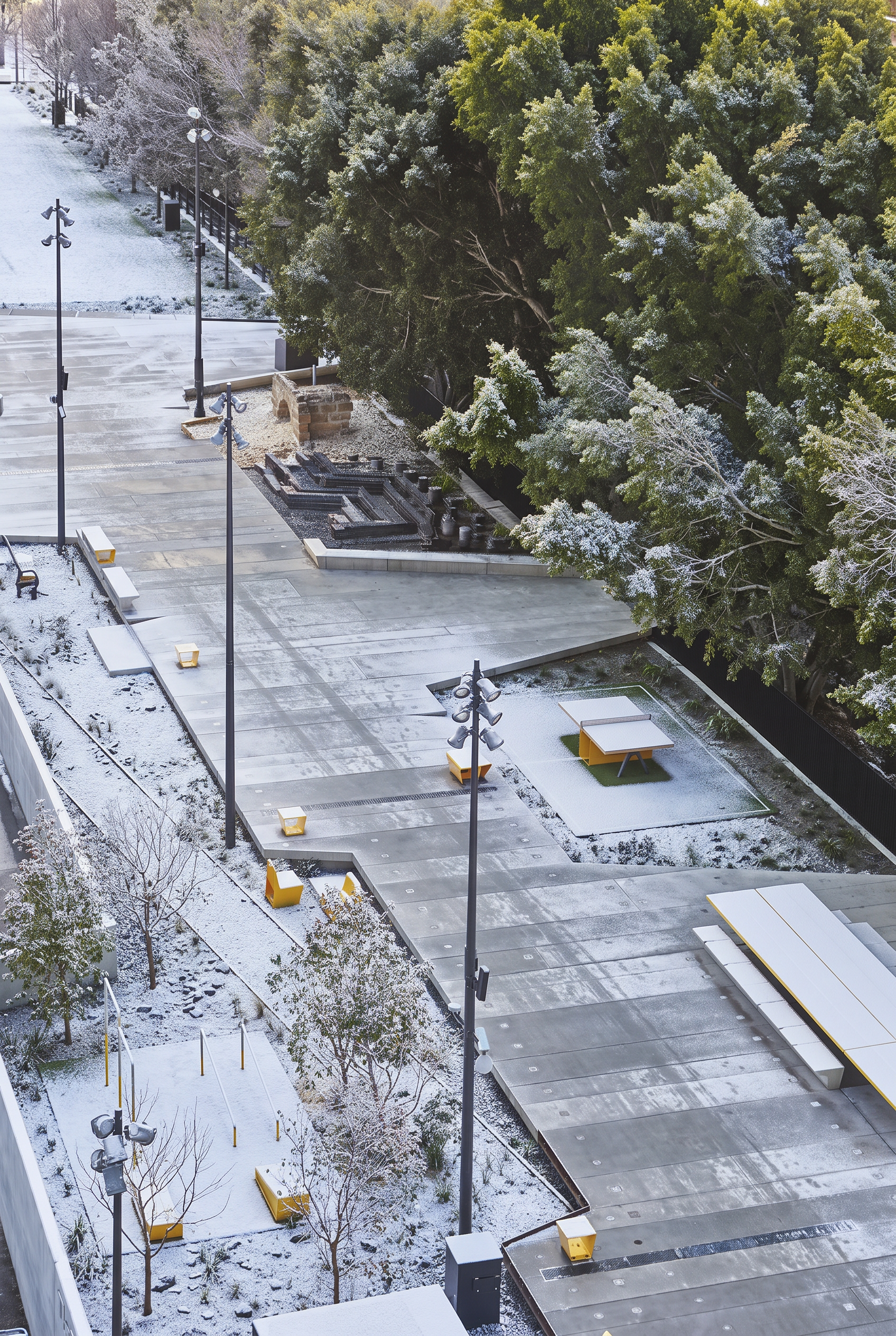
Seasonal variant created in Lovspark
Lovspark ← All posts← 返回博客

Seasonal Ambience Shift
Restage a space across the seasons

Generate a seasonal set from one space image so campaigns, hospitality decks, and landscape stories can show year-round performance.

6 min read
Read on ↓

What is Seasonal Ambience Shift?

In shortProduce coordinated season variants from a single design still — ideal for storytelling and marketing packages.

Seasonal Ambience Shift turns one approved view into a four-season set.

Perfect for resorts, residential sales, courtyards — anywhere planting, light, and outdoor context matter.

Keep the architecture constant while nature and atmosphere move through the year.

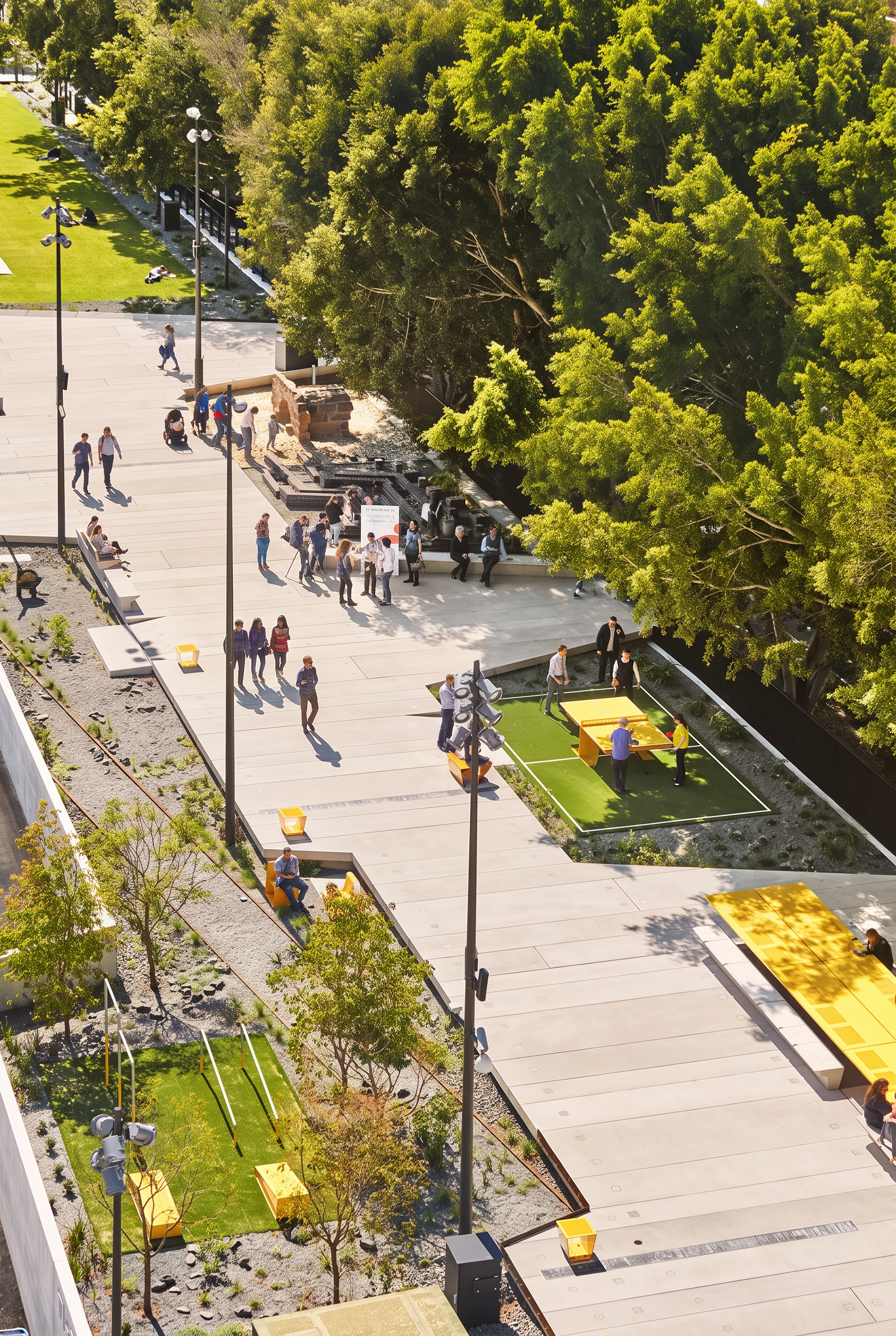
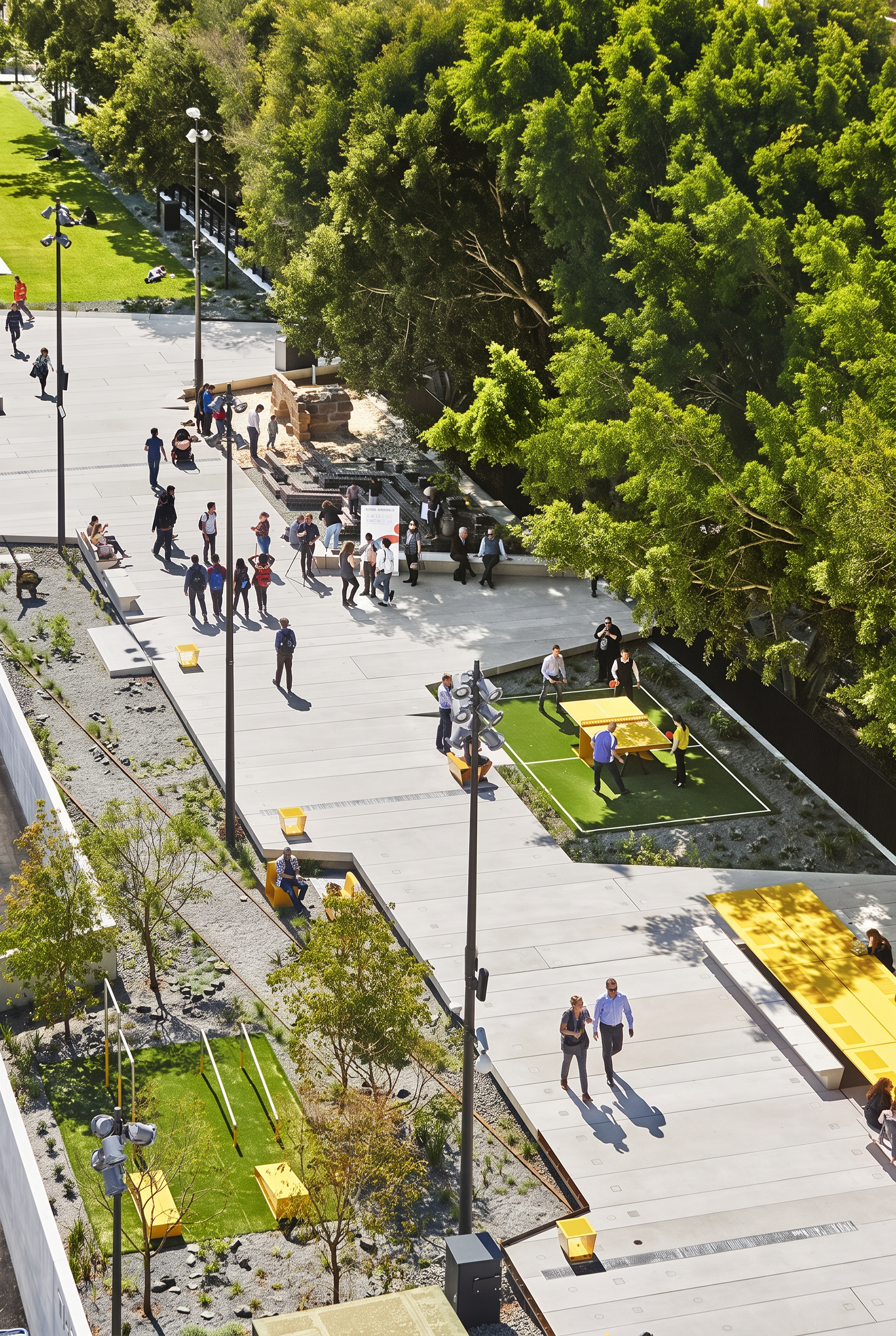
Base scene before seasonal restaging
Base
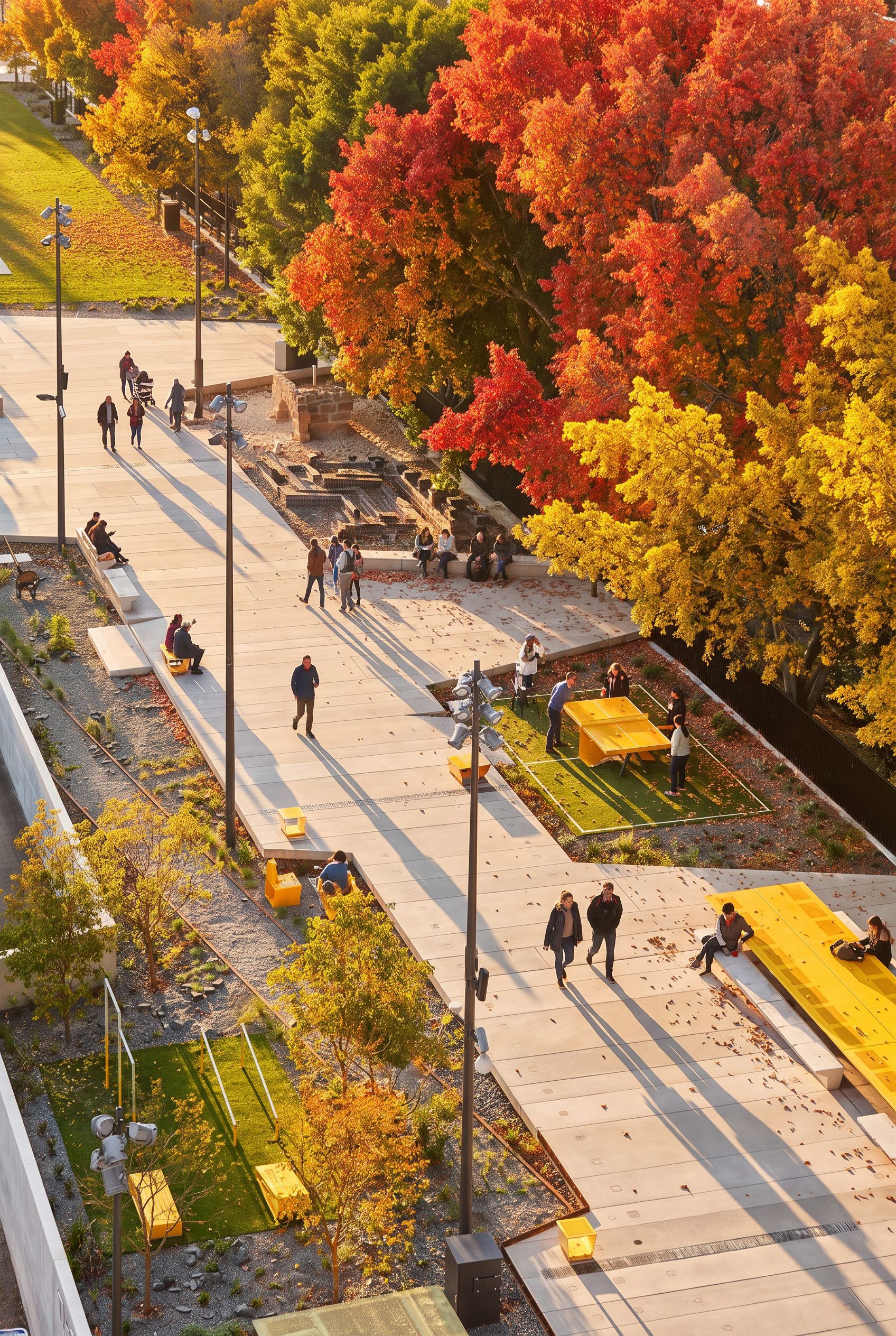
Seasonal variant created in Lovspark
Season
Seasonal Ambience Shift overview
Input1 exterior or garden-related scene
OutputMulti-season variants
PreservesArchitecture and core design
Best forCampaign sets, hospitality, landscape stories
Typical setSpring / Summer / Autumn / Winter
Best inputs
  • Courtyards and terraces
  • Residential exteriors with planting
  • Hospitality outdoor scenes

“One project. Four seasons.”

Lovspark

Updated by the , based on the live product and real project examples.

What does the Seasonal Ambience Shift panel include?

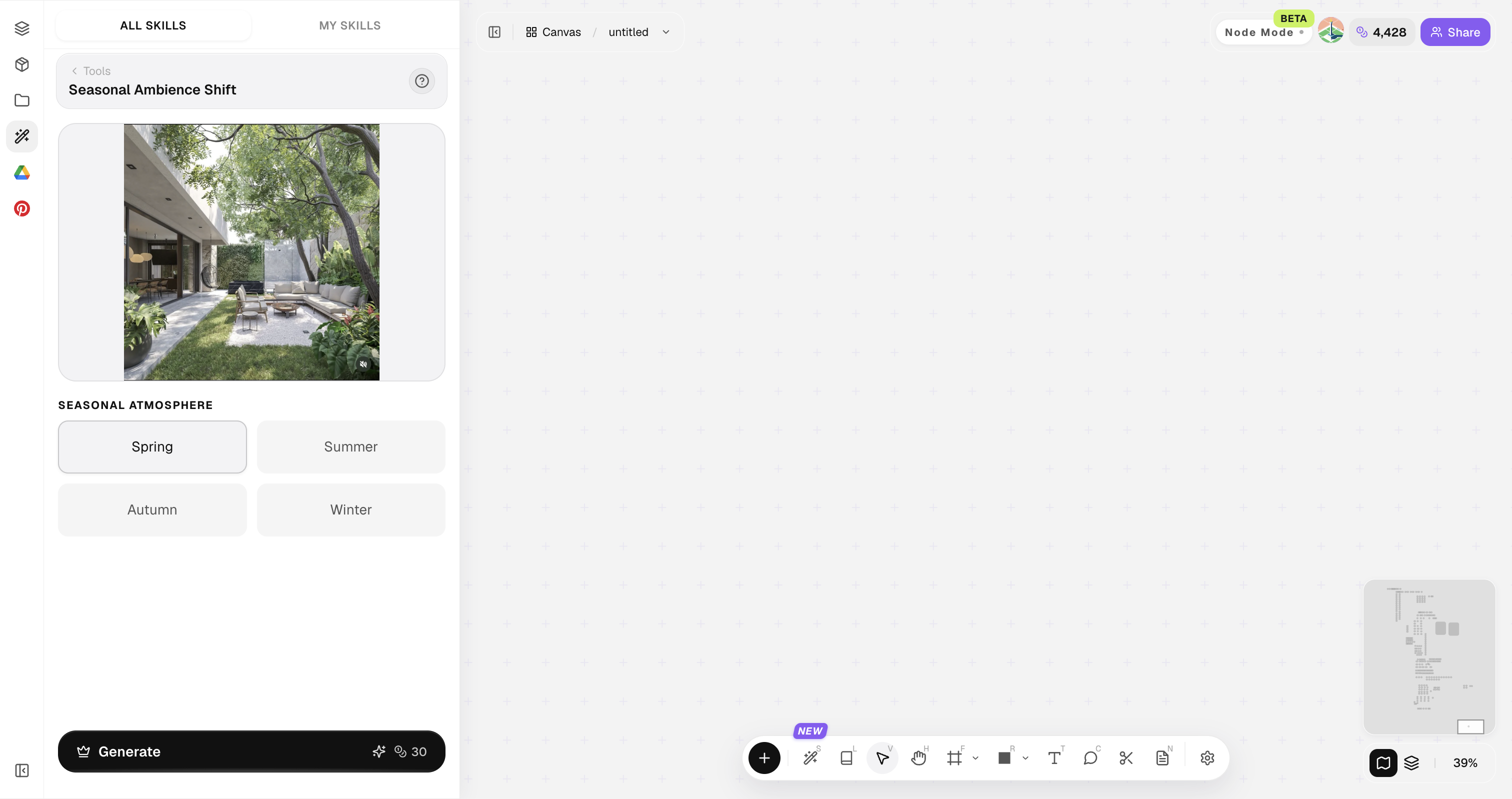
Open Skills library and choose Seasonal Ambience Shift. The panel provides the original image, style reference, image ratio, and Generate button.

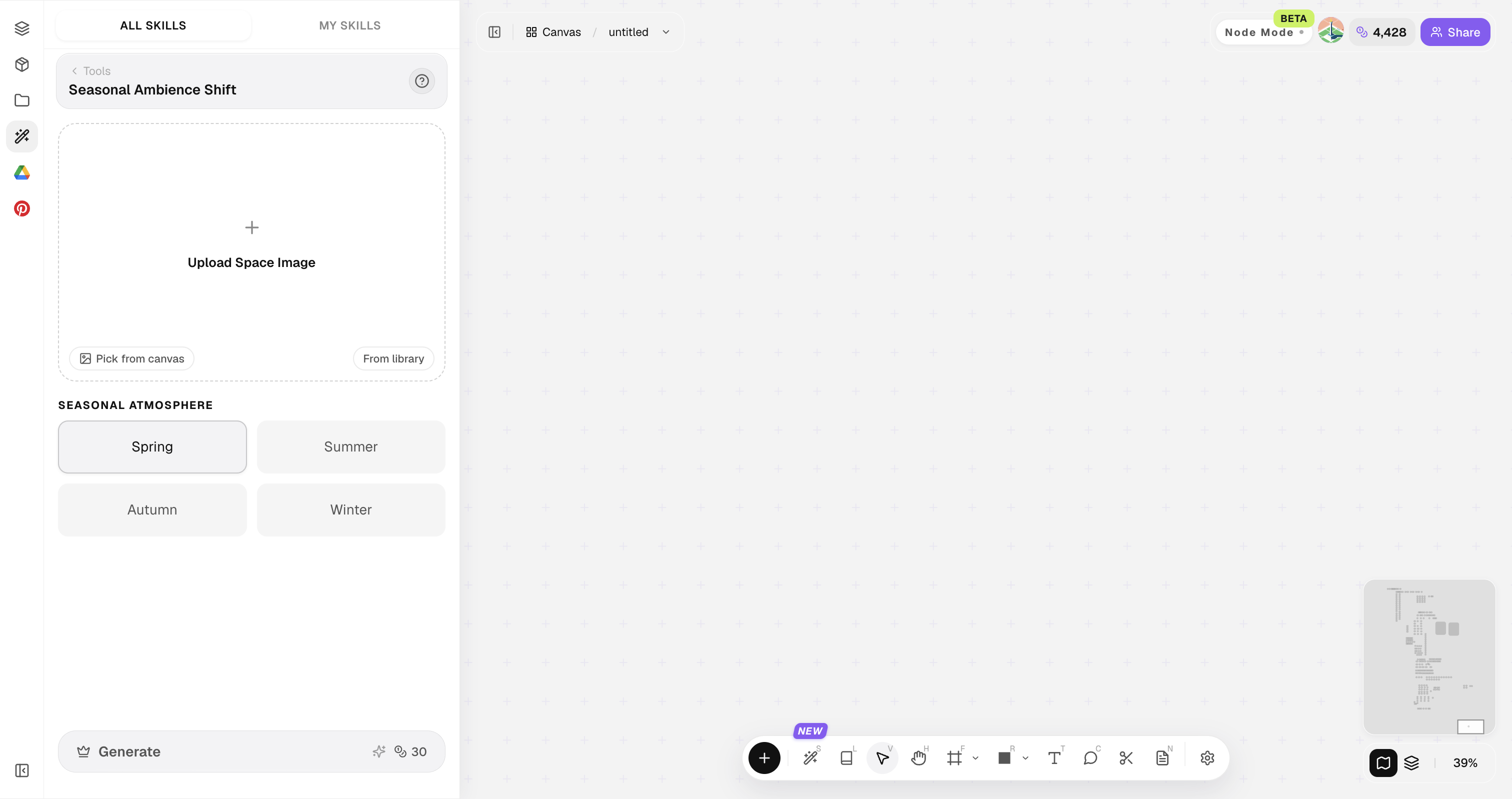
Lovspark Seasonal Ambience Shift panel with uploaded images: original image, style reference, image ratio, and Generate button
Tip

Scenes with visible planting or sky respond more dramatically to season shifts.

How do you restage seasons?

Four steps from one still to a season package.

1

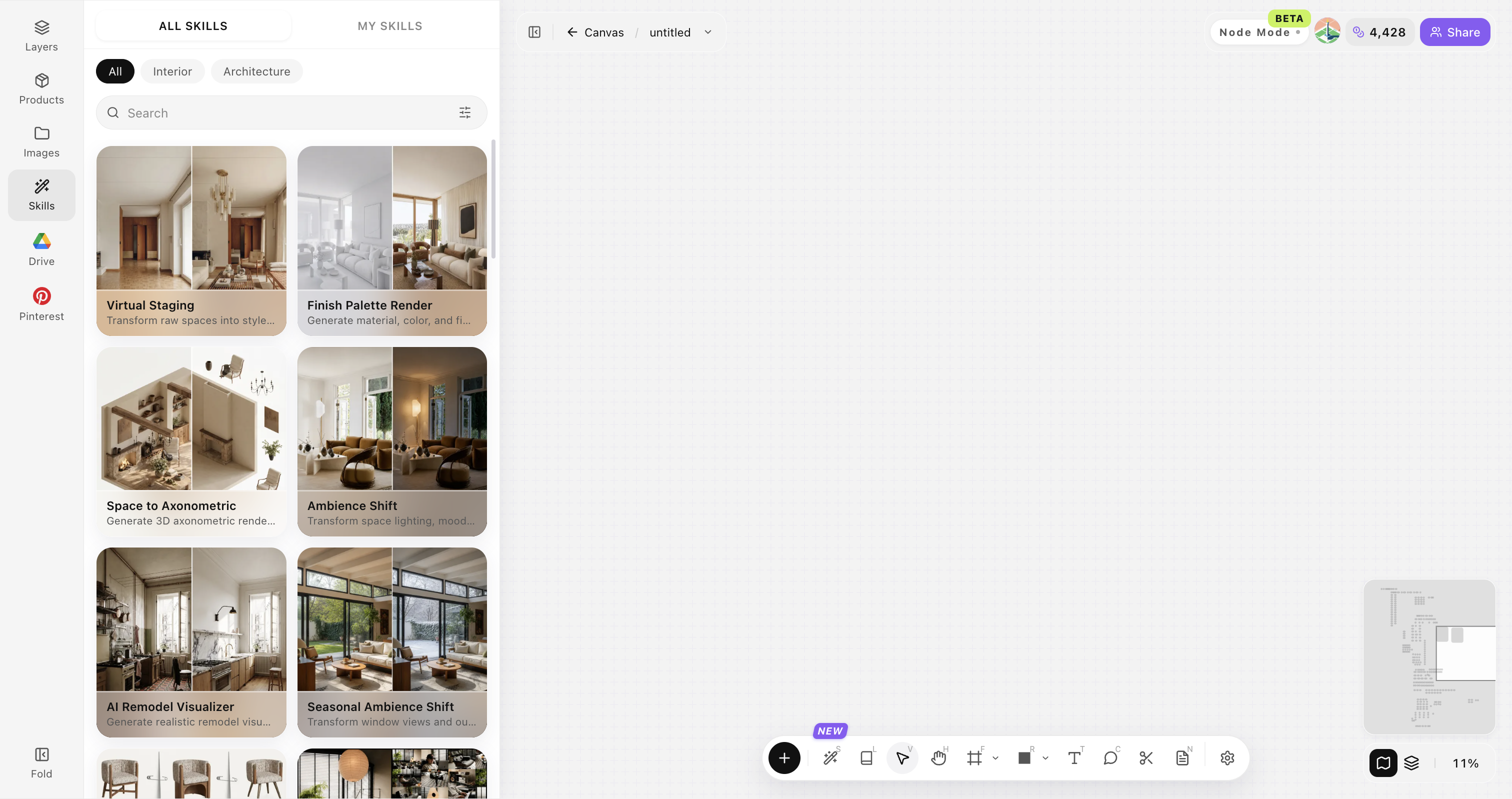
Open Skills library and choose Seasonal Ambience Shift

Open Skills library, then choose Seasonal Ambience Shift from the skill list to start this workflow.

Lovspark Skills library overviewEmpty skill panel ready for image upload or asset selection
2

Upload your original image

Upload, paste, or drag in a clear original image. It becomes the base for this generation.

Base scene before seasonal restaging
Start with a clear, well-framed photo so structure and perspective stay readable.
3

Generate seasonal variants

Create spring, summer, autumn, and winter directions.

Seasonal variant created in Lovspark
4

Curate the campaign set

Click Generate and the results appear directly on the canvas. Compare the directions there, then continue refining the strongest option.

Seasonal variant created in LovsparkSeasonal variant created in LovsparkSeasonal variant created in LovsparkSeasonal variant created in Lovspark

Tips for believable seasonal sets

Architecture stays; nature can move. That continuity is non-negotiable.

01

Keep camera fixed in mind

Keep camera position consistent in mind. A seasonal set should feel like the same shot through the year.

02

Respect climate logic

Respect climate logic. Snow with tropical planting rarely convinces clients or marketing teams.

03

Control foliage density

Control foliage density. Seasonal overgrowth should not hide the architecture you are trying to present.

04

Balance warmth carefully

Balance autumn warmth carefully. Rich fall color should not collapse into muddy orange or brown.

05

Deliver as a grid

Deliver seasons as a grid. A 2×2 spring-to-winter board is easier for clients to understand than scattered files.

Seasonal Ambience Shift FAQ

Great for storytelling packages — not a climate simulation tool.

What is Seasonal Ambience Shift?+

Seasonal Ambience Shift restages one approved scene across seasons while keeping architecture and core design identity stable for campaigns and hospitality decks.

Does it only work outdoors?+

Best outdoors, but semi-outdoor interiors with large openings also work.

Can I get only winter?+

Yes—generate targeted seasons as needed.

Will buildings change?+

It prioritizes keeping architecture stable.

How many seasons to deliver?+

Four is classic; two can be enough for short campaigns.

Lovspark

Build a seasonal set

Upload a space image and generate season variants.

Start designing →