
What is Virtual Staging?
Direct answerUse a site photo, wall-model view, empty room, or unfurnished space as the structural basis. Add a style reference to generate an interior render with furniture, materials, and lighting — no 3D model required.
Lovspark Virtual Staging turns a site photo, wall-model view, empty room, or unfurnished space into a high-quality interior render.
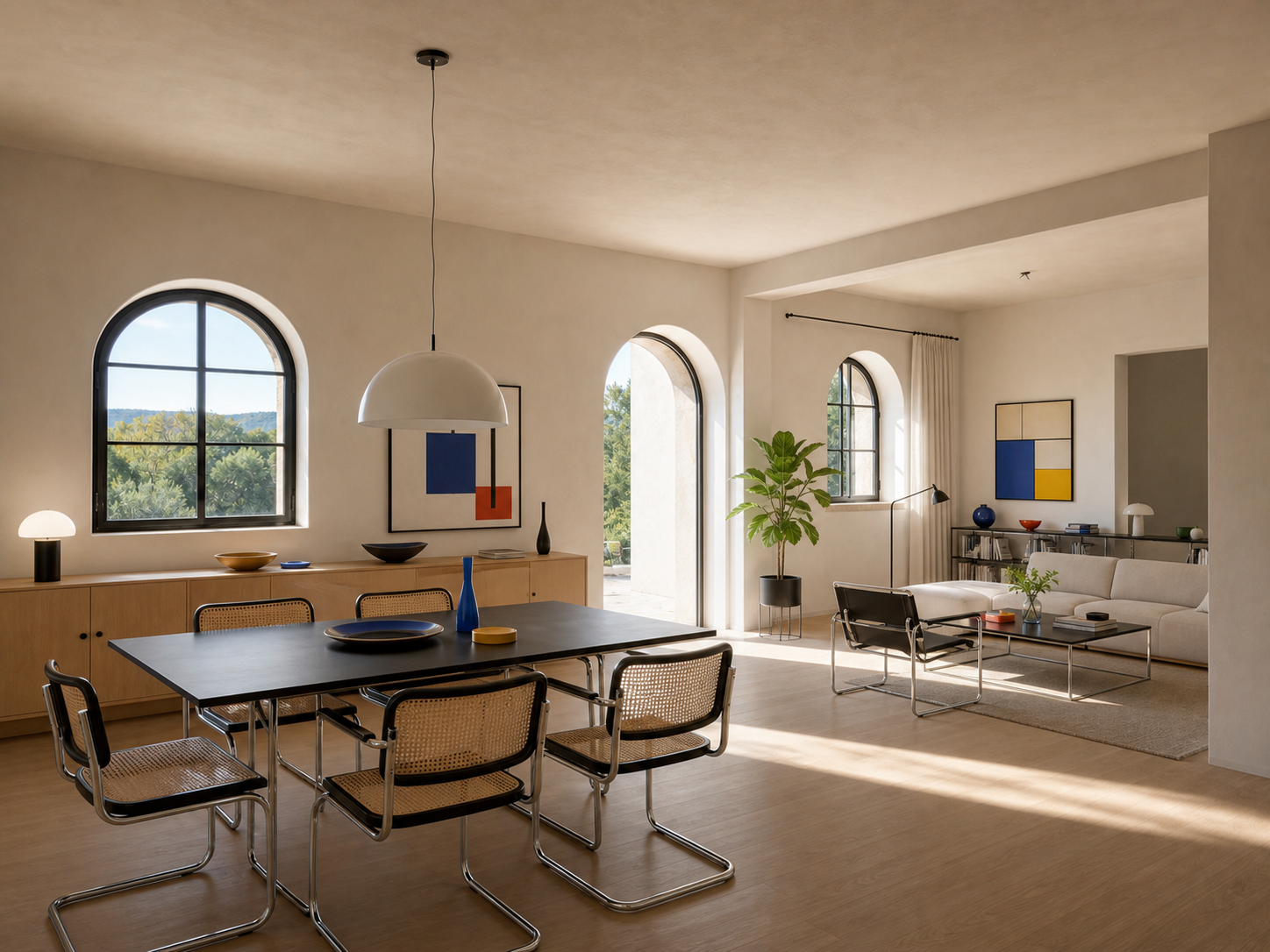
Use it to turn a site photo, wall-model view, empty room, or unfurnished space into a furnished interior direction. A style reference guides the colors, materials, furniture language, and atmosphere.
Unlike generating a room from scratch, it works with the openings, walls, viewpoint, and spatial relationships already in your photo.
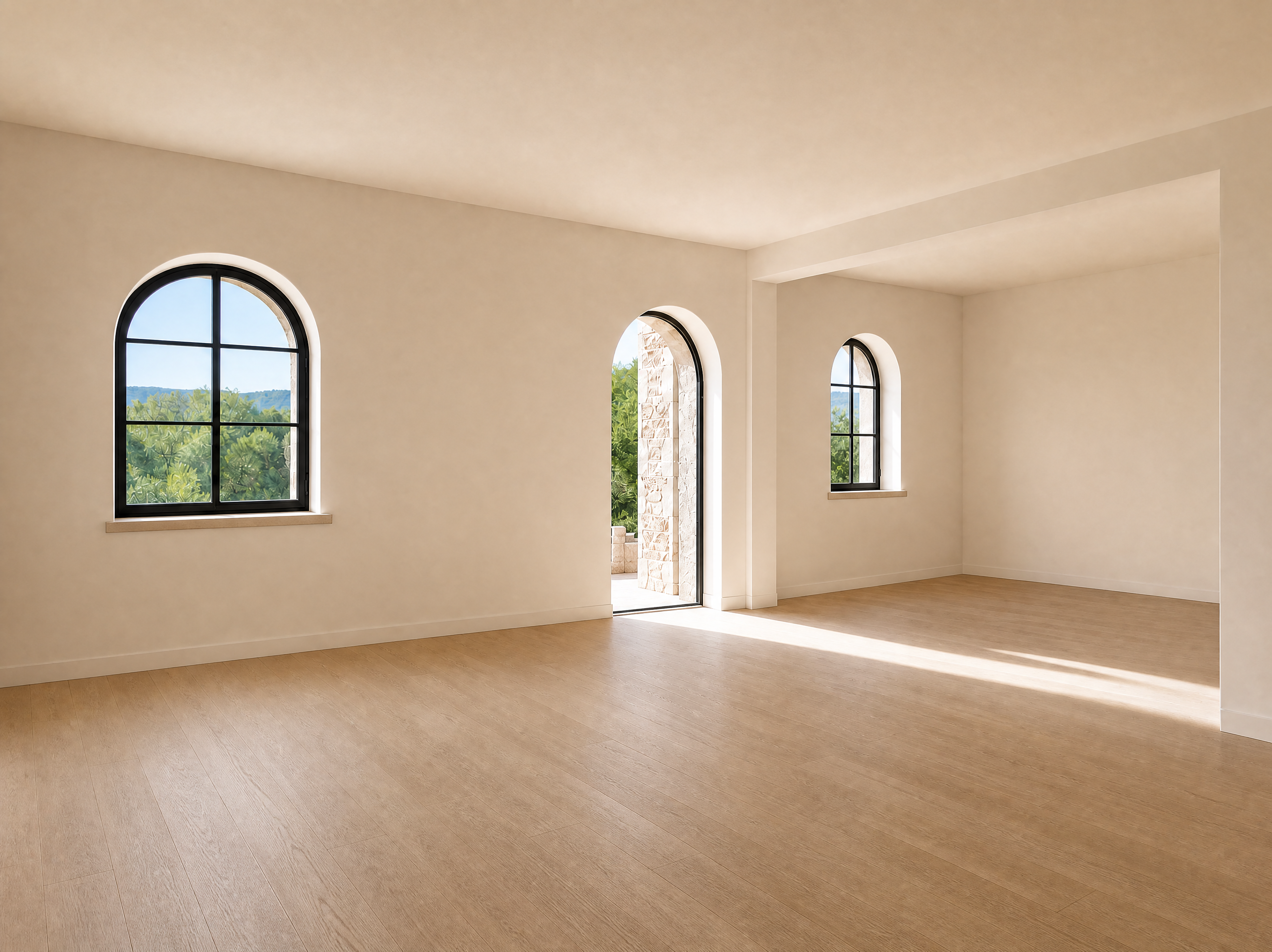
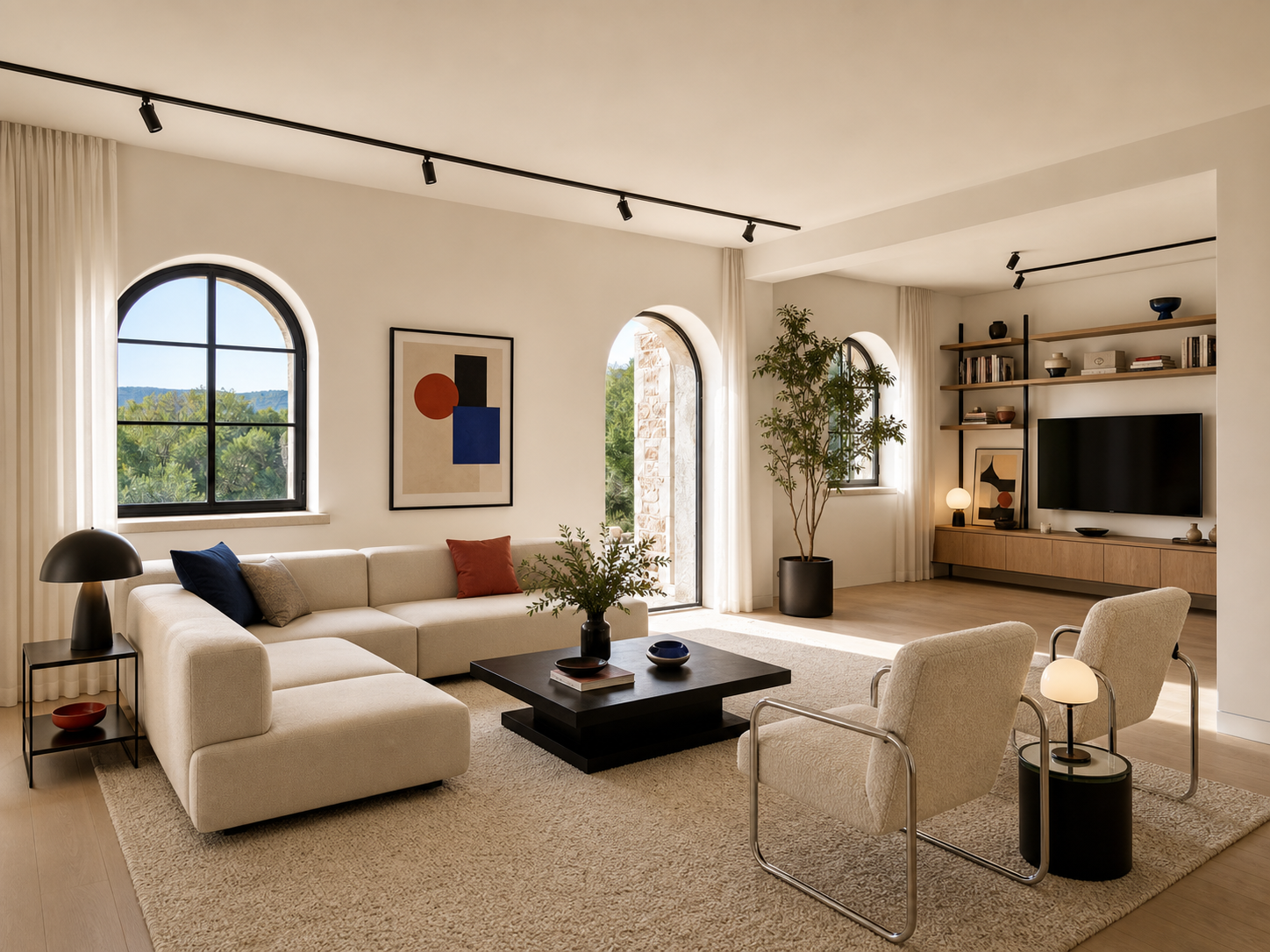
| Input | 1 clear unfinished-room or empty-room photo |
|---|---|
| Style reference | 1 interior style reference image |
| Output | A furnished interior render with materials and lighting |
| Preserves | Openings, walls, viewpoint, and main spatial relationships |
| Best for | Concept design, site discussions, and client proposals |
- Photos of unfinished or partially completed interiors
- Empty rooms with finished surfaces but no furniture
- Residential or commercial spaces that need furniture, materials, lighting, and atmosphere added
Updated by the Lovspark Product Team, based on the live product and real project examples.
Sources: Lovspark product documentation · Lovspark Academy
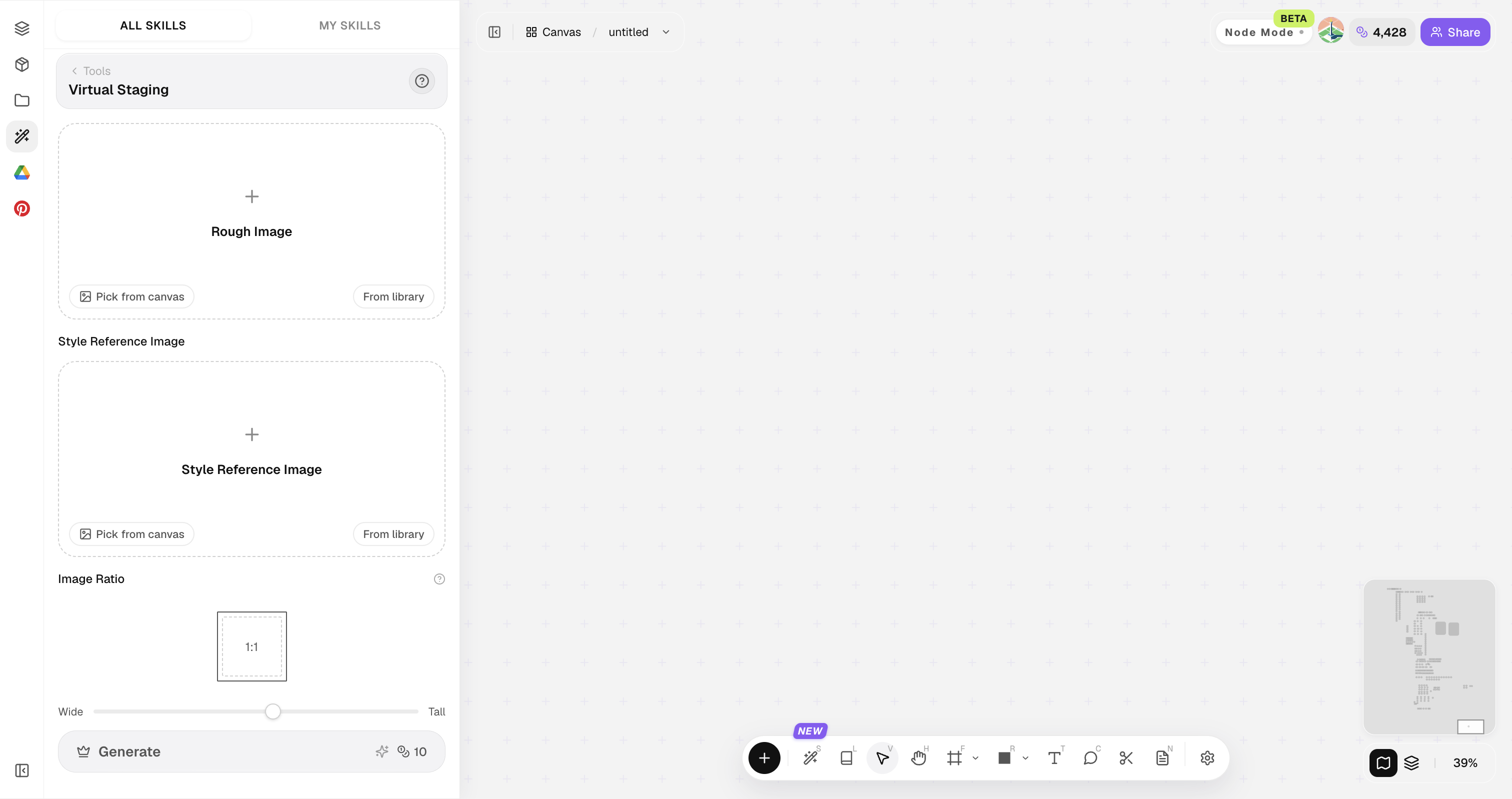
Virtual Staging feature panel
Open Skills library and choose Virtual Staging. Upload the empty or unfinished room, add a style reference, set the output ratio, then generate a furnished design while retaining the room's architecture.
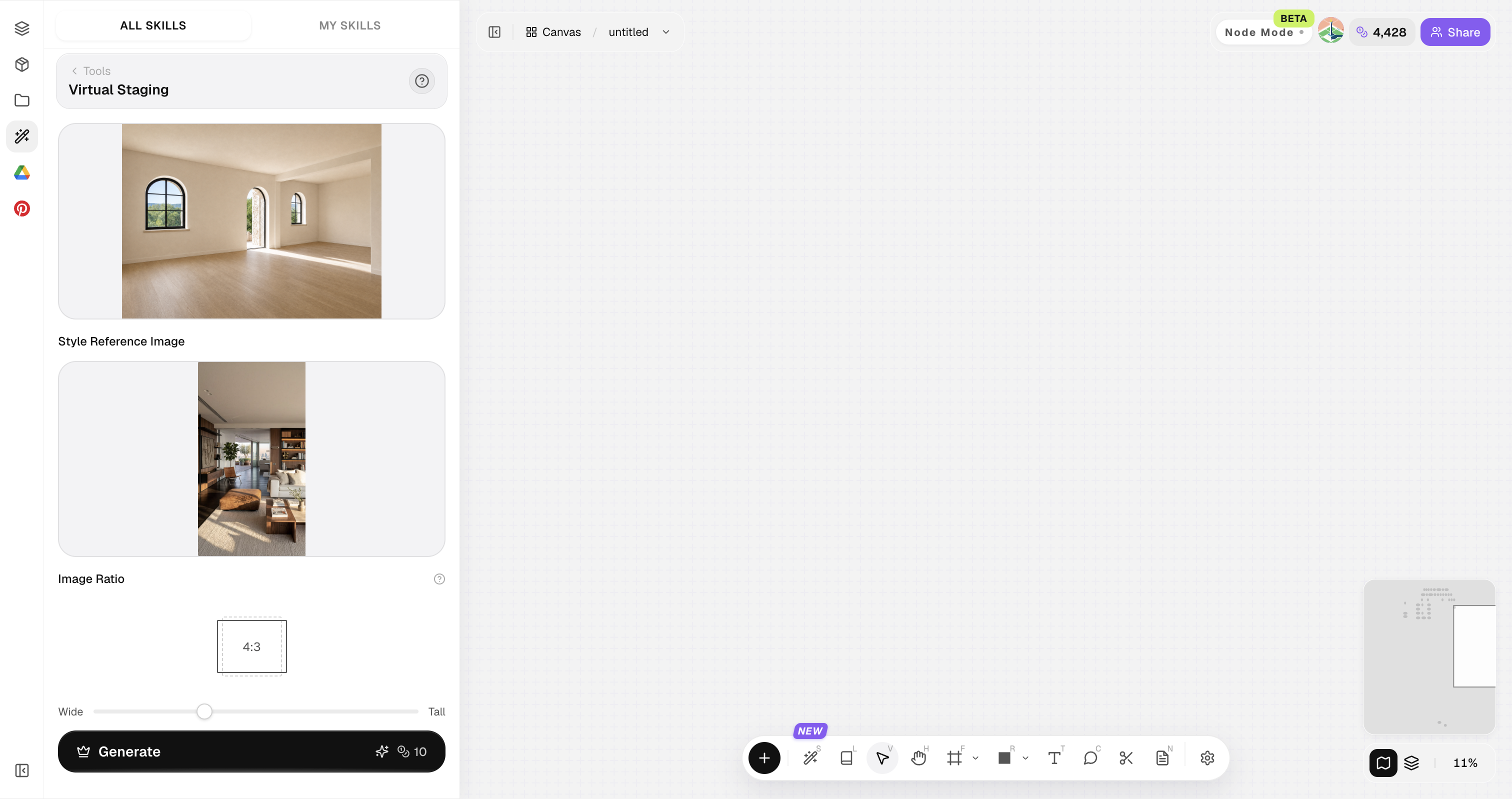
Virtual Staging uses a site photo, wall-model view, empty room, or unfurnished space as its structural basis. It defaults to the output ratio closest to the source image, and you can adjust the framing manually.
How to use Virtual Staging
Four steps from a site photo to a client-ready interior image.
Open Skills library and choose Virtual Staging
Open Skills library, then choose Virtual Staging from the skill list to start this workflow.
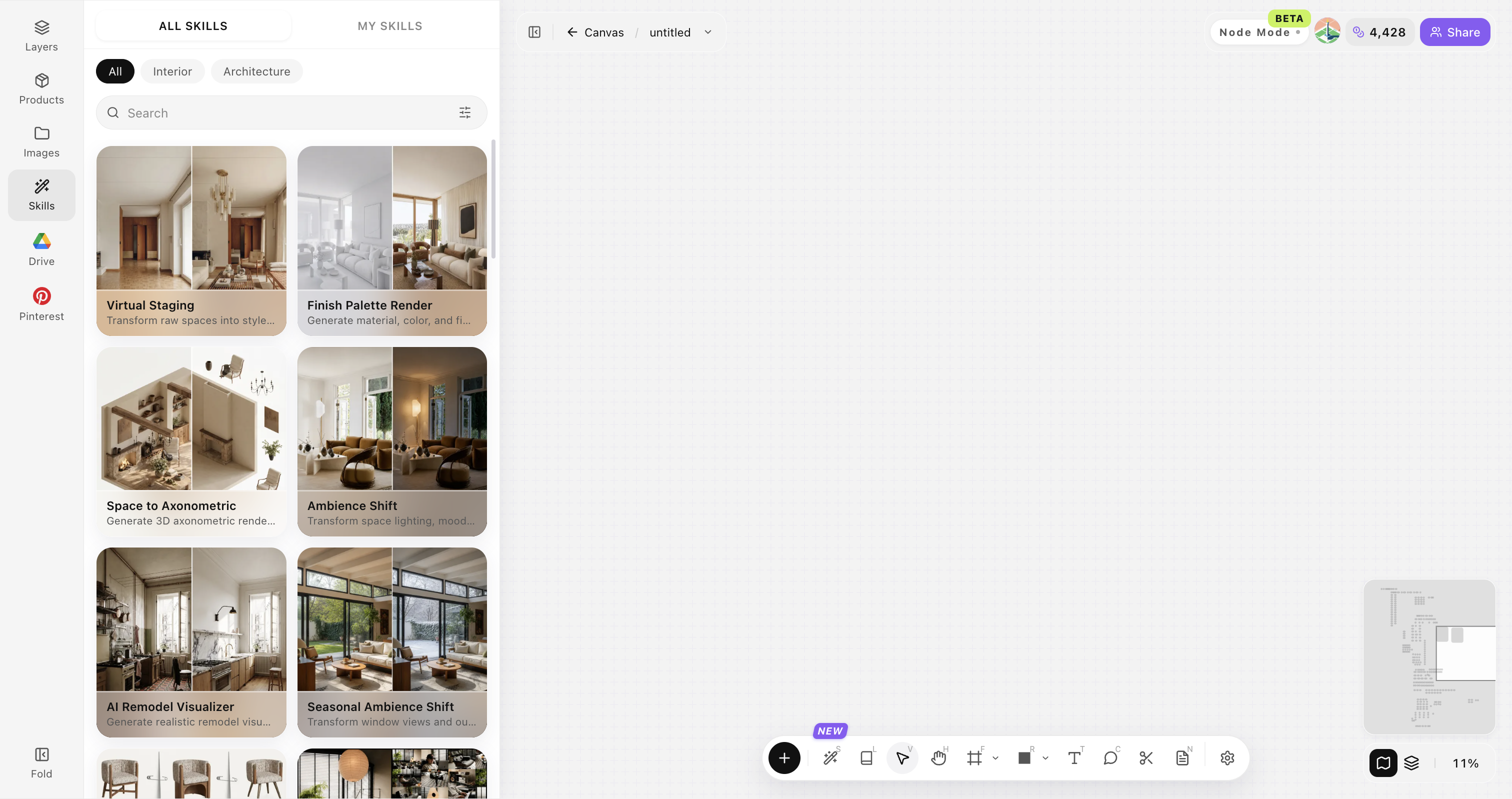
Upload your original image
Upload, paste, or drag in a clear original image. It becomes the base for this generation.
Add a style reference image
Add an interior inspiration image so color, materials, furniture language, and atmosphere have a clear target.
Generate and compare directions
Click Generate and the results appear directly on the canvas. Compare the directions there, then continue refining the strongest option.
Tips for better interior results
Better results come from a clear source photo and a reference with readable materials, light, and style.
Start with a structurally clear image
Avoid extreme wide-angle distortion, heavy obstruction, or very dark photos. Clear wall, floor, and opening boundaries produce more stable results.
Choose a clearly defined style reference
Use a reference whose overall style and atmosphere are easy to recognize.
Match the reference to the intended space
A reference with a similar space type helps furniture scale and layout feel more natural.
Generate multiple directions
Do not stop at the first result; compare options side by side.
Keep fixed structures clearly visible
If columns, windows, stairs, or built-ins must stay, show them fully in the source photo.
Virtual Staging FAQ
One clear room photo and one style reference are enough to get started. Use the results for concept work, then validate construction with professional drawings.
What is Virtual Staging?
It turns a photo of an unfinished, empty, or unfurnished room into a complete interior render — reading openings, walls, viewpoint, and spatial relationships first.
Can I create a render without a 3D model?
Yes. Start with one clear unfinished-room or empty-room photo. No 3D model or professional rendering software is required.
Will the AI change the original room structure?
Lovspark uses the original openings, walls, viewpoint, and main spatial relationships as the basis for each design direction.
What does a style reference image do?
It gives the model a visual guide for materials, colors, furniture language, and atmosphere.
Can I use the renders in a client proposal?
Yes for concept presentations and early proposals. Final construction still needs professional drawings and design judgment.