
What is Finish Palette Render?
Direct answerFeed in a white model or line drawing and get a photoreal render back — without rebuilding the model elsewhere.
Lovspark Finish Palette Render turns white models and concept sketches into client-ready visualization images.
Use it when massing, roof lines, or interior volumes are already set and you need materials and light — fast.
It focuses on finish quality rather than redesigning the geometry, so before-and-after comparisons stay trustworthy.
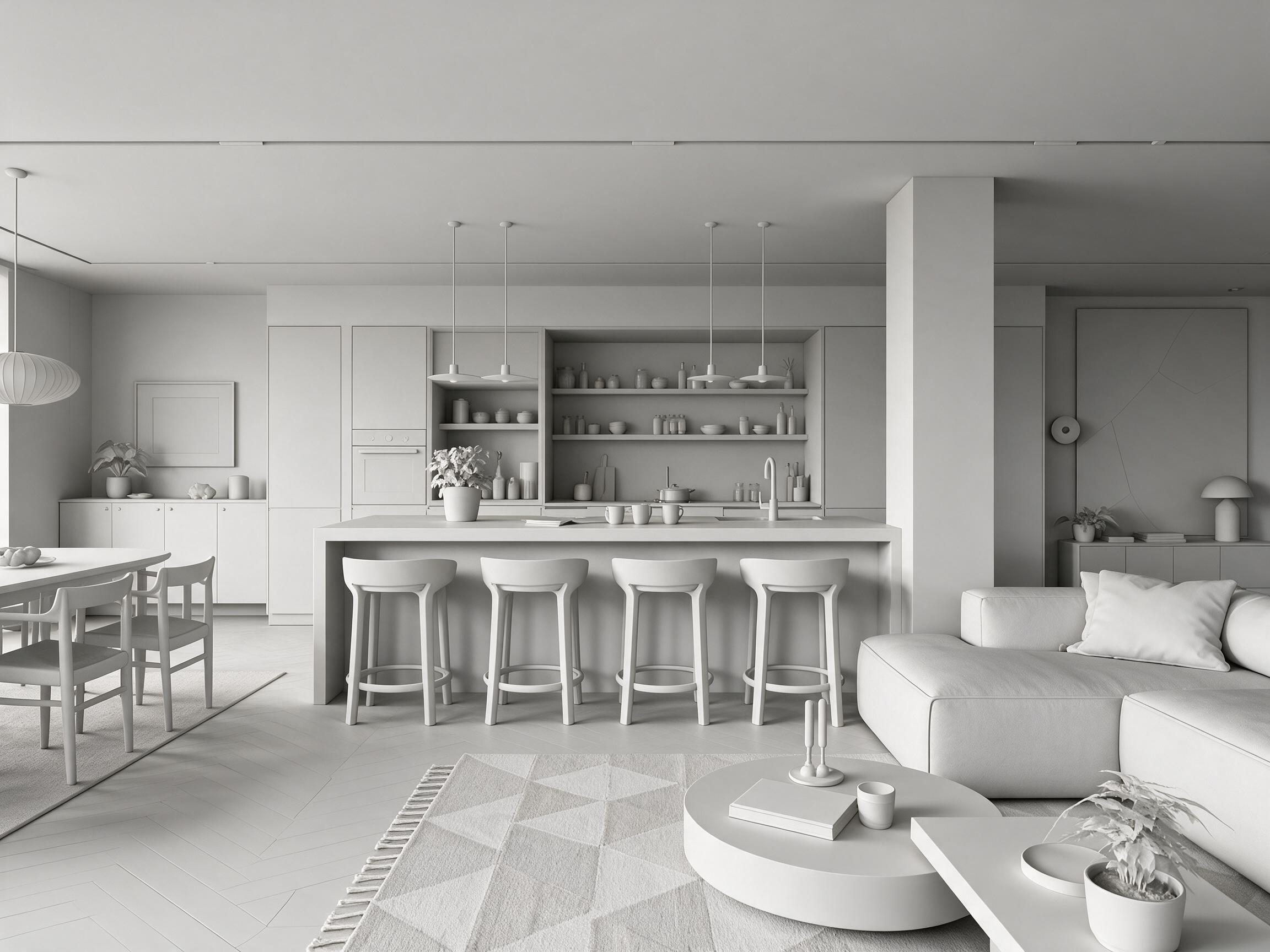
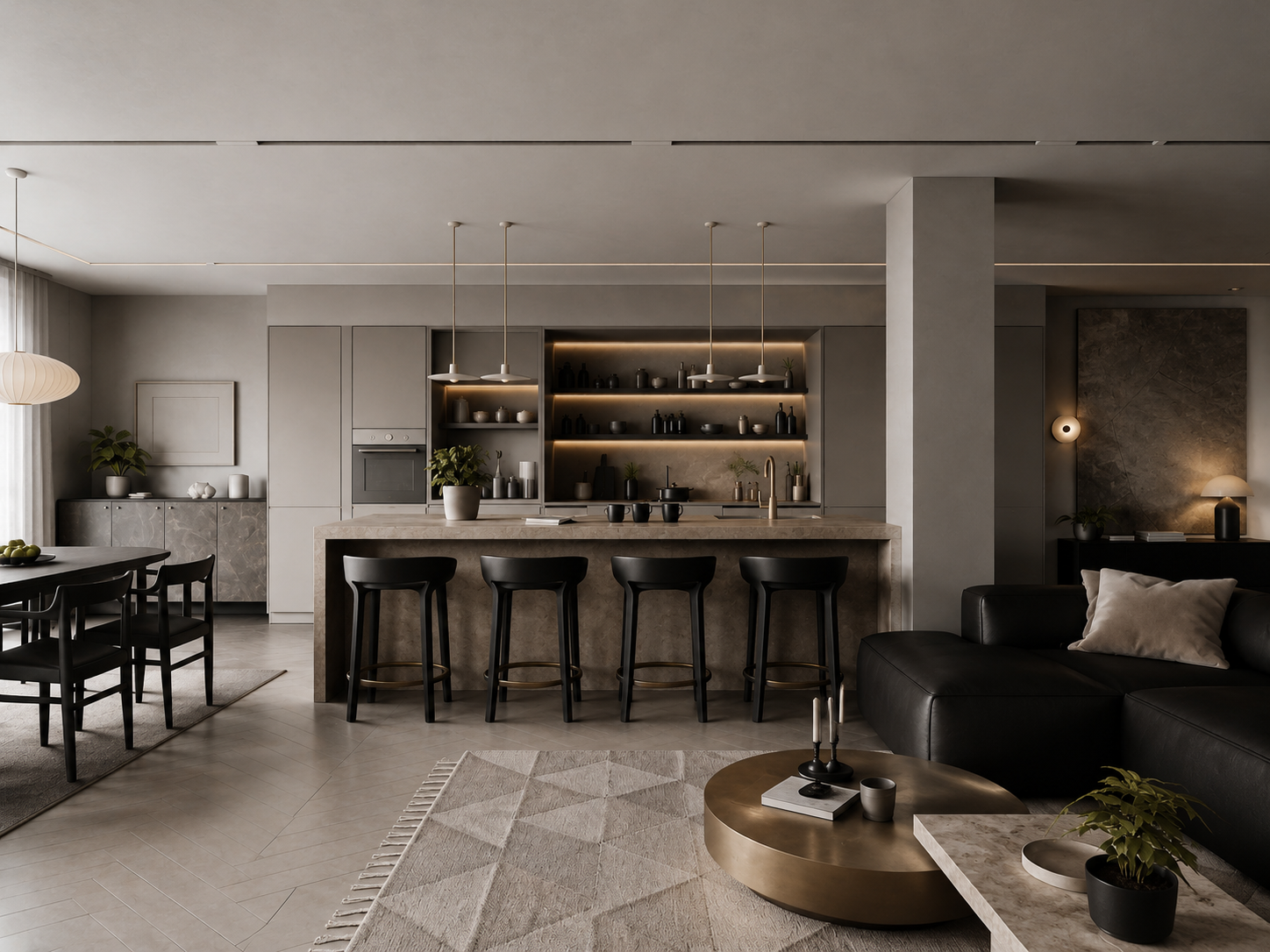
| Input | White model, line drawing, or model screenshot |
|---|---|
| Upload style reference | Upload a style reference image |
| Output | Photoreal render with materials and light |
| Preserves | Massing, openings, and main geometry |
| Best for | Client reviews, facade studies, concept boards |
- White model screenshots from SU / Rhino / other modelers
- Clean line drawings or massing studies
- Interior or exterior views with readable volume
Updated by the Lovspark Product Team, based on the live product and real project examples.
Sources: Lovspark product documentation · Lovspark Academy
Finish Palette Render feature panel
Open Skills library and choose Finish Palette Render. Upload the white-model or base image together with a style reference, then generate a rendered version that transfers its materials, colors, lighting, and atmosphere.
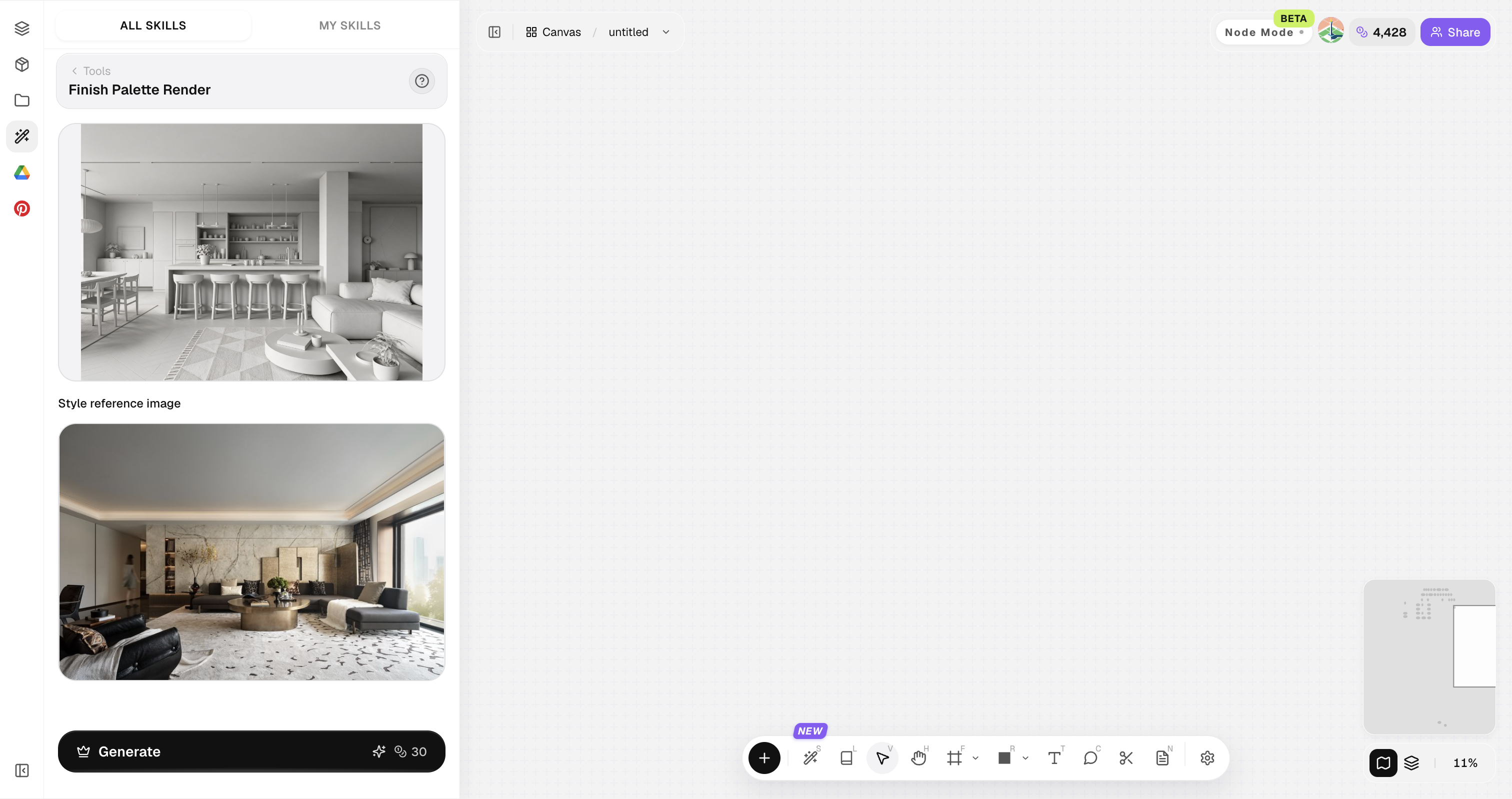
Use a clean orthographic or perspective view with uncluttered geometry for more stable material placement.
How to use Finish Palette Render
Four steps from model screenshot to presentation image.
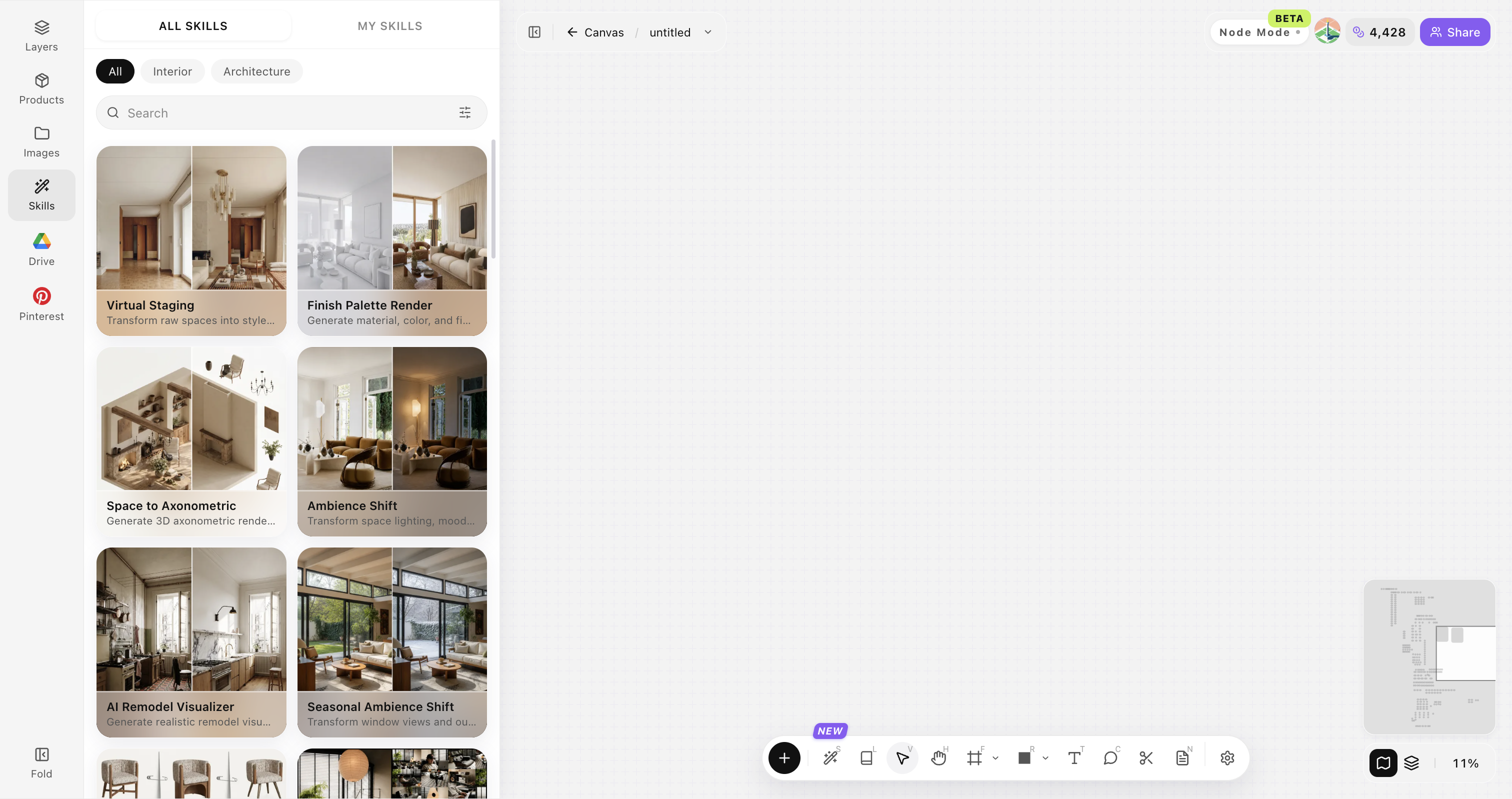
Open Skills library and choose Finish Palette Render
Open Skills library, then choose Finish Palette Render from the skill list to start this workflow.
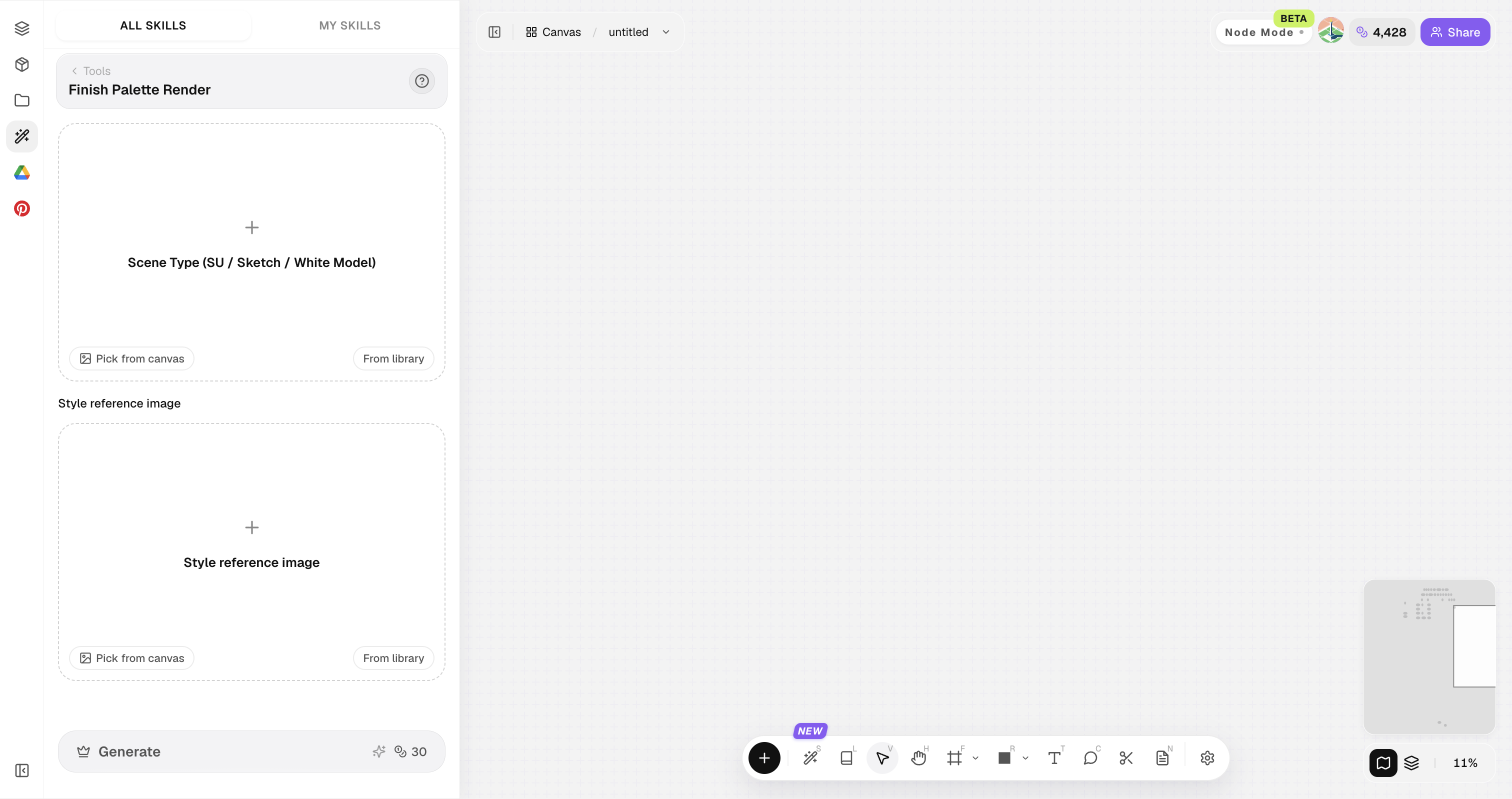
Upload your original image
Upload, paste, or drag in a clear original image. It becomes the base for this generation.
Upload a style reference image
Upload a style reference image to guide materials, color, lighting, and the overall atmosphere.
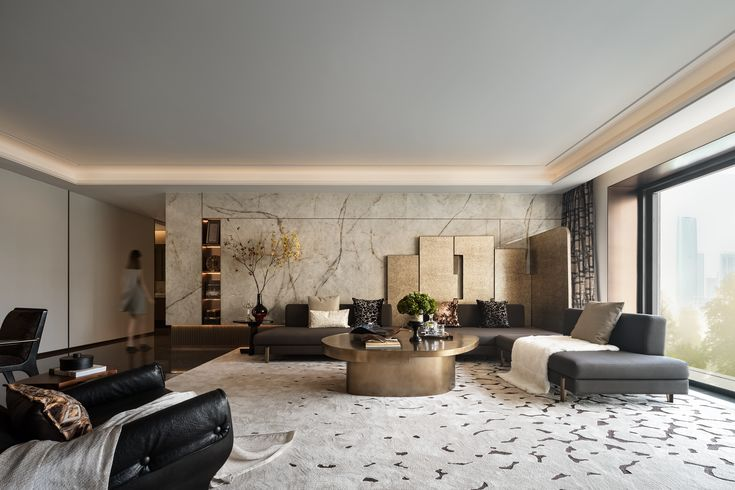
Generate and compare results
Click Generate and compare the white model with the rendered result directly on the canvas.
Tips for stronger Finish Palette Render results
Readable geometry and intentional light matter more than long prompts.
Prefer clean model views
Hide temporary helpers, construction clutter, and modeling artifacts before capture so the render focuses on architecture.
Set the output ratio
Start with the ratio closest to the source image, then adjust it for the final board, presentation, or social format.
Keep the main volume in frame
Keep key massing, openings, and the main silhouette visible so the output preserves the design identity.
Finish Palette Render FAQ
This is about finish and atmosphere — not inventing a new building massing from scratch.
What is Finish Palette Render?
Finish Palette Render turns white models or line drawings into photoreal renders while holding massing, openings, and main geometry steady.
Do I need V-Ray or Enscape?
No. You can start from a screenshot and generate in the browser.
Will massing stay intact?
Yes. The skill prioritizes preserving the input geometry.
Can I control materials?
Yes—use a style reference and iterate generations.
Is it suitable for client decks?
Yes for concept and mid-stage communication; final construction still needs drawings.