
What is Product Variations?
Direct answerMove from a single reference into a broader — but still related — idea space.
Lovspark Product Variations supports collection ideation without starting from a blank page.
Useful for furniture lines, decor objects, and interior product stories that need variety with identity.
Keep the source's character while exploring adjacent expressions.
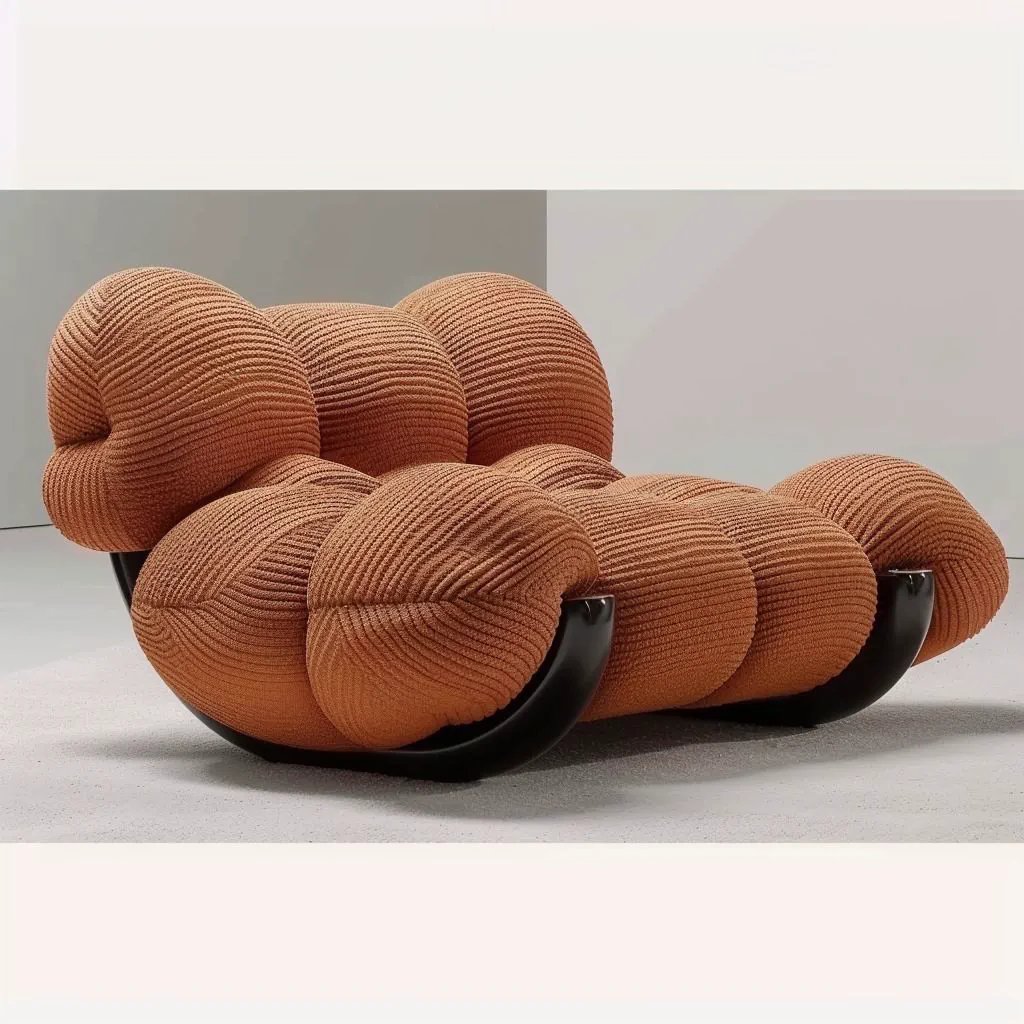
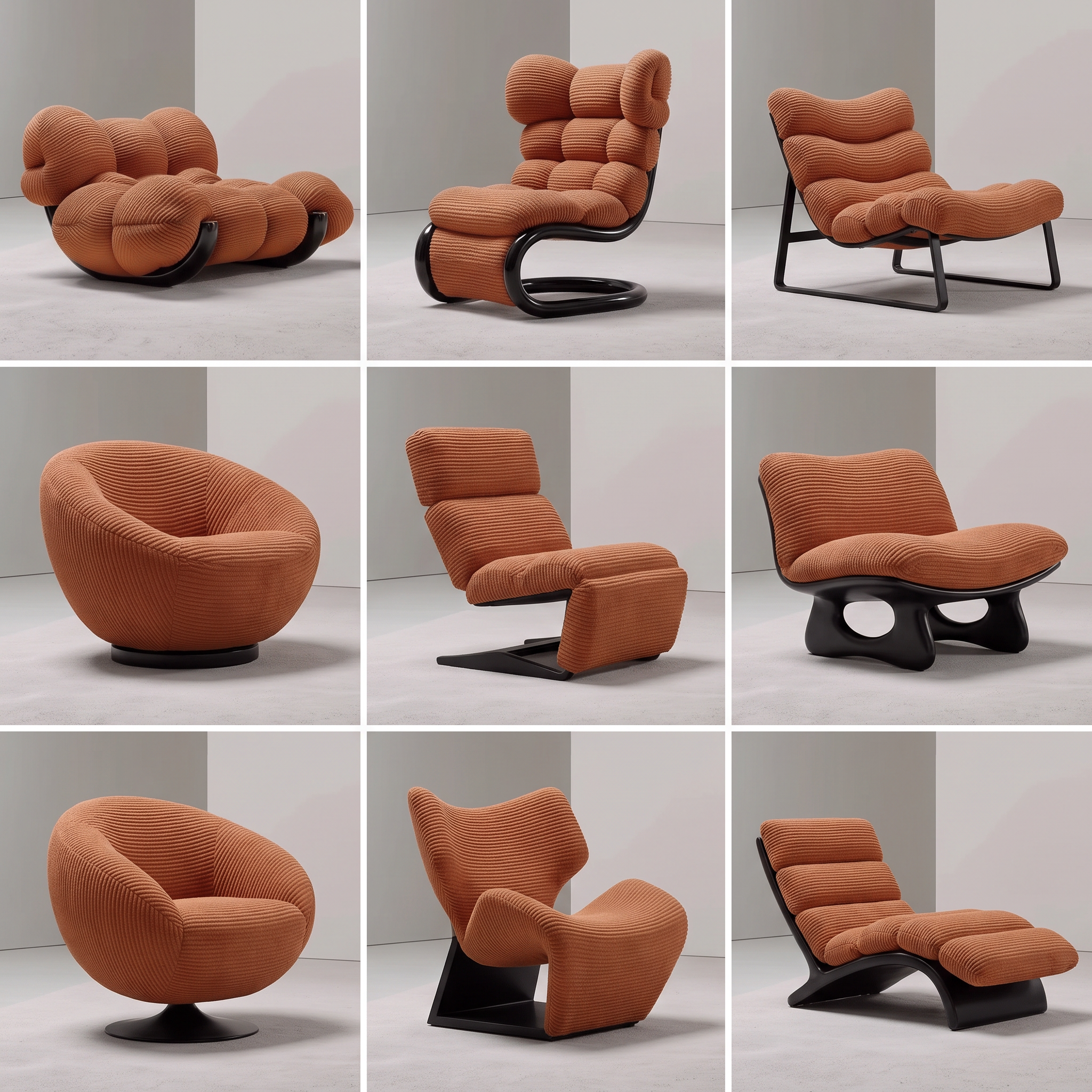
| Input | 1 product / concept cue |
|---|---|
| Output | Multiple related product directions |
| Focus | Variation with identity continuity |
| Best for | Collection thinking, creative direction |
| Also useful with | Product to Sketch / Spatial Storyboard |
- Hero product photos
- Concept objects
- Signature furniture pieces
Updated by the Lovspark Product Team, based on the live product and real project examples.
Sources: Lovspark product documentation · Lovspark Academy
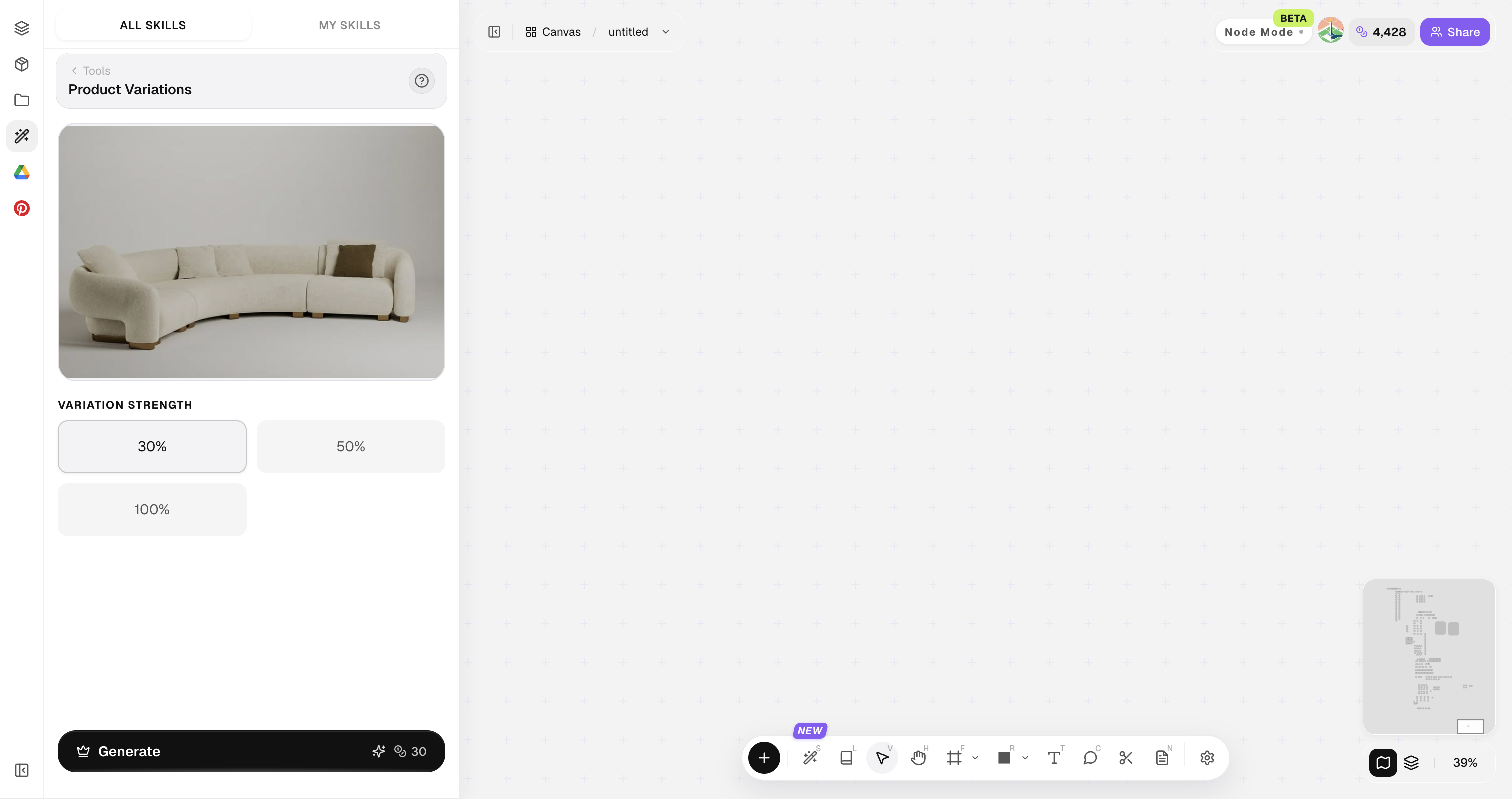
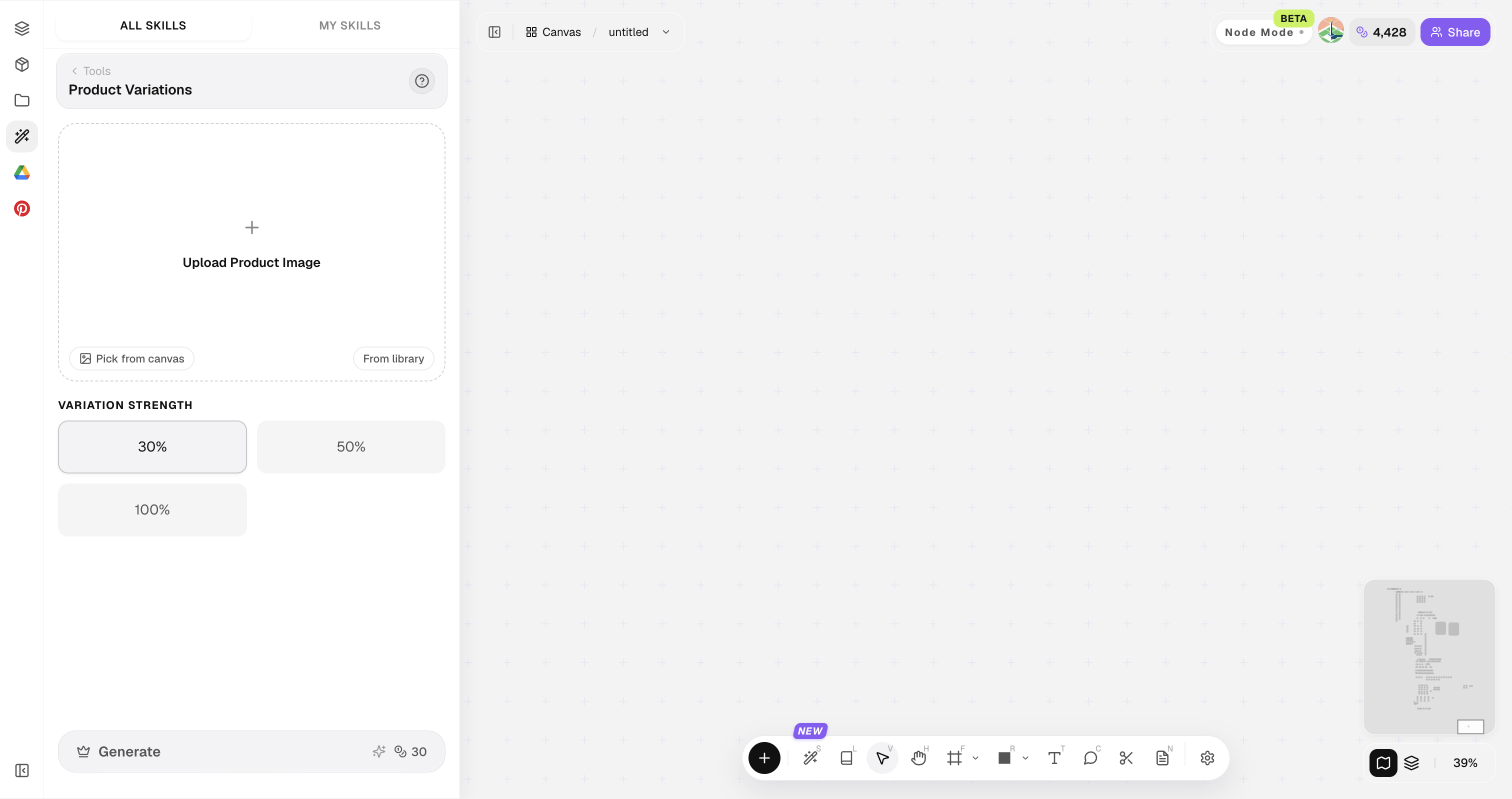
Product Variations feature panel
Open Skills library and choose Product Variations. Upload the product image, select a 30%, 50%, or 100% variation strength, then generate a family of related design directions.
A clean product on a simple background expands more cleanly than a cluttered lifestyle crop.
How to use Product Variations
Four steps from one cue to a variant set.
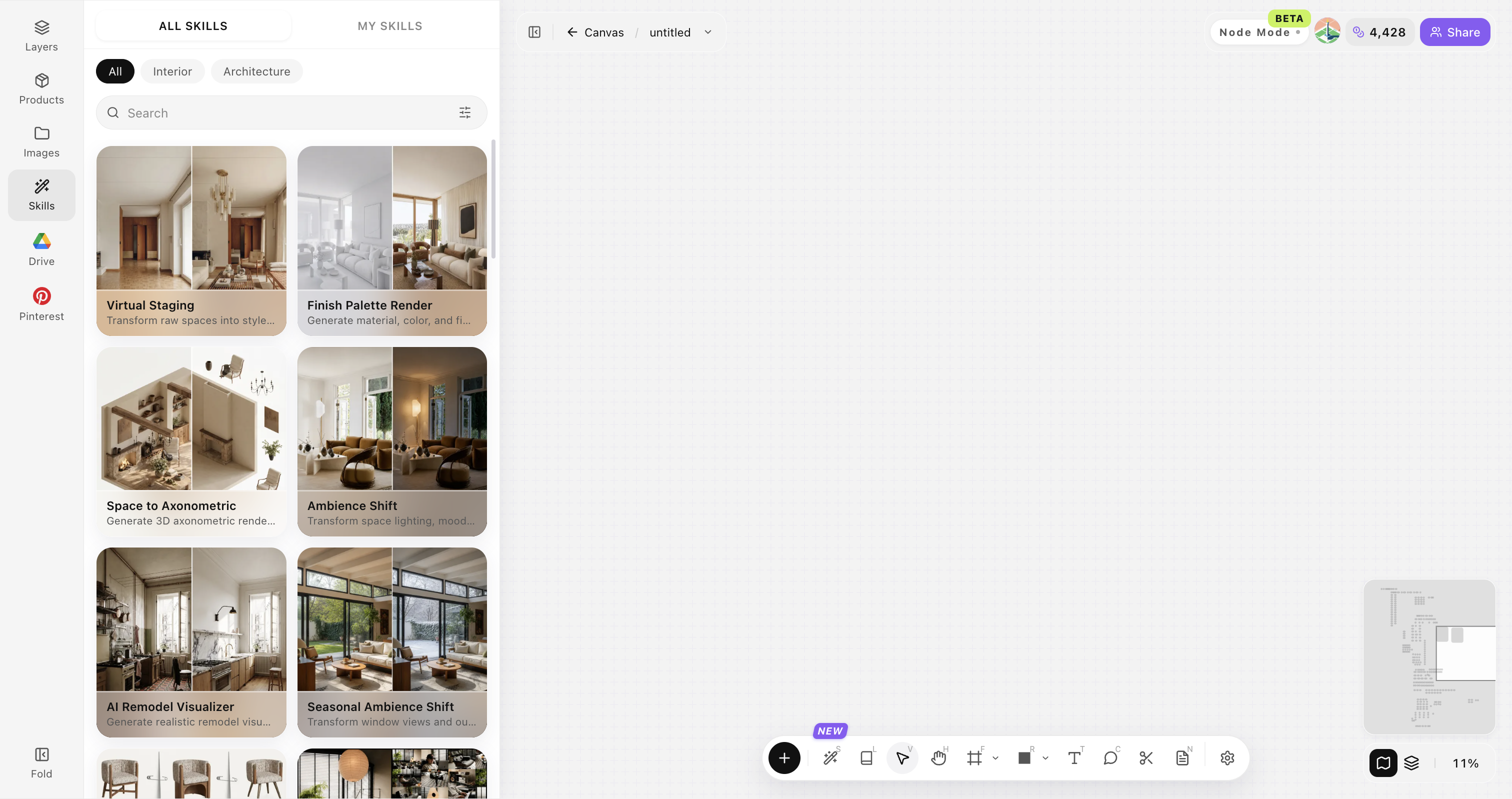
Open Skills library and choose Product Variations
Open Skills library, then choose Product Variations from the skill list to start this workflow.
Upload your original image
Upload, paste, or drag in a clear original image. It becomes the base for this generation.
Set expansion range
Close variants vs bolder exploration.
Generate a family set
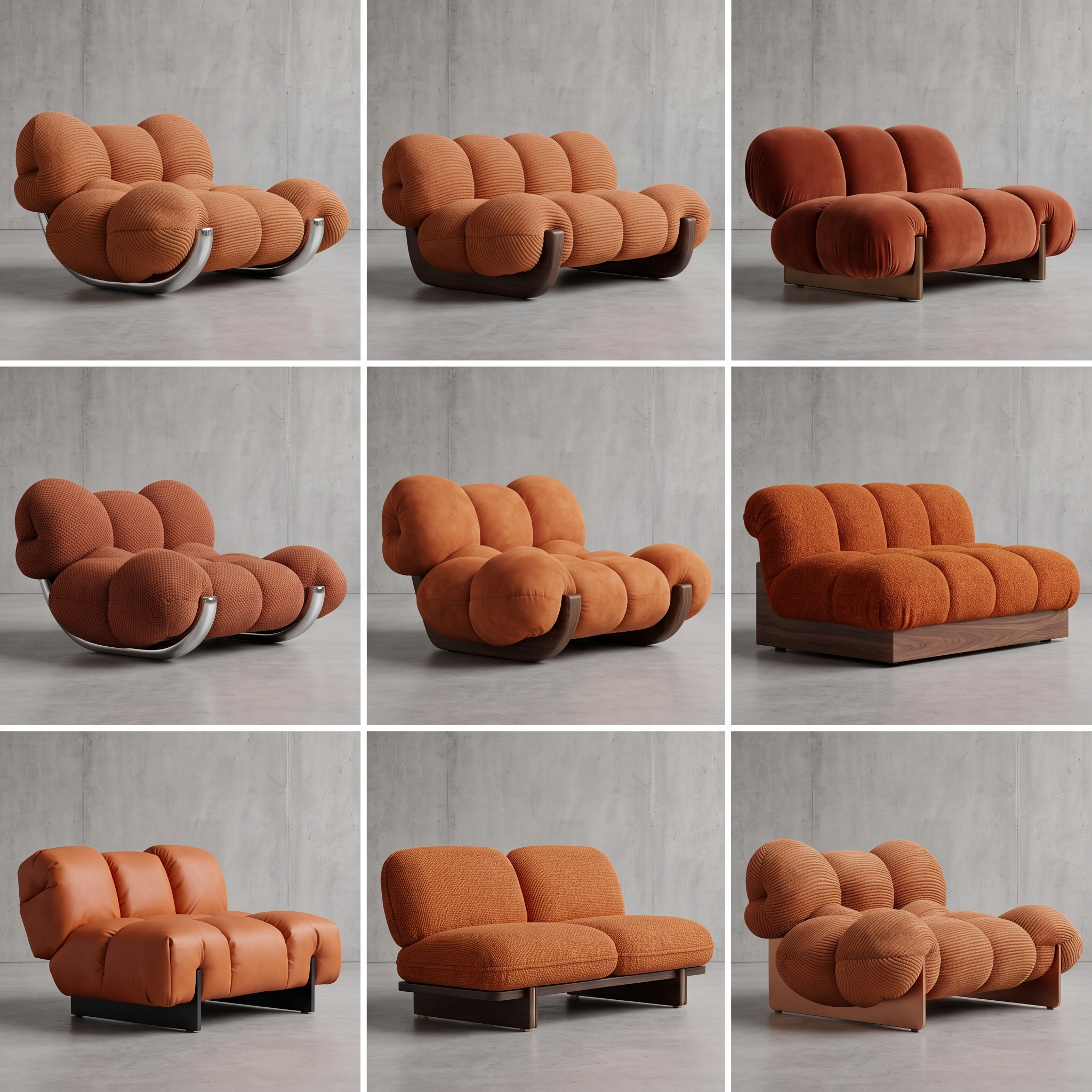
Click Generate and the results appear directly on the canvas. Compare the directions there, then continue refining the strongest option.
Choose a clear product image
Start with one complete product image, then use the generated variants to compare directions.
Use one product at a time
A single product in the frame makes the main form easier to retain.
Keep the full silhouette visible
Avoid cropping key parts such as legs, arms, backs or handles.
Choose a clear viewing angle
Use a front, side or three-quarter view that shows the product structure clearly.
Use a clean background
Remove busy surroundings that could be mistaken for product details.
Compare the generated variants
Select the directions that best retain the original product's main features.
Product Variations FAQ
Great for creative range — IP and manufacturing validation stay on you.
What is Product Variations?
Product Variations starts from one product cue and expands it into related variant directions for collection thinking and creative reviews.
Will variants look random?
You can bias toward closer or bolder exploration.
Good for whole collections?
Yes as an ideation accelerator for family thinking.
Can I change materials after choosing a style?
Yes. Generate and choose a preferred variation first, then use Targeted Material Swap to replace its wood, fabric, metal, or other finish materials.
What can I do after choosing a variation?
Use the selected variation for material replacement, product presentation, or design discussion.