
What is Material Extraction Analysis?
Direct answerTurn a scene into a reusable finish language so teams can copy, compare, and talk materials more precisely.
Lovspark Material Extraction Analysis helps you reverse-engineer the finish system of a reference image.
Use it when a client loves a reference but you need a structured material reading — not just a vibe.
Outputs support mood boards, FF&E talks, and downstream material-swap decisions.
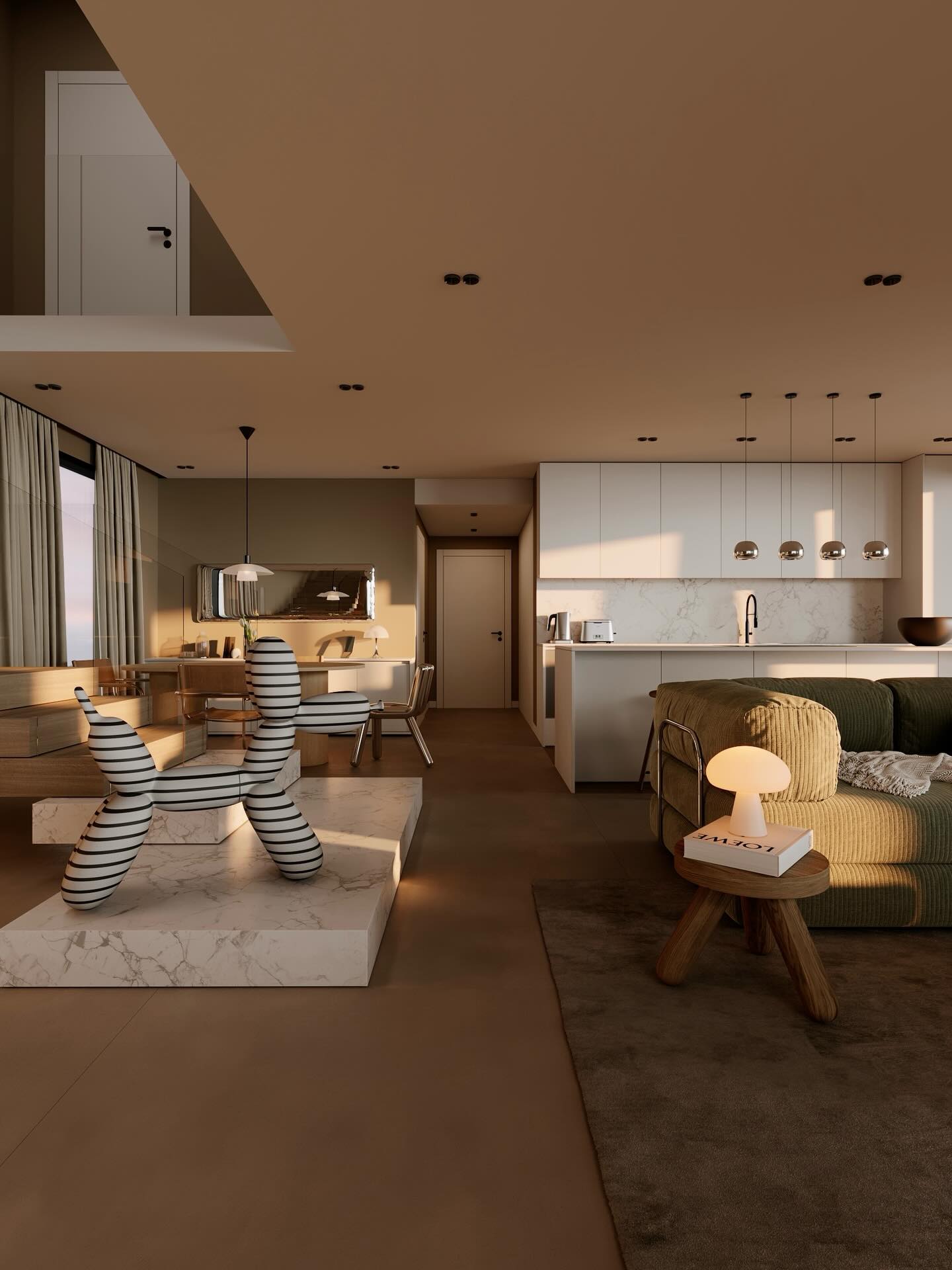
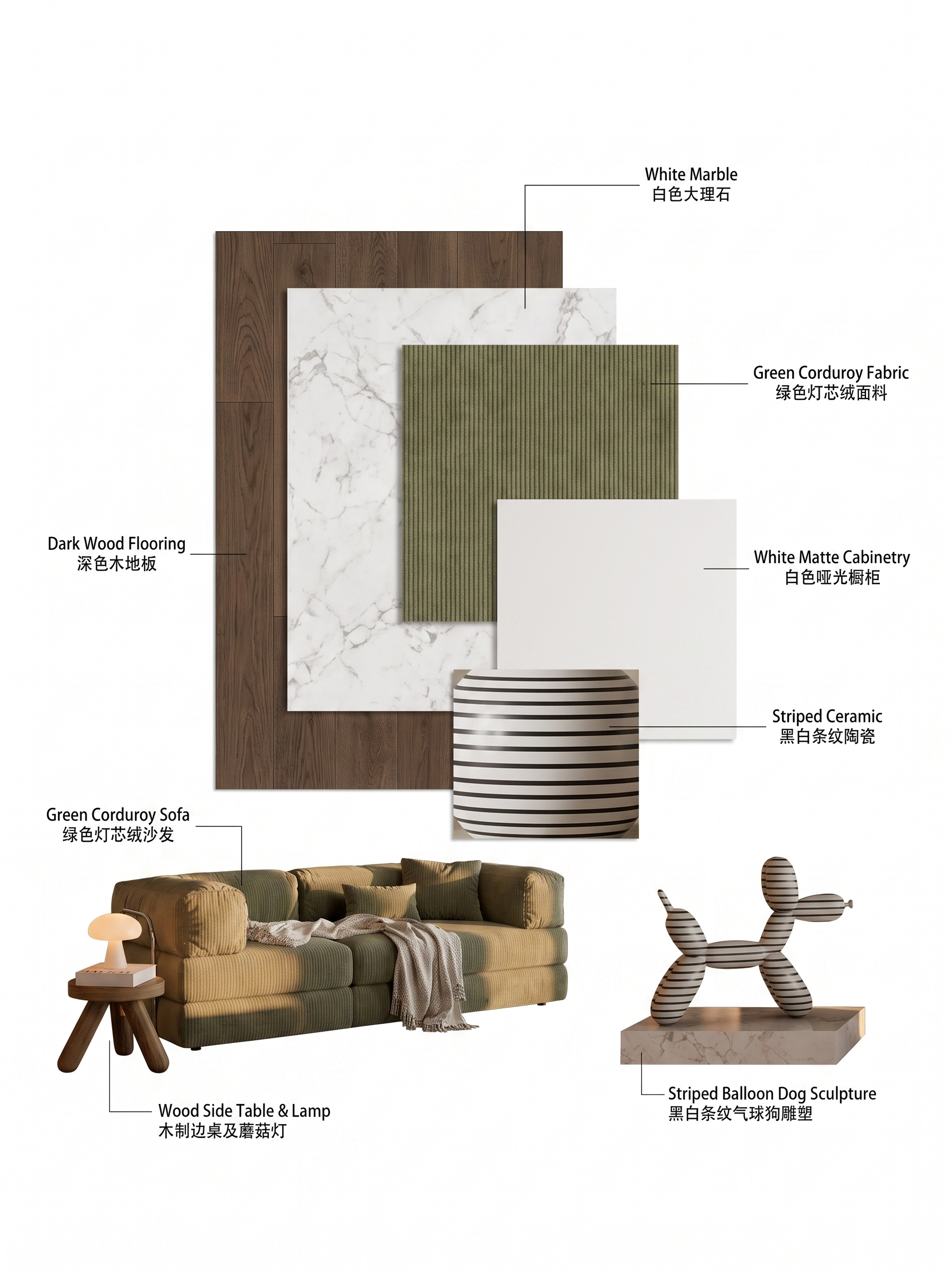
| Input | 1 design or reference image |
|---|---|
| Output | Material-focused analysis visualization |
| Focus | Finish types, palette, relationships |
| Best for | Material selection, reverse design, teaching |
| Also useful with | Targeted Material Swap / Scene to Moodboard |
- Interior references
- Facade material close-ups
- Product or space photos with clear finishes
Updated by the Lovspark Product Team, based on the live product and real project examples.
Sources: Lovspark product documentation · Lovspark Academy
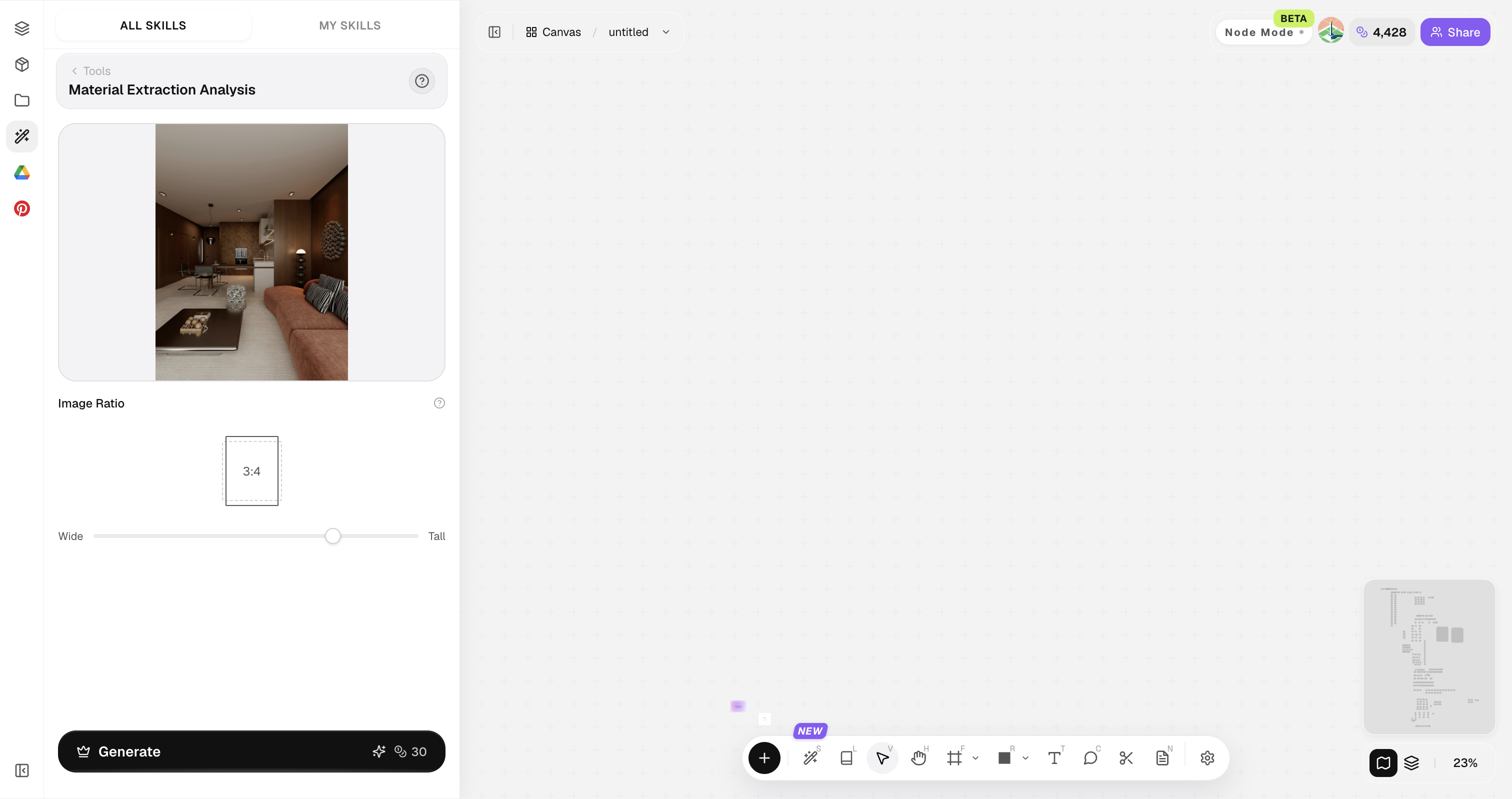
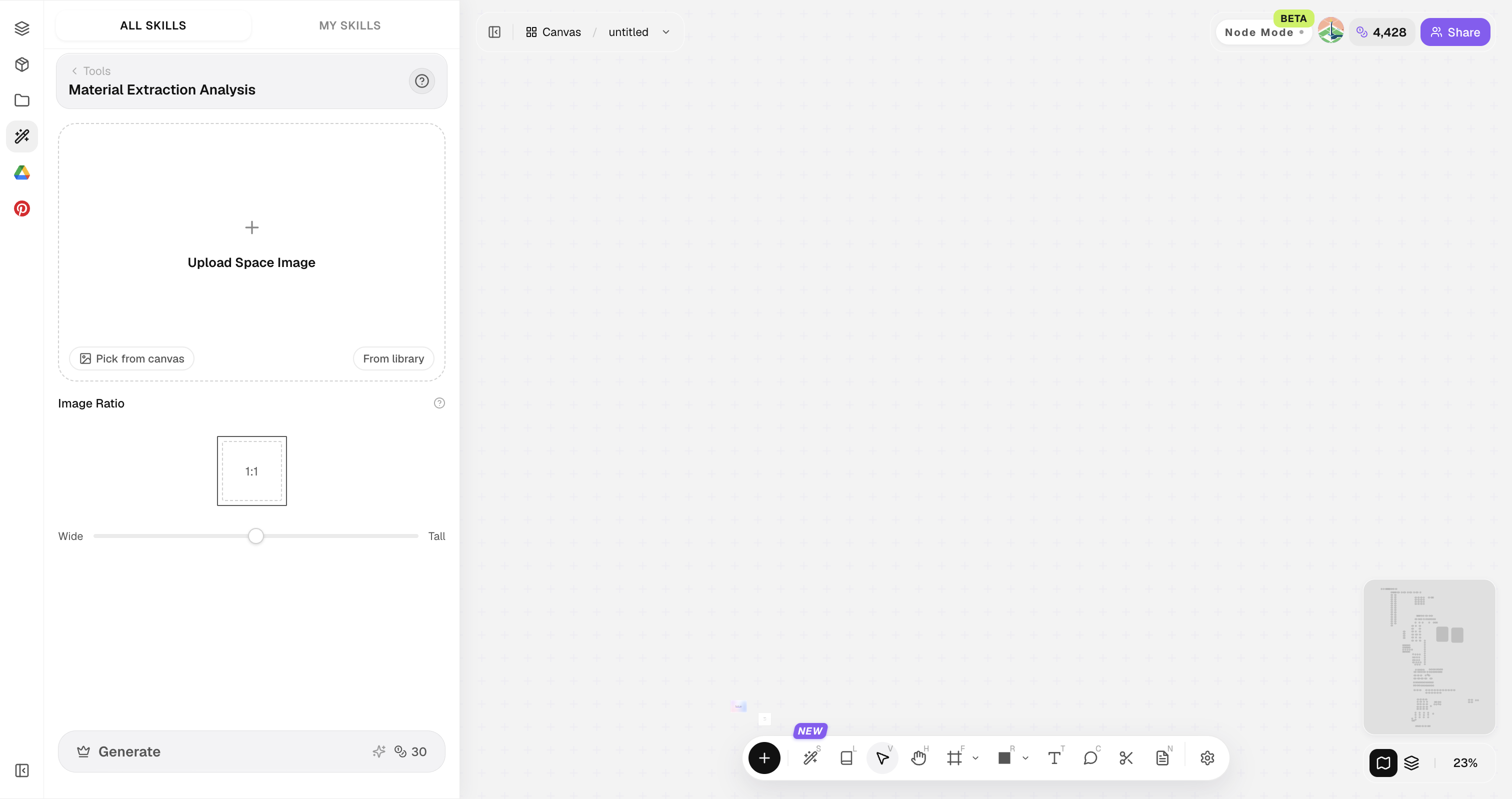
Material Extraction Analysis feature panel
Open Skills library and choose Material Extraction Analysis. Upload a scene image, set the output ratio, then generate a material-focused analysis that extracts its key finishes and palette.
Prefer images where materials aren't crushed by heavy filters or extreme noise.
How to use Material Extraction Analysis
Three steps from a space image to a material analysis.
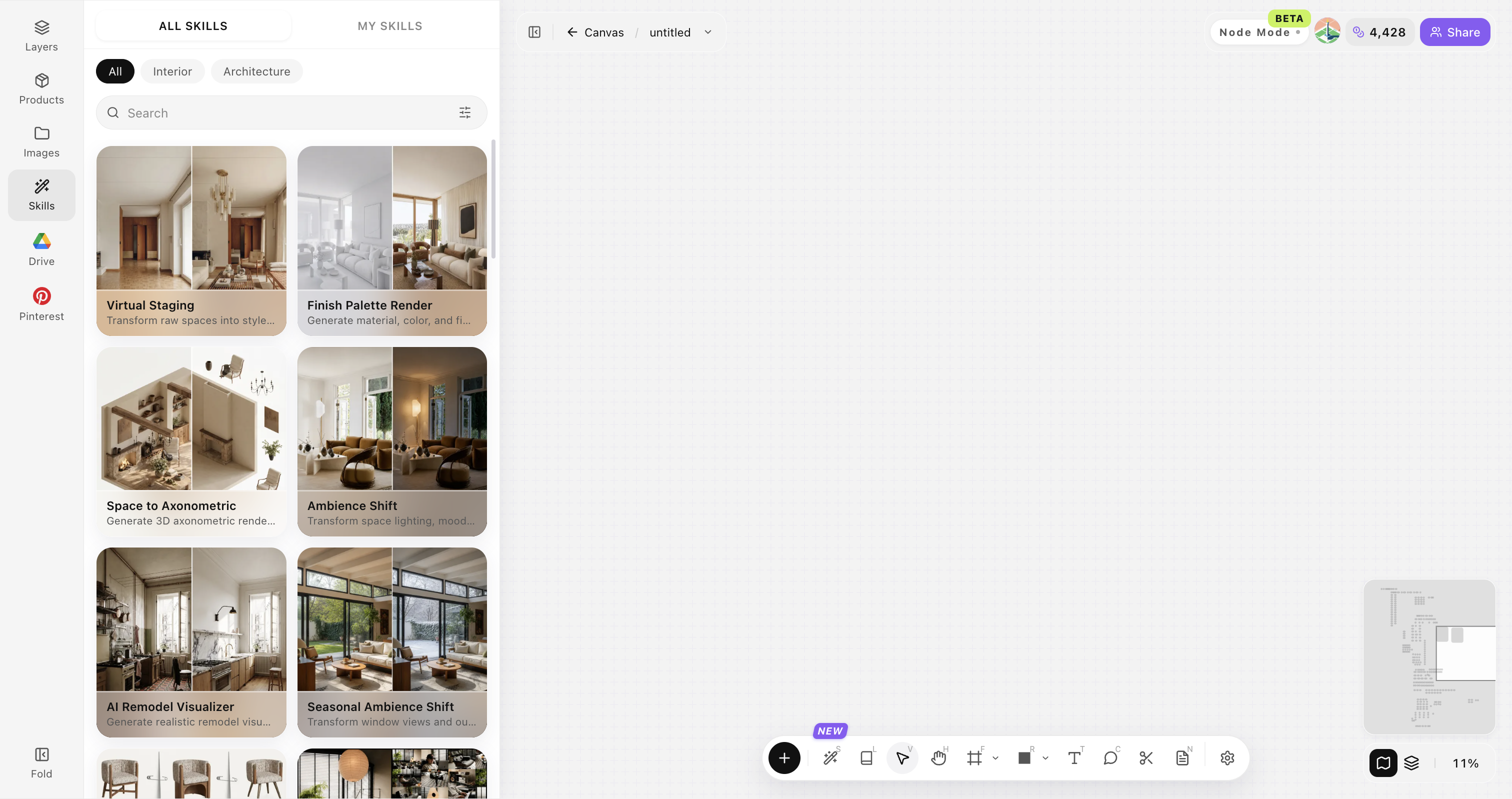
Open Skills library and choose Material Extraction Analysis
Open Skills library, then choose Material Extraction Analysis from the skill list to start this workflow.
Upload your original image
Upload, paste, or drag in a clear original image. It becomes the base for this generation.
Generate the analysis view
Create a material-focused reading of the scene.
Material extraction input checklist
Use a clear space image with visible materials and balanced light.
Use a natural-color source image
Avoid strong filters and color casts so material color can be read accurately.
Show enough of each material
Keep wood, stone, fabric, and other finishes large enough to identify their texture and pattern.
Keep the main spatial surfaces visible
Include the wall, floor, furniture, and major lighting so the material relationships are clear.
Use a sharp, evenly exposed image
Avoid blur, strong noise, blown highlights, and blocked shadows.
Use an approved space direction
Use this to organize the materials and palette of an existing space, not to redesign the space.
Material Extraction Analysis FAQ
Great for design communication — still verify real product samples before procurement.
What is Material Extraction Analysis?
Material Extraction Analysis analyzes a design image and visualizes its finish language so teams can discuss materials with clearer shared vocabulary.
Does it identify exact SKUs?
No. It provides a visual finish language for discussion. Exact product SKUs and procurement still need sampling and specification.
Can it feed Targeted Material Swap?
Yes—use extracted language as direction for swaps.
Works on exteriors?
Yes for cladding, paving, and facade systems.
Who benefits most?
Interior designers, material researchers, and educators.